Wireless Router RNX-N150RT User Manual
Note:
1) The LED on the router will light blue for five minutes if the device has been successfully added
to the network.
2) The function cannot be configured if the Wireless Function of the router is disabled. Please
make sure the Wireless Function is enabled before configuring the WPS.
4.6 Network
Figure 4-7 the Network menu
There are three submenus under the Network menu (shown in Figure 4-7): LAN, WA
N and MAC
Clone. Click any of them, and you will be able to configure the corresponding function.
4.6.1 LAN
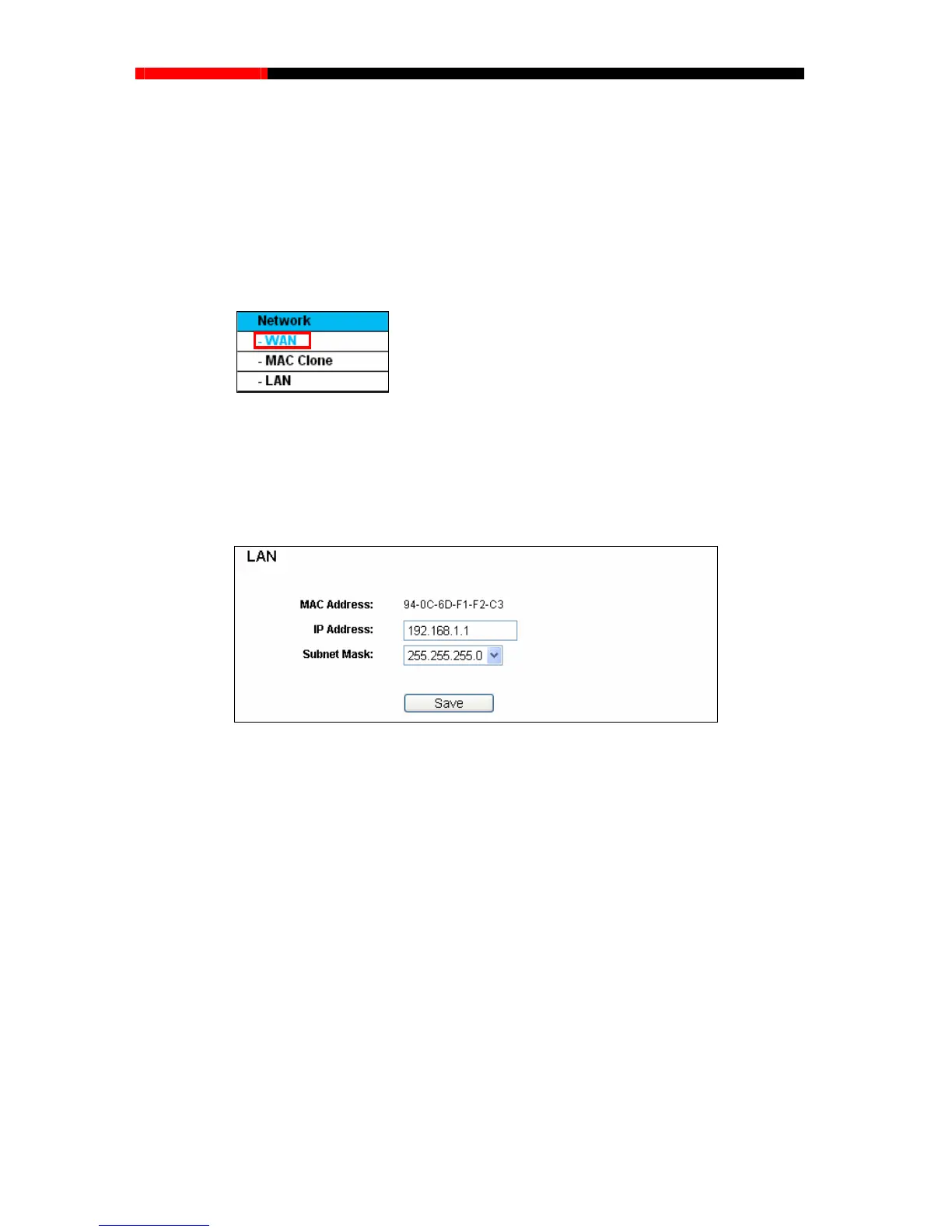
Choose menu “Network→LAN”, you can configure the IP parameters of the LAN on the screen as
below.
Figure 4-8 LAN
MAC Address-The physical address of the router, as seen from the LAN. The value can't be
changed.
IP Address - Enter the IP address of your router or reset it in dotted-decimal notation (factory
default: 192.168.1.1).
Subnet Mask – An address code that determines the size of the network. Normally use
255.255.255.0 as the subnet mask.
Note:
1. If you change the IP Address of LAN, you must use the new IP Address to login the router.
2. If the new LAN IP Address you set is not in the same subnet, the IP Address pool of the DHCP
server will change accordingly at the same time,while the Virtual Server and DMZ Host will
not take effect until they are re-configured.
- 36 -



 To Next Page