Wireless Router RNX-N150RT User Manual
Note:
If you change the IP address, you must use the new IP address to login the system.
Change the login account - if you select the YES radio, you can modify your login user
name and password.
Note:
The new user name and password must not exceed 14 characters in length and must not
include any spaces. Enter the new Password twice to confirm it.
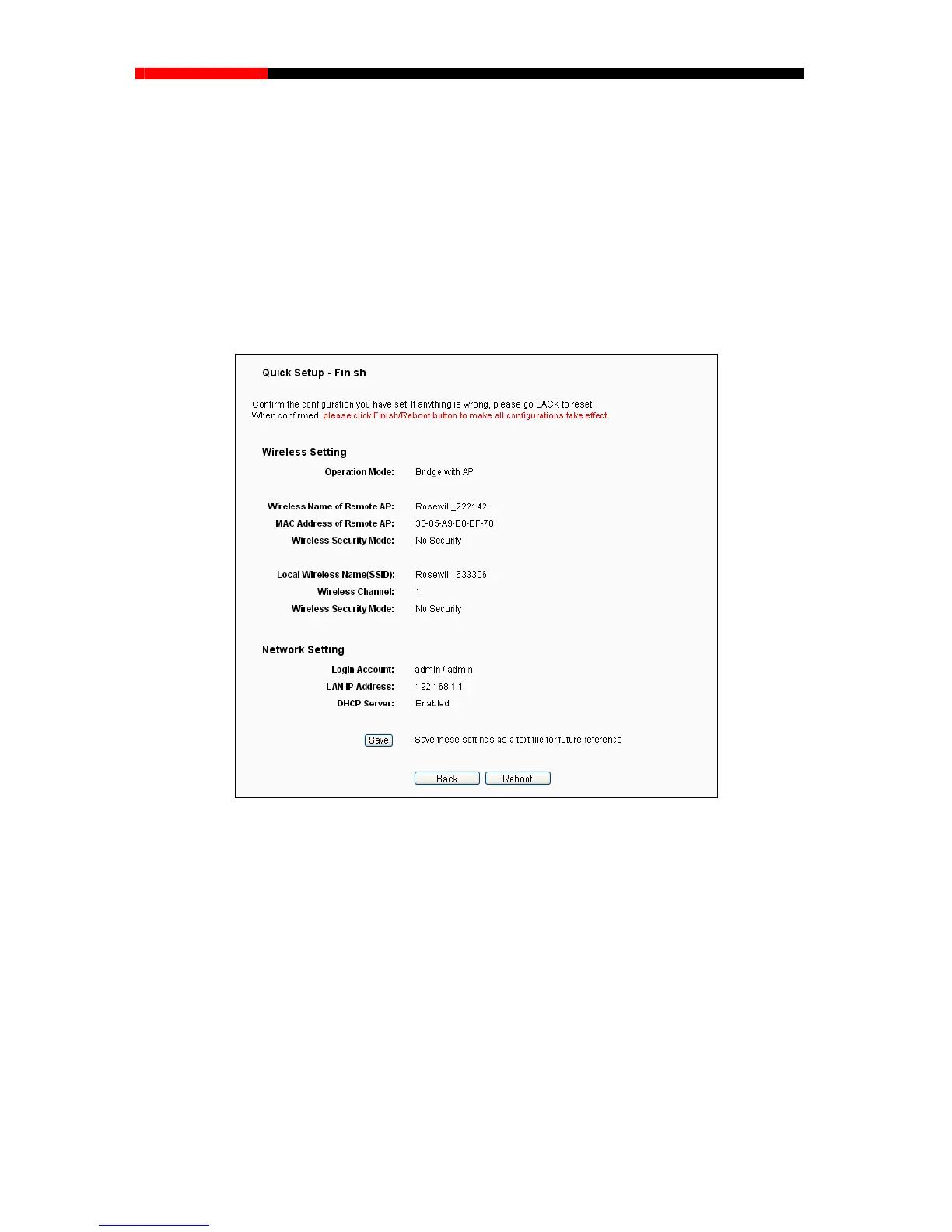
4. Click the Next button. You will then see the page as shown in Figure 3-32. Please click the
Reboot/Finish button to make your configuratio
n take effect and finish the Quick Setup.
Figure 3-32 Quick Setup – Finish
Note:
You may click the Save button to save these settings as a text file for future reference.
3.2.6 Configuration for Client Mode
When you choose Client on Operation Mode page in Figure 3-6, the following steps:
1. Click Next, and then Wireless page will appear as shown in Figure 3-33. On this page, please
confirm all parameters, and then click Next.
- 27 -



 To Next Page