Wireless Router RNX-N150RT User Manual
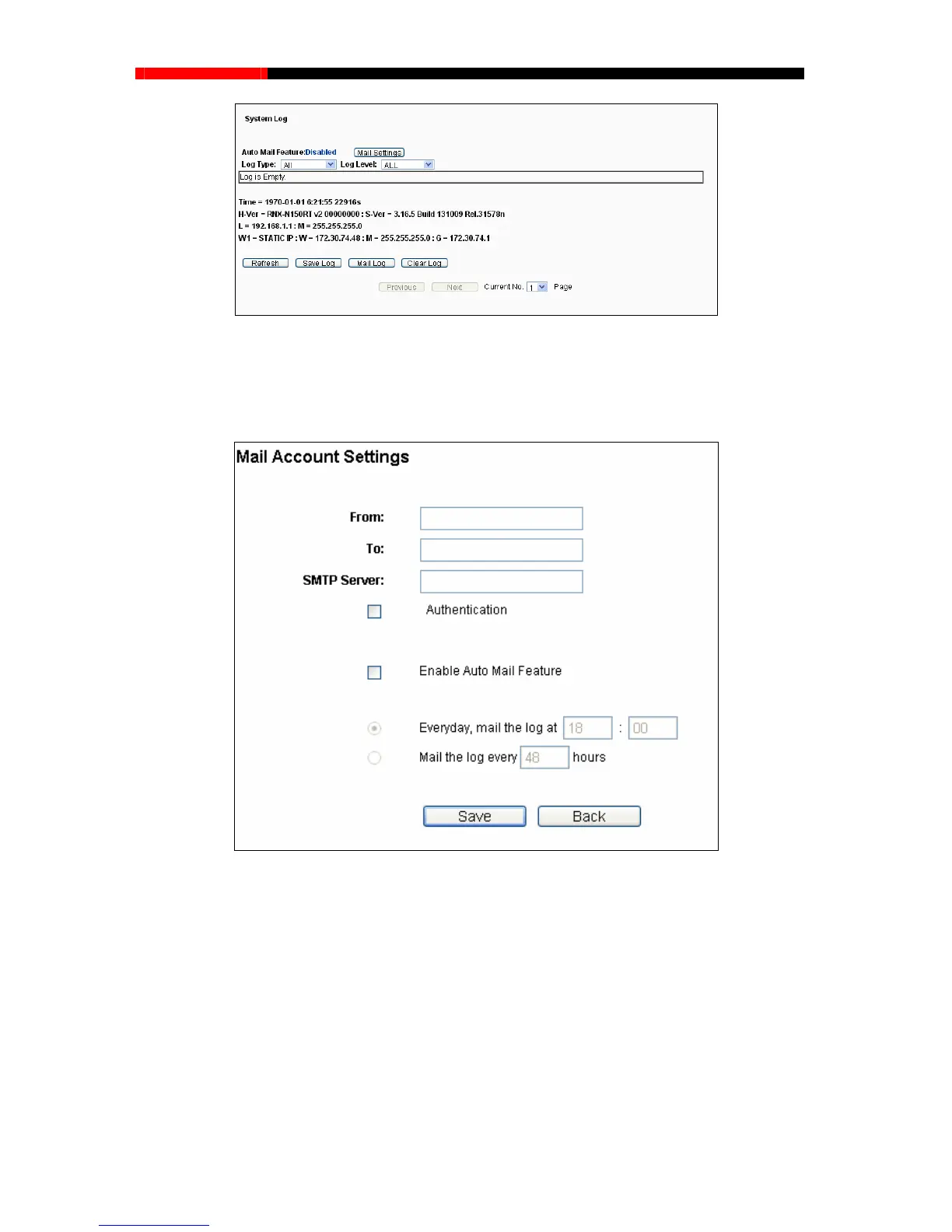
and sending mailbox address, server address, validation
information as well as the timetable for Auto Mail Feature, as shown in Figure 4-93.
Figure 4-92 System Log
Auto Mail Feature - Indicates whether auto mail feature is enabled or not.
Mail Settings - Set the receiving
93 Mail Account Settings
From- Your mail box address. The router would connect it to send logs.
Figure 4-
To- Recipient’s address. The destination mailbox where the logs would be received.
SMTP Server - Your smtp server. It corresponds with the mailbox filled in the From
field. You can log on the relevant website for Help if you are not clear with the address.
Authentication- Most SMTP Server requires Authentication. It is required by most
mailboxes that need User Name and Password to log in.
- 109 -



 To Next Page