Wireless Router RNX-N150RT User Manual
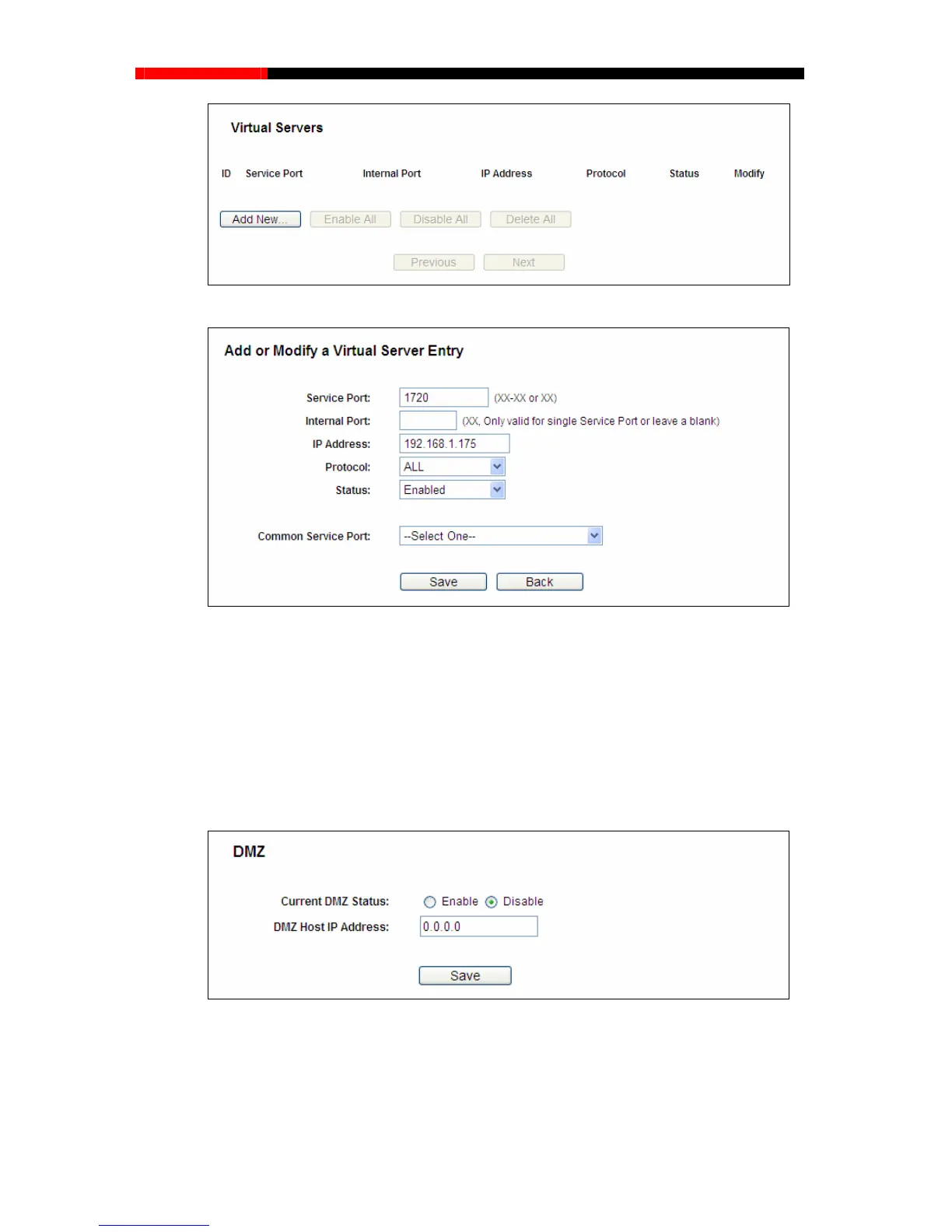
Figure A-4 Virtual Servers
Figure A-5 Add or Modify a Virtual server Entry
Your opp
osite side should call your WAN IP, which is displayed on the “Status” page.
field, using 192.168.1.169 as
an example, remember to click the Save button.
Note:
4) How to enable DMZ Host: Log in to the router, click the “Forwarding” menu on the left of
your browser, and click "DMZ" submenu. On the "DMZ" page, click Enable radio button
and type your IP address into the “DMZ Host IP Address”
Figure A-6 DMZ
5)
e radio button next to H323 ALG. Remember to click the Save button.
How to enable H323 ALG: Log in to the router, click the “Security” menu on the left of
your browser, and click “Basic Security” submenu. On the “Basic Security” page, check
the Enabl
- 115 -



 To Next Page