Wireless Router RNX-N150RT User Manual
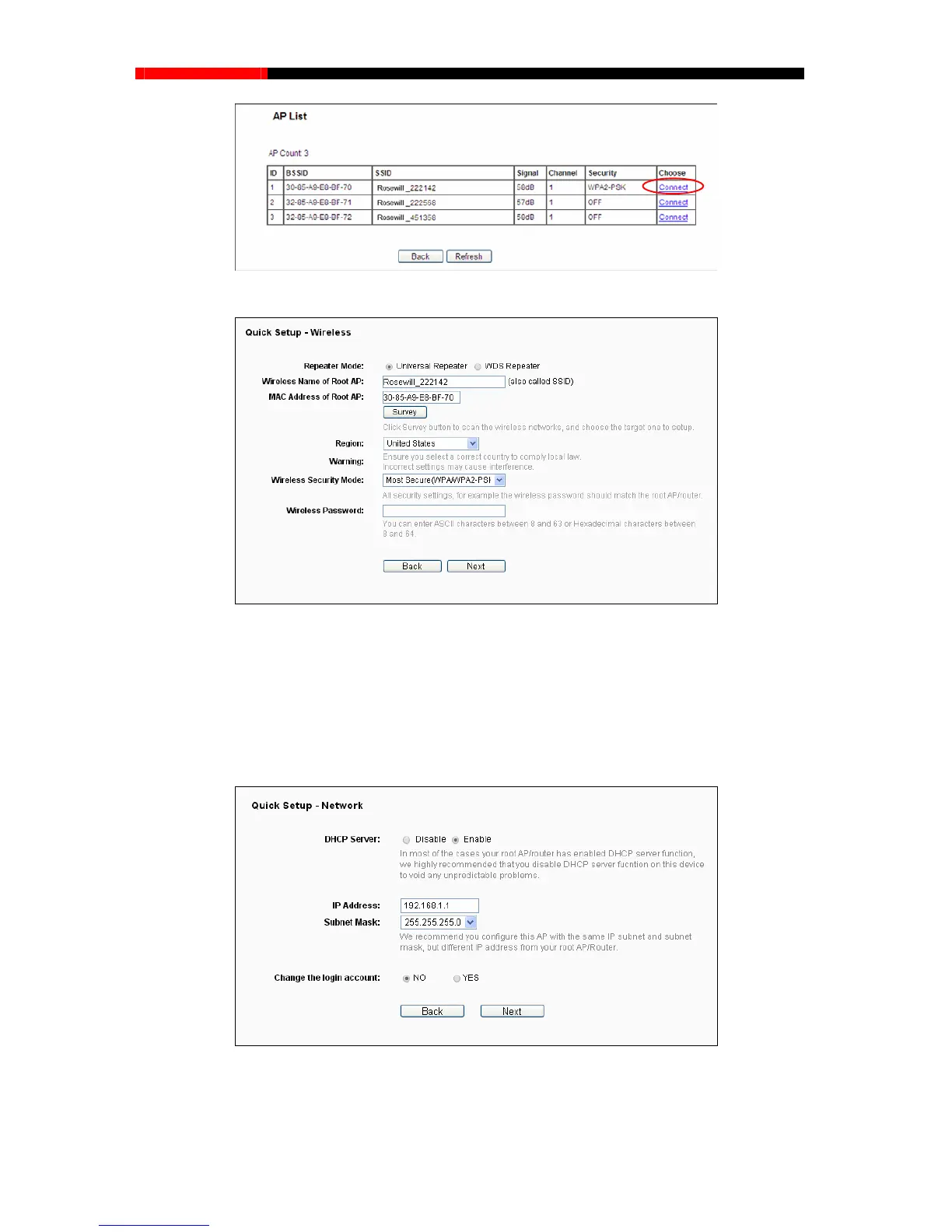
Figure 3-23 AP List
Figure 3-24 Quick Setup – Wireless
Note:
If you know the SSID of the desired AP, you can also input it into the field "Wireless Name of
Remote AP" manually.
2. Click Next, and then Network page will appear as shown in Figure 3-25. You can configure
the IP parameters of LAN
on this page.
Figure 3-25 Quick Setup – Network
- 22 -



 To Next Page