Wireless Router RNX-N150RT User Manual
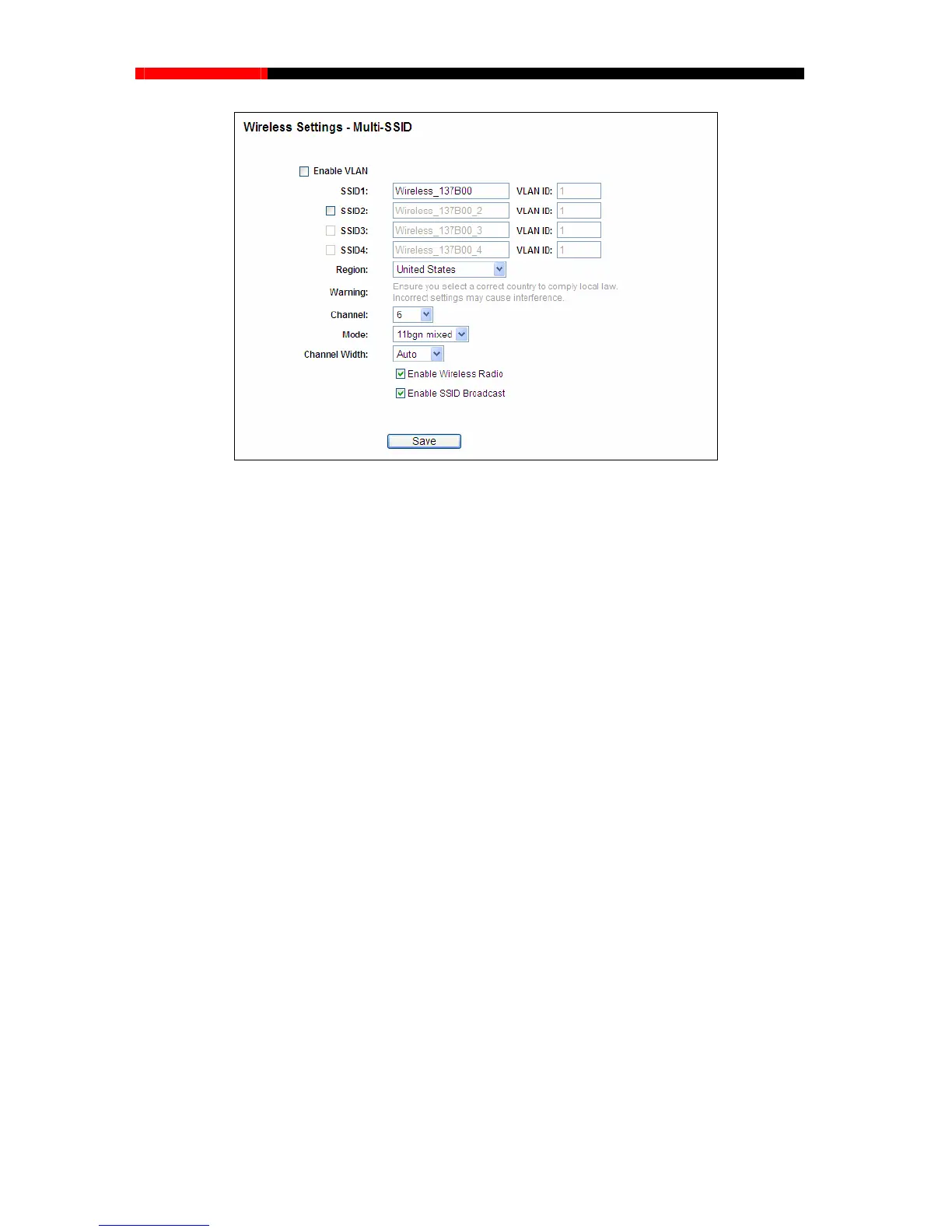
Figure 4-23 Wireless Settings – Multi-SSID
Enable VLAN - Check this box and then you can change the VLAN ID of each SSID. If you
want to configure the Guest and Internal networks on VLAN, the switch you are using must
support VLAN. As a prerequisite step, configure a port on the switch for handling VLAN
tagged packets as described in the IEEE802.1Q standard, and enable this field.
SSID (1-4) - Up to four SSIDs for each BSS (Basic Service Set) can be entered in the filed
SSID1 ~ SSID4. The name can be up to 32 characters. The same name (SSID) must be
all wireless devices in your network. If Enable VLAN is checked, the wireless
(1-4) - Provide a number between 1 and 4095 for VLAN. This will cause the device
can communicate with the PC connecting to the port with the same VLAN ID on the Switch.
Region - Select your region from the pull-down list. This field specifies the region where the
ireless function of
country or region
OK.
assigned to
stations
connecting to SSID of different VLANID can not communicate with each other.
VLANID
to send packets with VLAN tags. The switch connecting with the device mu
st support VLAN
IEEE802.1Q frames. The wireless stations connecting to the SSID of a specified VLAN ID
wireless function of the d
evice can be used. It may be illegal to use the w
the device in a region other than one of those specified in this field. If your
is not listed, please contact your local government agency for assistance.
When you select your local region from the pull-down list, click the Save button, then the
Note Dialog appears. Click
- 53 -



 To Next Page