Wireless Router RNX-N150RT User Manual
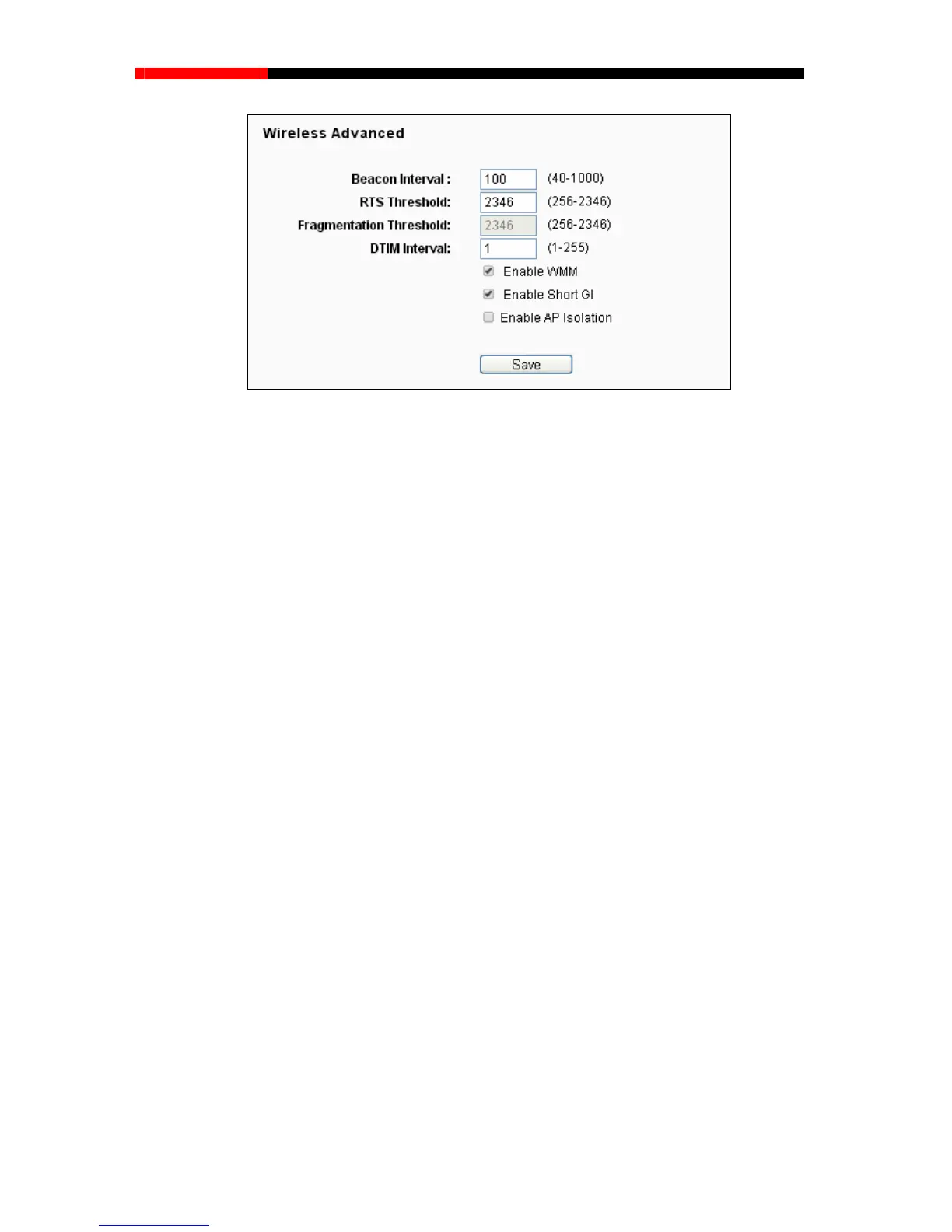
Figure 4-33 Wireless Advanced
Beacon Interval - Enter a value between 20-1000 milliseconds for Beacon Interval here.The
beacons are the packets se etwork. Beacon
fault value is 100.
g of a data frame. The default value is
ld too low may result in poor network
performance because of excessive packets. 2346 is the default setting and is recommended.
ffic Indication Message
(DTIM).A DTIM field is a countdown field informing clients of the next window for listening to
ast and multicast messages. When the router has buffered broadcast or multicast
with a DTIM Interval value. You can
value between 1-255 Beacon Intervals. The default value is 1, which indicates the
al is the same as Beacon Interval.
Enable WMM - WMM function can guarantee the packets with high-priority messages being
transmitted preferentially. It is strongly recommended.
Enable Short GI - This function is recommended for it will increase the data capacity by
red
check this box. AP Isolation is disabled by default.
nt by the router to synchronize a wireless n
Interval value determines the time interval of the beacons. The de
RTS Threshold - Here you can specify the RTS (Request to Send) Threshold. If the packet
is larger than the specified RTS Threshold size, the router will send RTS frames to a
particular receiving station and negotiate the sendin
2346.
Fragmentation Threshold - This value is the maximum size determining whether packets
will be fragmented. Setting the Fragmentation Thresho
DTIM Interval - This value determines the interval of the Delivery Tra
broadc
messages for associated clients, it sends the next DTIM
specify the
DTIM Interv
ucing the
guard interval time
.
Enabled AP Isolation -This function can isolate wireless stations on your network from each
other. Wireless devices will be able to communicate with the router but not with each other.
To use this function,
- 67 -



 To Next Page