BRP-Rotax
MAINTENANCE MANUAL LINE
REMOVAL OF THE DRIVE GEAR
ATTENTION
The large and small gears are considered the same part with the same part num-
ber and same serial number. They must not be mixed up with other gear sets.
Step
Procedure
1 Heat the hex. nut M30x1.5 with the hot air gun (100–120 °C (212–248 °
F)).
2
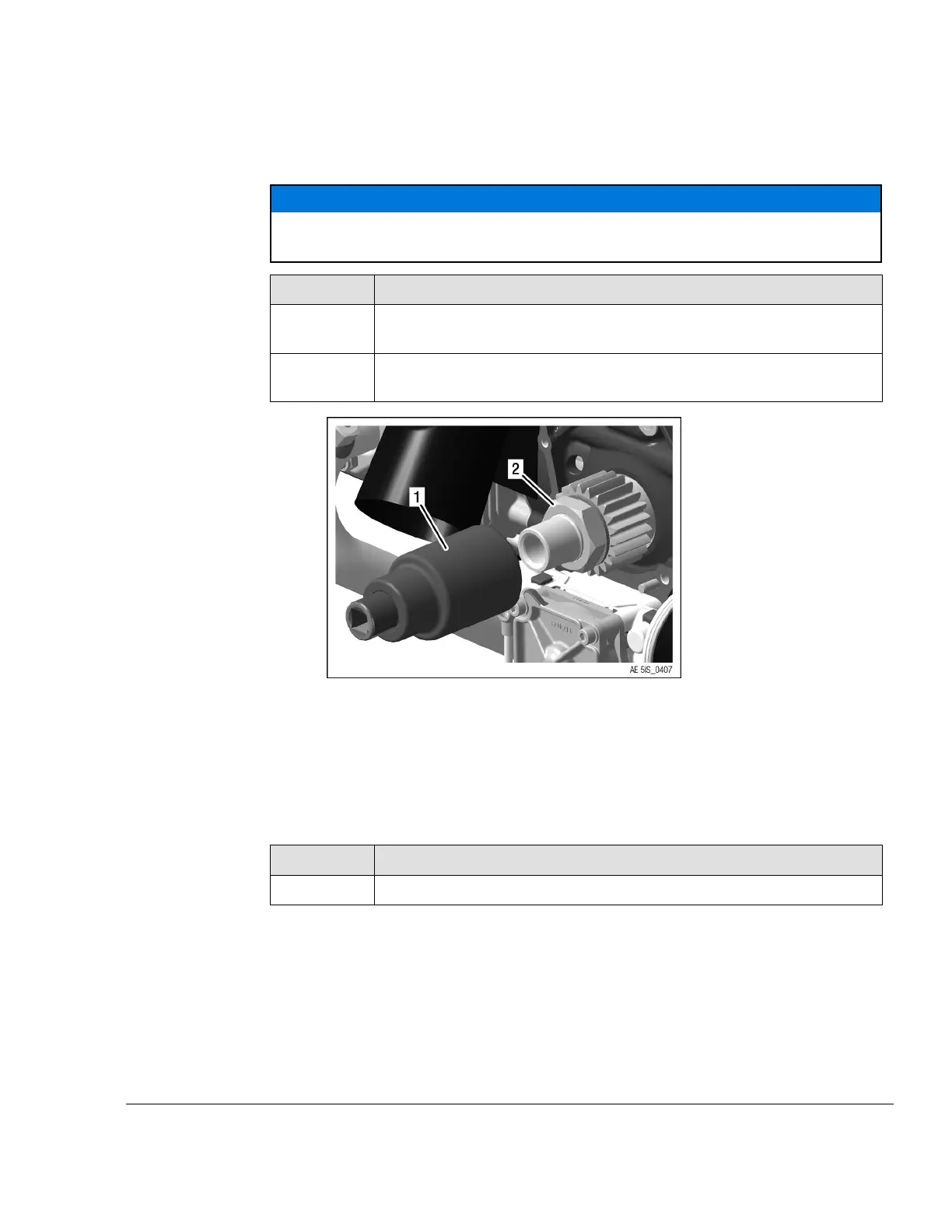
Turn clockwise left hand threads to loosen hex. nut M30x1.5 with socket
wrench SW 41 part no. 877445.
Figure 5.4
1
Socket wrench SW 41 part no. 877445
2 Hex. nut M30x1.5
NOTE
The hex. nut has a left handed thread!
Step
Procedure
3
Remove the drive gear and the friction washer from the crankshaft.
NOTE
If necessary, carefully lever off the drive gear with 2 screwdrivers.
NOTE
The gear set (large and small drive gear) are part of the gearbox assy. and both
must be included if sending gearbox out for inspection or overhaul.
Effectivity: 912 i Series
Edition 2/Rev. 0
05–50–00
Page 5
September 01/2018



 To Next Page
 Loading...