Section 5 Operating Instructions H85A Manual
www.rottlermfg.com
5-24
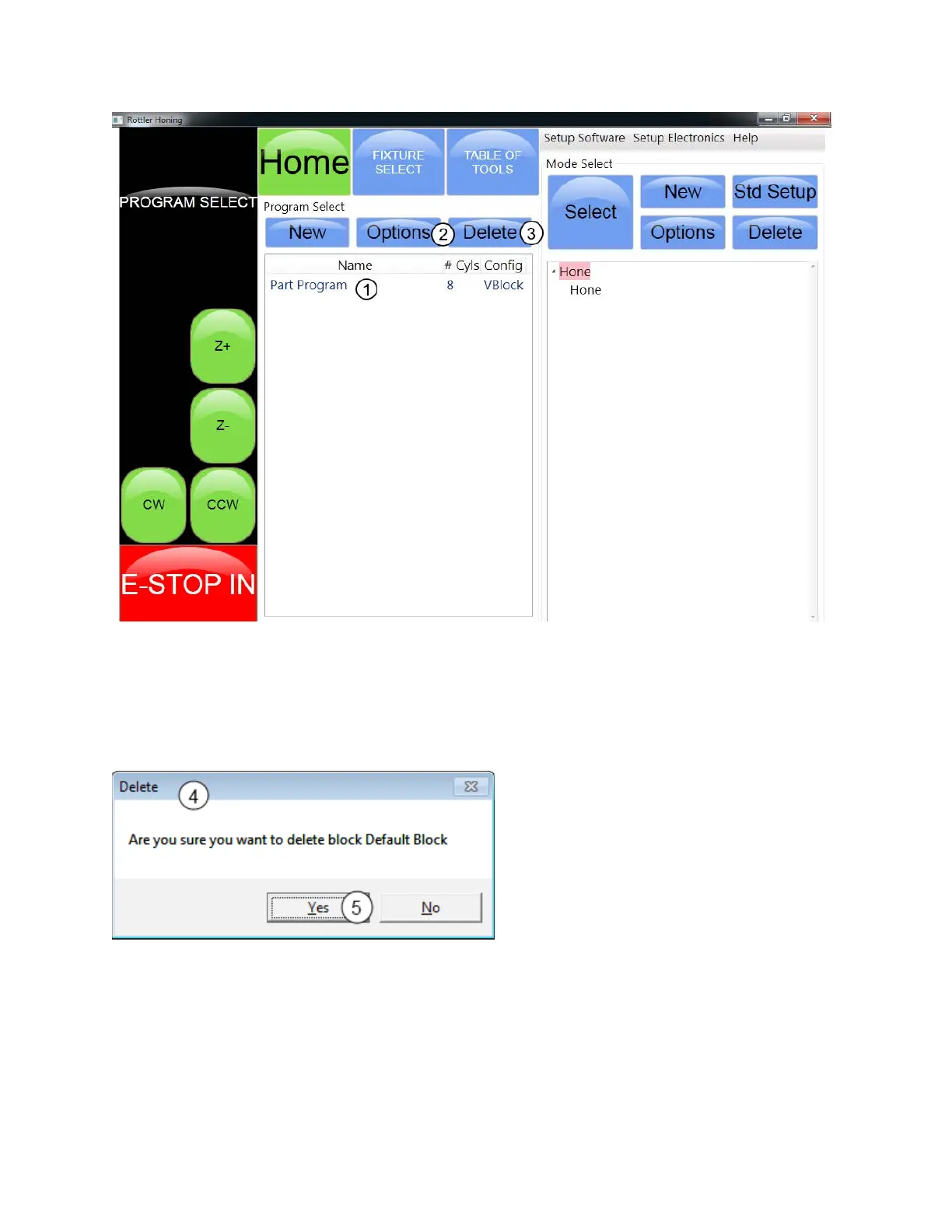
The Options button (2) will bring New Block Options Window back where you can edit information for the
block that is highlighted. Highlight the block program you want to edit, then touch the Options button.
The Delete button (3) while bring up the Delete Window.(4) Highlight a block program and touch the
Delete button.
Touch the Yes button (5) if you want to delete the block that is highlighted.



 To Next Page