Configuring Hotspot Service
Allowing Unrestricted Hotspot Access by MAC Address
Ruckus Wireless Outdoor AP 100.1.0 User Guide, 800-70863-001 Rev A 117
Allowing Unrestricted Hotspot Access by MAC Address
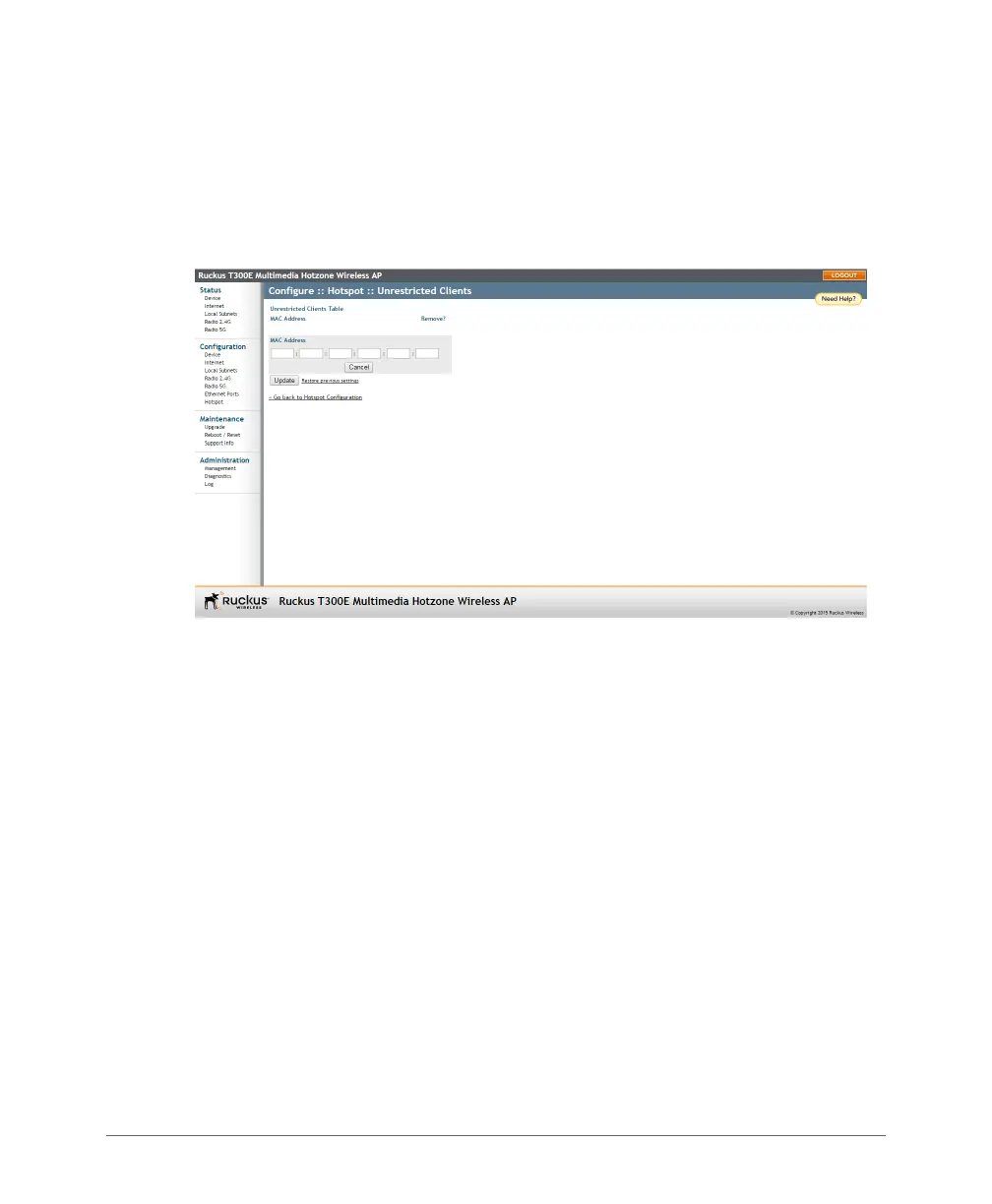
1 Go to Configuration > Hotspot.
2 Click Unrestricted Clients/Edit Settings.
3 Click Add new entry, and enter the MAC address of a client in the fields provided.
Figure 46. Configuring Hotspot unrestricted clients table
4 Click Update to save your changes.



 To Next Page