Configuring Wireless Settings
Configuring Common Wireless Settings
Ruckus Wireless Outdoor AP 100.1.0 User Guide, 800-70863-001 Rev A 89
Reviewing Common Advanced Settings
Advanced wireless settings should only be changed by an experienced adminis-
trator. Incorrect settings can severely impact wireless performance. It is recom-
mended that the default settings be retained for best performance.
NOTE To fully benefit from the AP’s capabilities, it is advisable not to change these
values unless absolutely necessary.
1 On the Configuration > Wireless/Radio 2.4G/Radio 5G page, click Edit
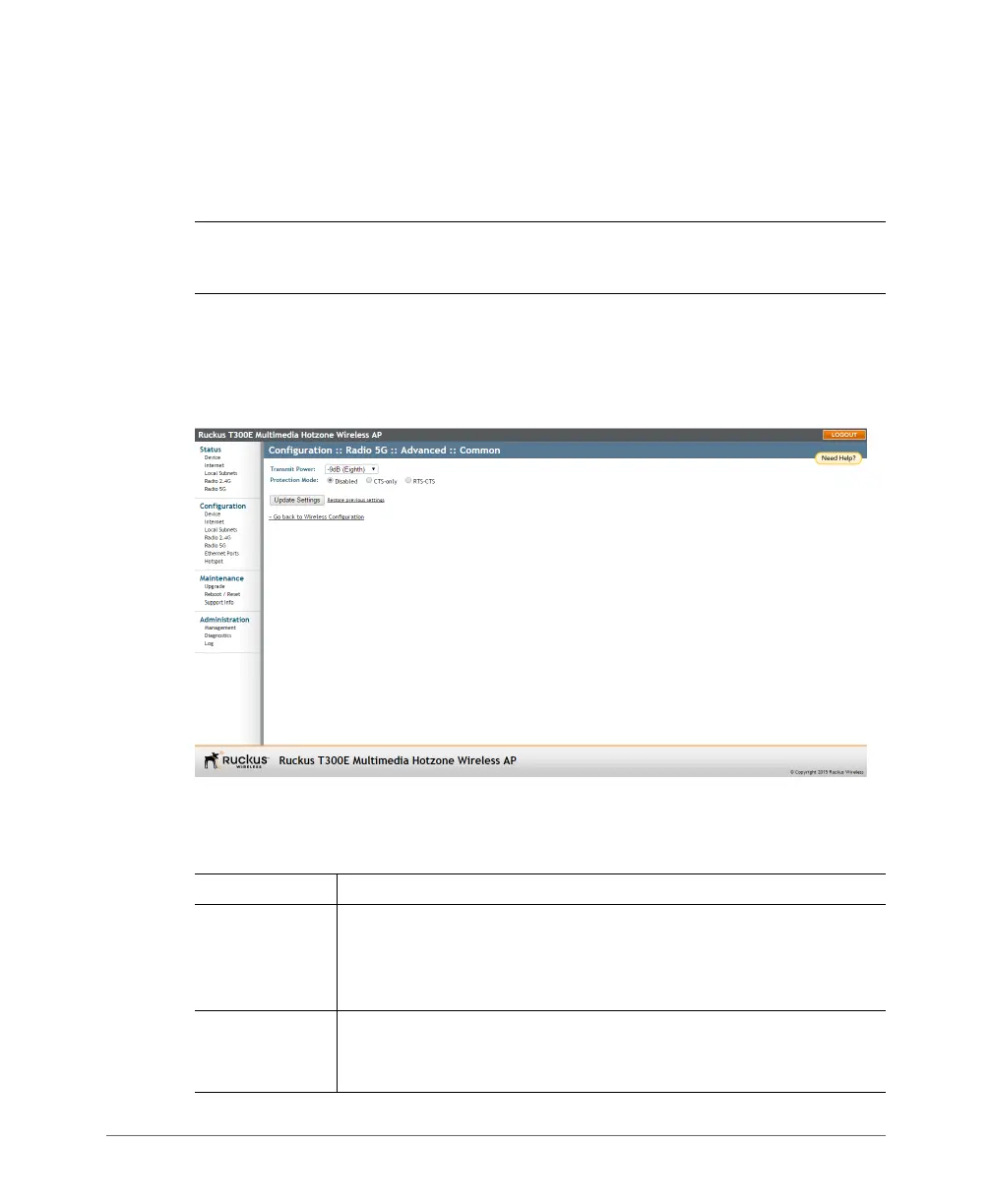
Common Settings. The Configuration > Wireless > Advanced > Common page
appears.
Figure 34. The Configuration > Wireless > Advanced > Common page
2 Configure the advanced settings listed in Ta b l e 25 as required.
Table 25. Advanced wireless common settings
Option Description
Transmit Power The default setting is
Full. Select the level of transmit power from the
drop-down menu. This option sets the maximum transmit power level
relative to the predefined power (this value differs according to the
current country code).
5.8 GHz
Channels
(Only available in certain countries selected using the
Country Code
option.) Select Enable to activate the optional 5.8GHz channels
(disabled by default).













 To Next Page