Getting to Know the Access Point Features
ZoneFlex 7762 Access Point
Ruckus Wireless Outdoor AP 100.1.0 User Guide, 800-70863-001 Rev A 19
ZoneFlex 7762 Access Point
NOTE The 100.x AP base images support standalone mode and FlexMaster (FM)
WLAN manager operation. The RuckOS-compatible images only support SCG,
vSCG, and SZ controllers. The ZD-compatible images only support ZD controllers.
The 7762 requires a minimum of AP base image 100.0.0 and later to operate, or
SCG 1.1 and later, vSCG 2.5 and later, RuckOS 3.2 and later, or ZF 9.4 and later
to operate.
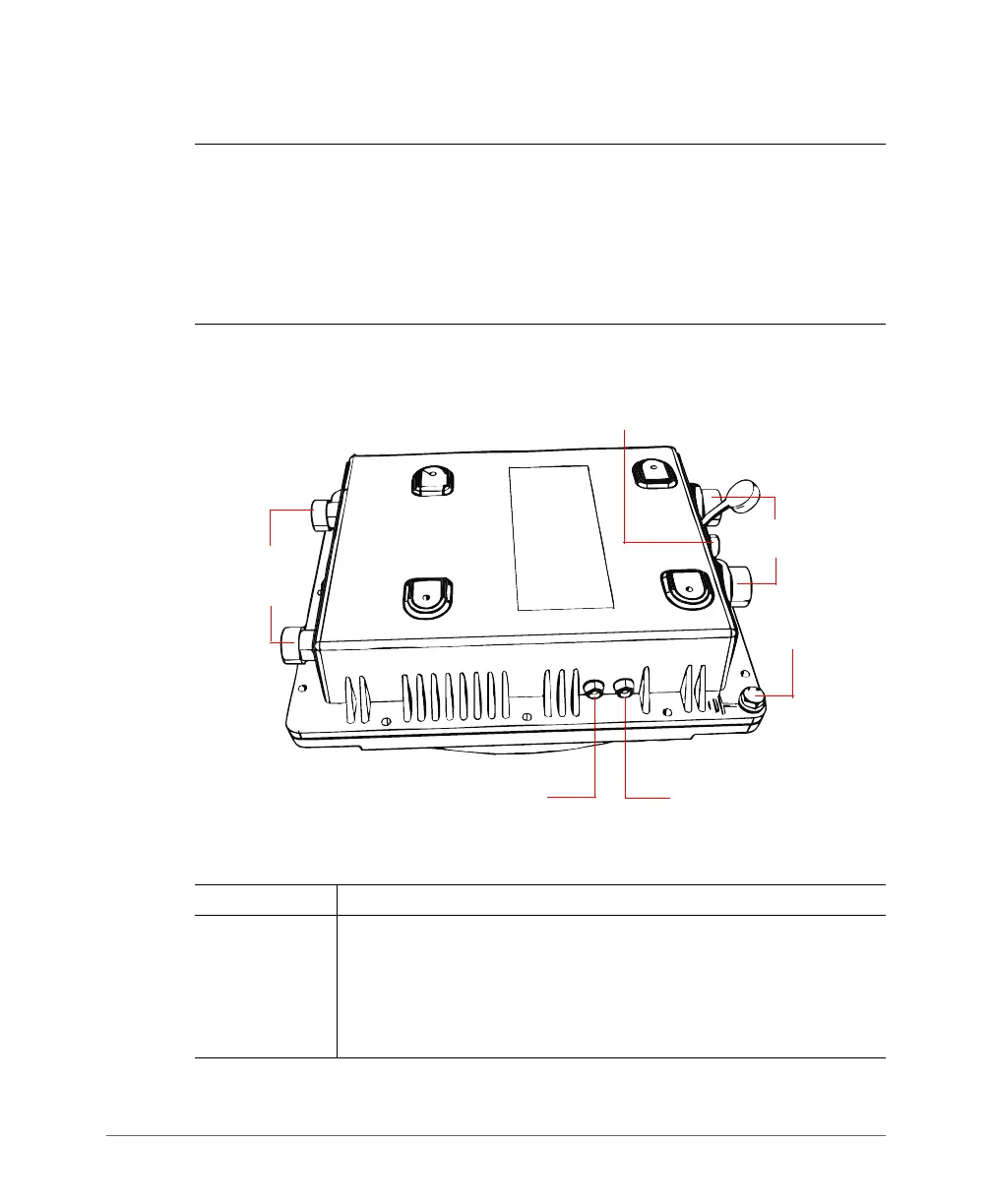
Figure 4 and Figure 5 identify the AP external features.
Figure 4. 7762 AP parts
Table 6. LEDs and connectors on the 7762 AP
Label Description
Power LED •
Off: No power is available, or the AP is not connected to a power
source.
•
Red: The AP is powering on.
•
Green: The AP is connected to a power source and has completed
its power-on sequence.
Power LED
Status LED
5GHz External
Antenna
Connectors
RJ-45/PoE
Connectors
DC Connector
Ground Screw













 To Next Page