Getting to Know the Access Point Features
ZoneFlex 7781CM Access Point with Cable Modem
Ruckus Wireless Outdoor AP 100.1.0 User Guide, 800-70863-001 Rev A 34
ZoneFlex 7781CM Access Point with Cable Modem
NOTE The 100.x AP base images support standalone mode and FlexMaster (FM)
WLAN manager operation. The RuckOS-compatible images only support SCG,
vSCG, and SZ controllers. The ZD-compatible images only support ZD controllers.
The 7781CM requires a minimum of AP base image 100.0.0 and later to operate,
or SCG 1.1.1 and later, vSCG 2.5 and later, RuckOS 3.2 and later, or ZF 9.5.1 and
later to operate.
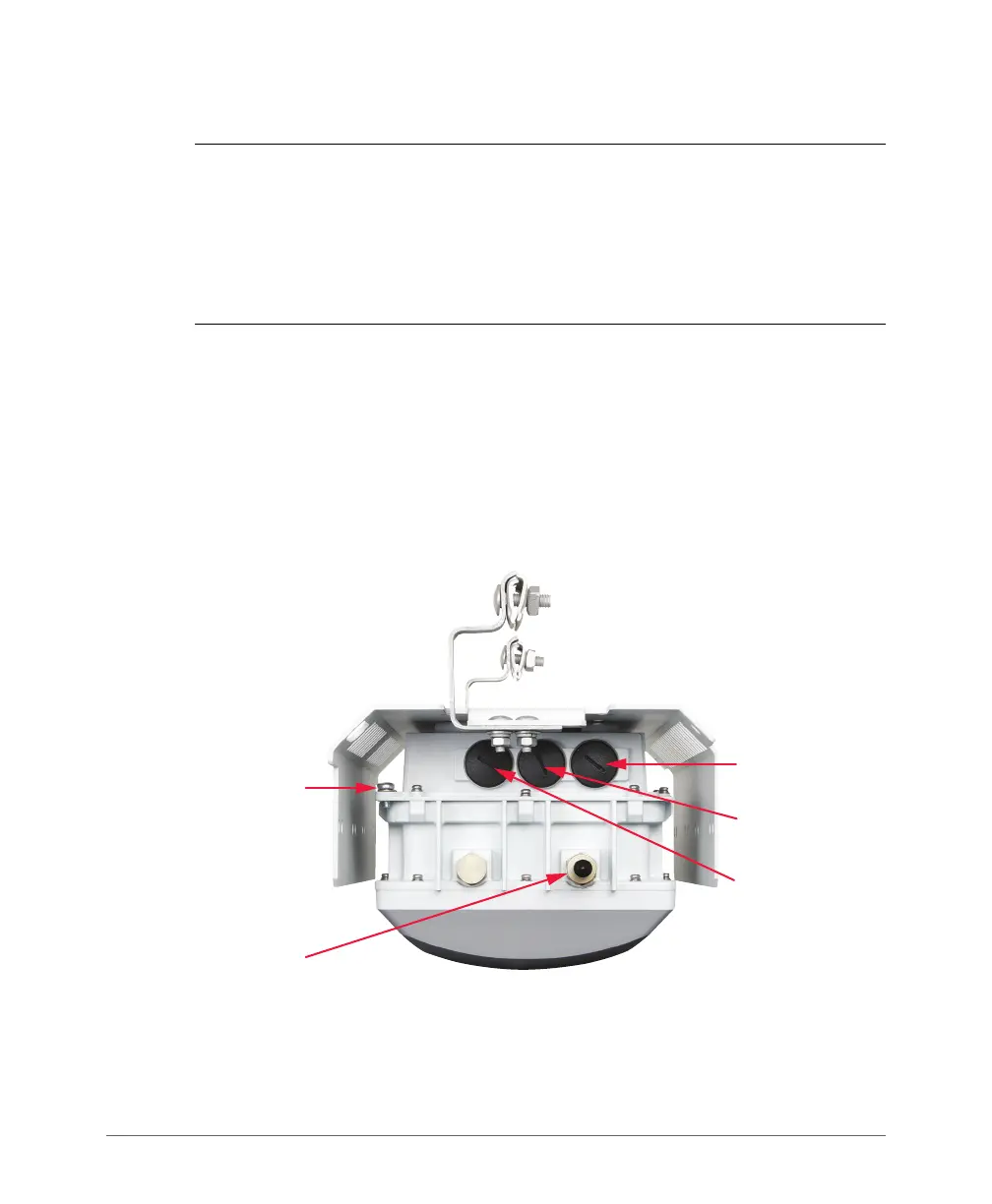
Figure 14 and Figure 15 identify the 7781CM AP with integral Cable Modem AP
(7781CM) external features.
• The 901-7781-US01 and 901-7781-WW01 DOCSIS 7781CMs and the 901-
7781-JP21 JCTEA DOCSIS 7781CMs include a shroud and cable clamps to
mount the 7781CMs on strand support cables.
• The 901-7781-WW11 EuroDOCSIS 7781CMs do not include a shroud or cable
clamps, and are mounted using customer-supplied mounting brackets.
Figure 14. 7781CM connectors
Connector B
Earth Ground
Screw
DC Connector
blanking cap
Ethernet Port
blanking cap













 To Next Page