Getting to Know the Access Point Features
SmartCell SC8800-S Outdoor Access Point
Ruckus Wireless Outdoor AP 100.1.0 User Guide, 800-70863-001 Rev A 14
SmartCell SC8800-S Outdoor Access Point
NOTE The 100.x AP base images support standalone mode and FlexMaster (FM)
WLAN manager operation. The RuckOS-compatible images only support SCG,
vSCG, and SZ controllers. The ZD-compatible images only support ZD controllers.
The SC8800-S requires a minimum of AP base image 100.0.0 and later to operate,
or SCG 2.1 and later, vSCG 2.5 and later, RuckOS 3.2 and later, or ZF 9.6.1 and
later to operate.
DO NOT connect the SC8800-S to a Ruckus Wireless controller with SCG 1.0
or earlier, or ZF 9.6.0 or earlier.
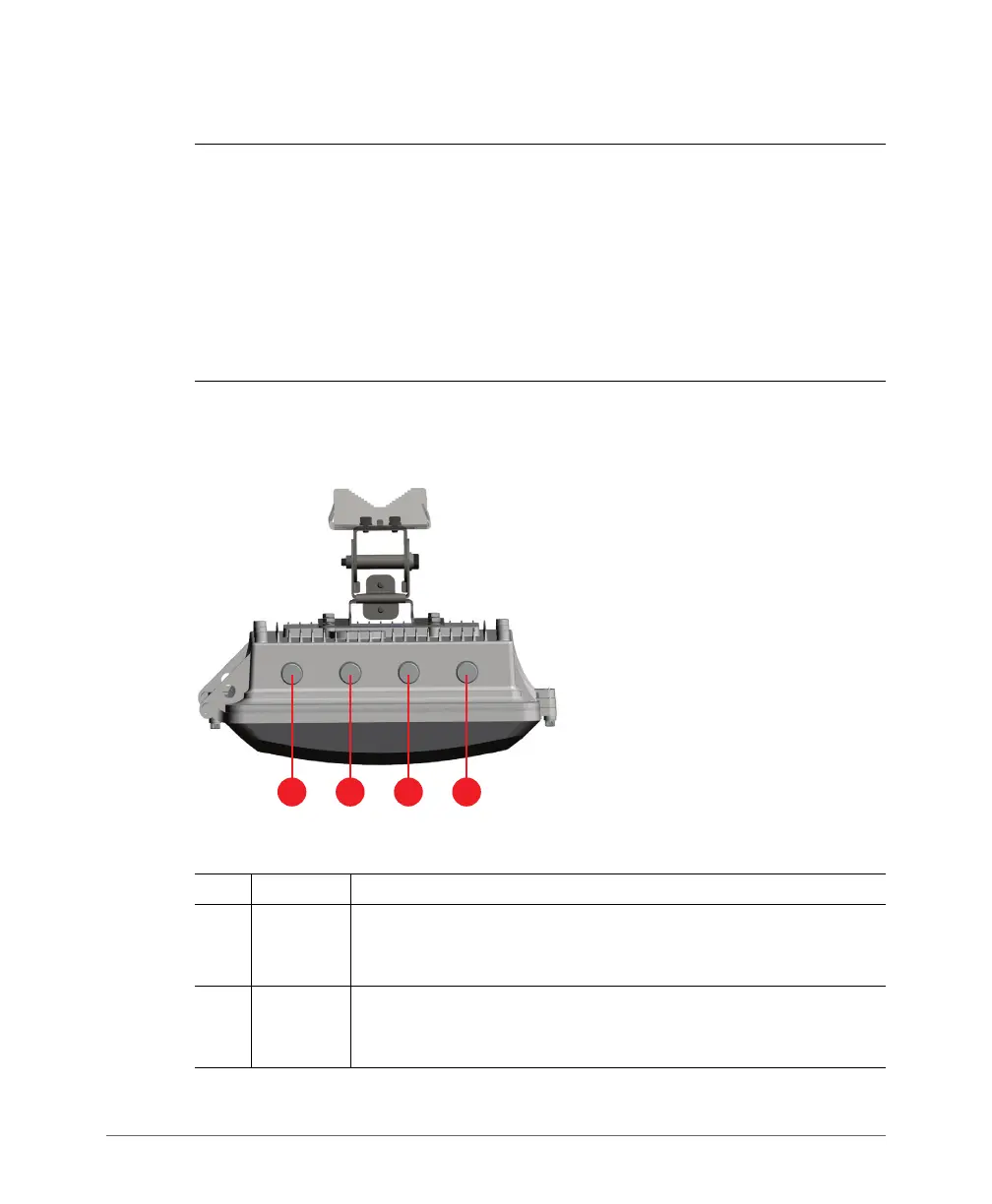
Figure 1 identifies the top-panel connectors on the AP. Ta b le 3 describes these
connectors.
Figure 1. SC8800-S top-panel connectors
Table 3. SC8800-S top-panel connectors
No. Label Description
1
5GHz
ANT 0
port
5GHz 50-ohm N-type connector. Can be used with an external
antenna for operator-defined coverage areas and point-to-point
deployments.
2
2.4 GHz
ANT 2
port
2.4GHz 50-ohm N-type connector. Can be used with an external
antenna for operator-defined coverage areas and point-to-point
deployments.













 To Next Page