Getting to Know the Access Point Features
ZoneFlex 7782-E Access Point
Ruckus Wireless Outdoor AP 100.1.0 User Guide, 800-70863-001 Rev A 43
ZoneFlex 7782-E Access Point
NOTE The 100.x AP base images support standalone mode and FlexMaster (FM)
WLAN manager operation. The RuckOS-compatible images only support SCG,
vSCG, and SZ controllers. The ZD-compatible images only support ZD controllers.
The 7782-E requires a minimum of AP base image 100.0.0 and later to operate, or
SCG 1.1.1 and later, vSCG 2.5 and later, RuckOS 3.2 and later, or ZF 9.5.1 and
later to operate.
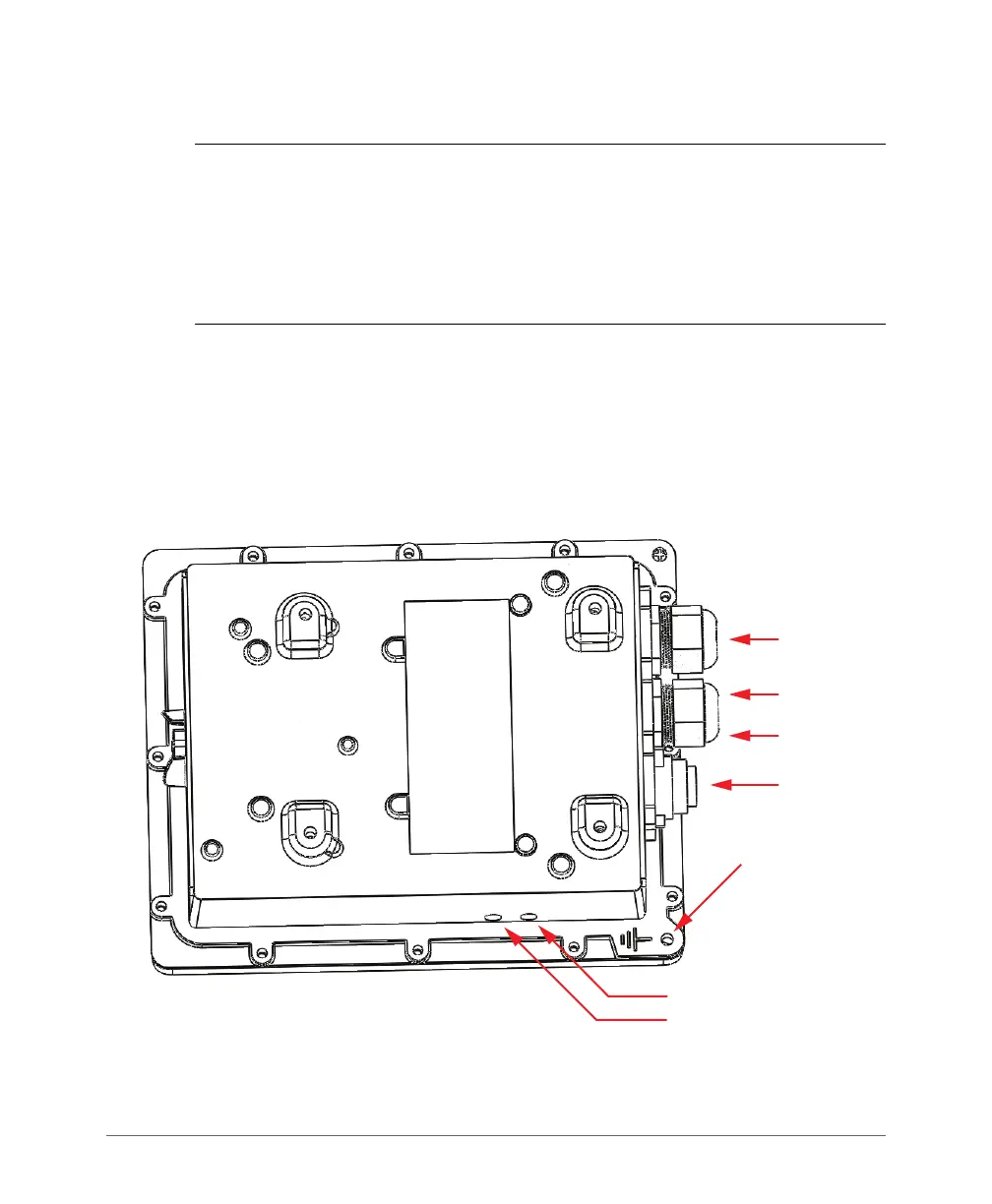
Figure 17 identifies the connectors and LEDs on the bottom of the 7782-E External
Antenna AP. Figure 18 identifies the connectors on the top of the 7782-E.
If you want to extend the range of your wireless network, then you can connect
external high gain antennas to the standard N-type radio frequency (RF) antenna
connectors on the top panel of the AP. The antennas must have a gain of less than
9dBi to comply with FCC and CE regulations.
Figure 17. 7782-E connectors and LEDs - bottom view
PoE IN
PoE OUT
AC IN
Earth Ground
Screw
STATUS LED
POWER LED
Reset Button
(inside case)













 To Next Page