MCA-C3 Test Procedure
Page 51 of 77
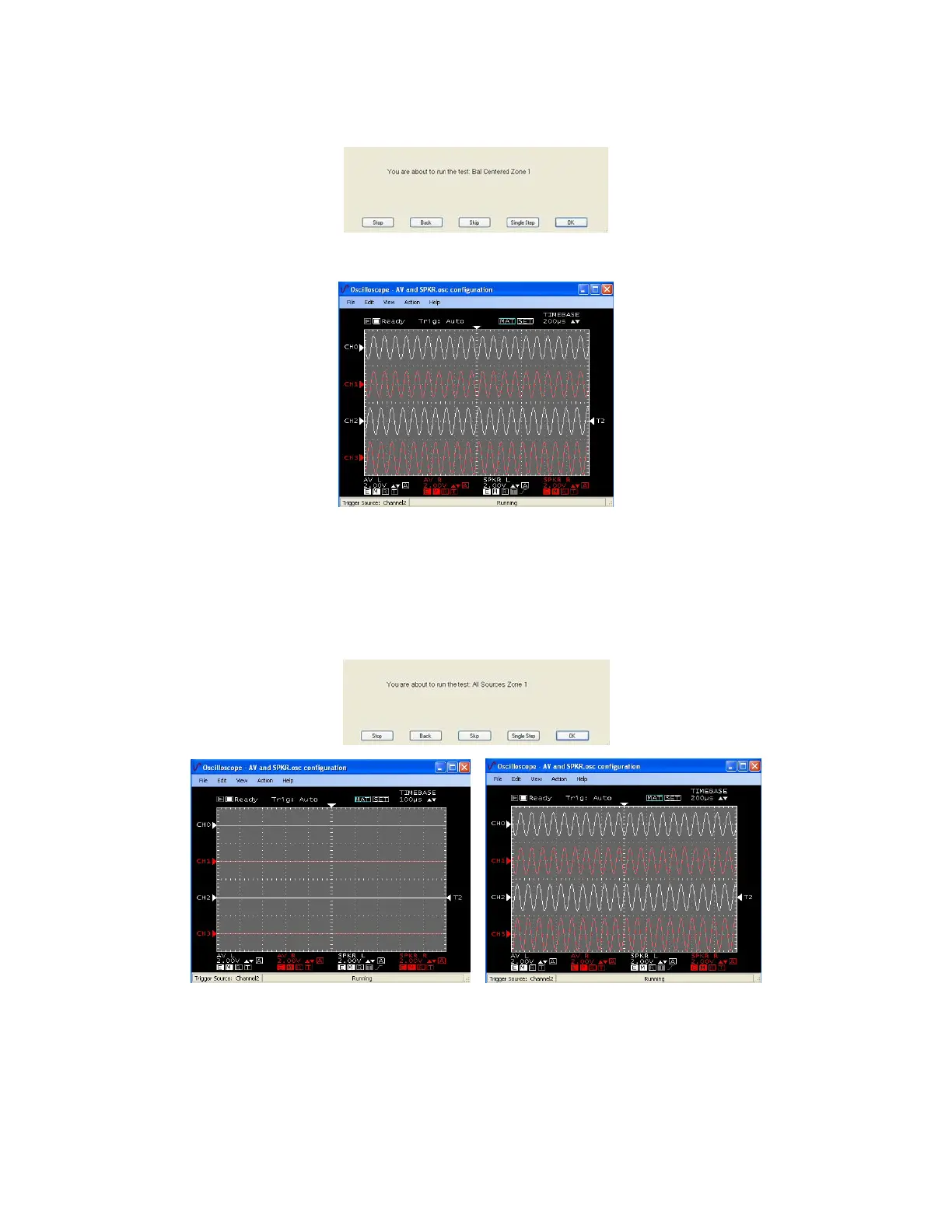
6. Press the space bar at the “Bal Centered Zone X” dialog.
The Oscilloscope will display both channels at approximately 1.8V P-to-P.
Time base set to observe 10khz sine wave
7. Press the space bar at the “All Sources Zone X” dialog.
The RCK will display Zone X Source 2.
The Oscilloscope will display flat lines, no signal, for 1.5 seconds.
The MDK-C5 will then display “Two”, selecting Source 2.
Both Channels will display on the Oscilloscope at approximately 1.8V P-to-P.
RCK selects next source Keypad changes source to match RCK
Time Base set to observe a 10khz sine wave
The “All Sources Zone X” script will continue for each source 2-6 then return
to (One) Source 1 when complete.
Be certain when the RCK changes source that no signal is observed.
When the MDK-C5 changes source the signal is approximately 1.8V P-to-P.



 To Next Page