EasyManua.ls Logo

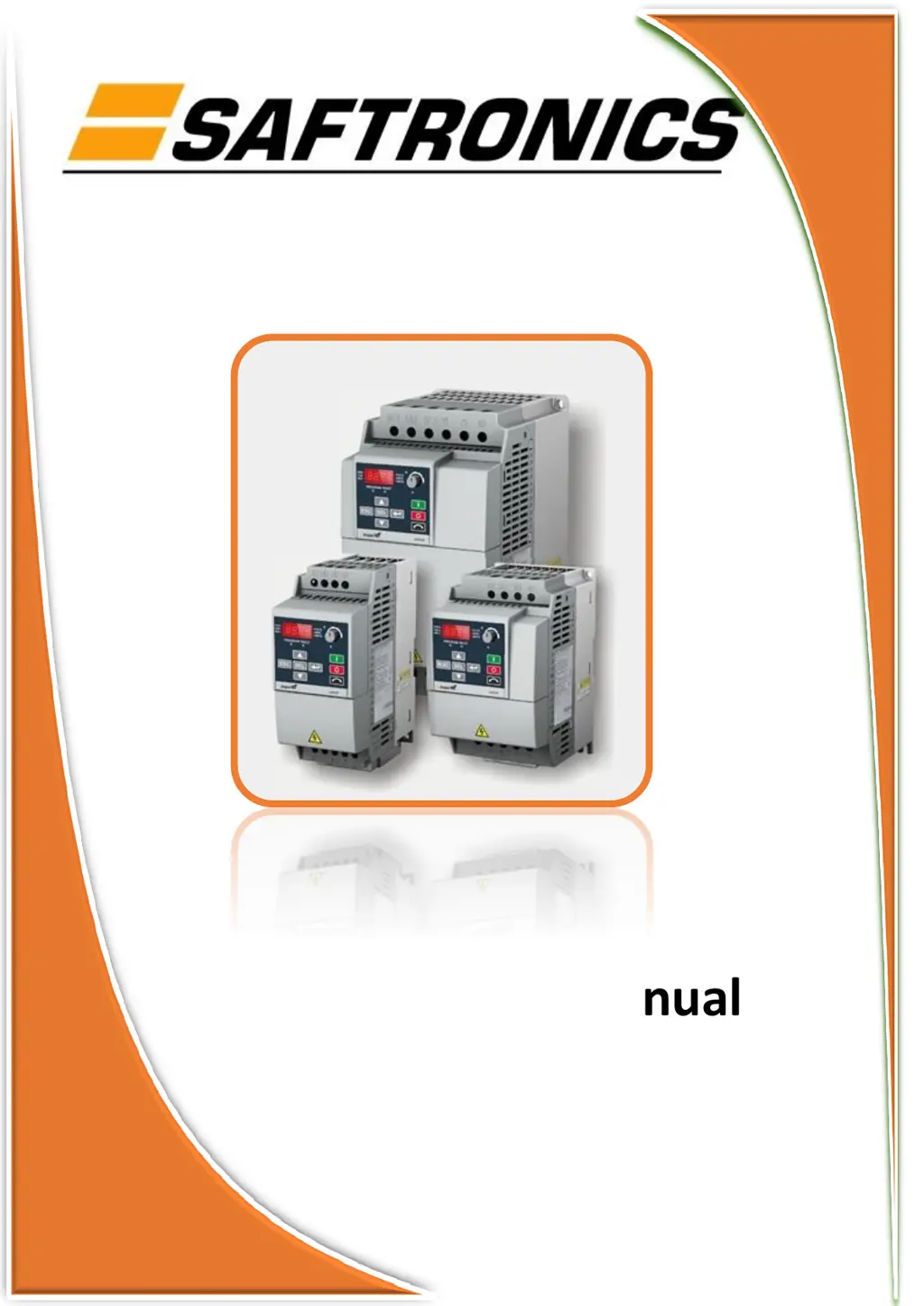
Saftronics HPVFE - User Manual

Saftronics HPVFE
92 pages
Print Icon
To Next Page IconTo Next Page
Loading...
Saftronics Sailer Manual
HPVFE

Questions and Answers

Summary

Important User Information and Safety Alerts

Safety Warnings

Identifies practices that can cause explosions in hazardous environments.

Critical Application Information

Provides information critical for successful application and product understanding.

Hazardous Practices Information

Identifies practices that can lead to personal injury or property damage.

Shock Hazard Warnings

Alerts to dangerous voltage presence on equipment.

Burn Hazard Warnings

Alerts to dangerous surface temperatures on equipment.

Appendix B Accessories and Dimensions

Product Selection Guide

Guide for selecting the correct HPVFE drive model.

Product Dimensions and Weights

Details the physical dimensions and weights of the drives.

RS485 (DSI) Communication Protocol

RS485 Network Wiring

Details network wiring requirements for RS485 communication.

RJ45 DSI Splitter Cable

Manual Introduction and Conventions

Target Audience for Manual

Identifies qualified personnel who should use this manual.

Manual Conventions and Terminology

Explains terms, abbreviations, and formatting used in the manual.

HPVFE Drive Frame Sizes

General Installation and Safety Precautions

Electric Shock Hazard Prevention

Precautions to prevent electric shock by ensuring capacitor discharge.

Qualified Personnel Requirement

Emphasizes that only qualified personnel should install or maintain the drive.

ESD Sensitive Component Handling

Guidelines for handling ESD sensitive parts to prevent damage.

Drive Application and Installation Errors

Details consequences of incorrect application or installation.

Bus Regulator Function Considerations

Explains bus regulator function and potential side effects.

HPVFE Catalog Number Explanation

Chapter 1: Installation and Wiring

Opening the Drive Cover

Procedure for safely opening the drive's protective cover.

Installation Compliance and Liability

Information on installation compliance and manufacturer liability.

Drive Mounting and Clearances

Drive Mounting Procedures

Guidelines for mounting the drive upright on a flat, vertical surface.

Minimum Mounting Clearances

Specifies required clearances for drive installation.

Ambient Operating Temperature Limits

Defines acceptable ambient temperature ranges for drive operation.

AC Supply Source Considerations

Ungrounded Distribution System Handling

Guidelines for connecting drives to ungrounded or resistive grounded systems.

MOV Disconnection Procedure

Procedure to disconnect MOVs for ungrounded systems.

Input Power Conditioning and Grounding

Input Power Conditioning Requirements

Ensures stable input power for drive operation.

General Grounding Requirements

Ensures proper grounding for safety and drive performance.

Ground Fault Monitoring Considerations

Guidance on using ground fault monitors (RCDs) with the drive.

Grounding Details

Safety Ground (PE) Connection

Details the connection points for safety ground.

Motor Ground Connection

Specifies how to connect the motor ground terminal.

Shield Termination (SHLD)

Guidance on terminating motor cable shields.

RFI Filter Grounding Guidelines

Information on grounding RFI filters for noise reduction.

Fuses and Circuit Breakers

Fuse;Breaker Selection Caution

Caution regarding proper selection of fuses and circuit breakers.

Fusing Recommendations

Information on UL tested and approved input fuses.

Bulletin 140 M;UL489 Circuit Breaker Guidelines

Guidelines for using Bulletin 140M/UL489 circuit breakers.

Power Wiring and Cable Types

Power Wiring Code Compliance

Emphasizes compliance with codes for safe electrical installation.

Power Wiring Shock Hazard Mitigation

Precautions for grounding unused wires in conduit.

Acceptable Motor Cable Types

Details acceptable cable types for 200-600V installations.

Motor Cable and Output Considerations

Shielded Motor Cable Types

Details specifications for shielded motor cables.

Reflected Wave Protection

Information on protecting drives from voltage reflections with long cables.

Output Disconnect Considerations

Guidance on using disconnects and auxiliary contacts.

Power Terminal Block Operations

Power Terminal Block Overview

Description of the drive's power terminal block and its layout.

Removing Power Terminal Block Cover

Steps to remove the power terminal block cover.

I;O Wiring and Control

Motor Start;Stop Precautions

Caution against using contactors for frequent start/stop operations.

I;O Wiring Recommendations

Key considerations for optimal I/O wiring.

Analog Input Voltage Source Caution

Warning about connecting voltage sources to analog inputs.

Recommended Control Wire Types

Details recommended wire types for control signals.

Control Wiring and Terminal Block

I;O Terminal Block Specifications

Technical specifications for the I/O terminal block.

Maximum Control Wire Length

Specifies the maximum recommended length for control wiring.

I;O Wiring Examples

Digital Input Signal Examples

Illustrates wiring for digital inputs like Stop, Start/Run, Direction.

Analog Input Wiring Examples

Shows wiring for 0-10V and 4-20mA analog inputs.

2-Wire Control Wiring Configurations

3-Wire Control Wiring Configurations

Multiple Drive Connectivity

Multiple Digital Input Connections

Wiring digital inputs for multiple drives using external supply.

Multiple Analog Input Connections

Wiring analog inputs for multiple drives using external supply.

Start and Speed Reference Control

Start Command Source Selection

Determines how the drive receives start commands (keypad, I/O, comms).

Speed Reference Source Selection

Determines how the drive receives speed commands (pot, analog, comms).

Acceleration;Deceleration Control

Accel;Decel Rate Selection Methods

Methods for selecting acceleration/deceleration rates via inputs or parameters.

EMC Instructions and CE Conformity

CE Conformity Standards

Details European Norms for Low Voltage and EMC Directives.

General EMC Notes

Notes on cable length, line filters, and installation compliance.

CE Compliance Requirements

Essential CE Compliance Conditions

Conditions for meeting EN61800-3 requirements for CE compliance.

Allowable Cable Lengths for EMC

Table specifying maximum cable lengths based on EMC environment.

Drive Start-Up Procedures

Preparation for Drive Start-Up

Steps to perform before applying power to the drive.

Applying Power to the Drive

Steps for applying AC power and control voltages.

Variable Torque Fan;Pump Applications

Setting for improved motor tuning in variable torque applications.

Integral Keypad Operation

Keypad Menu Structure

Overview of menu groups: Display, Basic Program, Terminal, Comm, Advanced.

Keypad LED Indicators

Explanation of LED states for drive status and parameters.

Keypad Navigation and Control Keys

Description of keys like ESC, SEL, Arrows, Enter for navigation.

Viewing and Editing Parameters

Navigating Parameter Display

Steps to view parameter numbers and group letters.

Editing Parameter Values

Process for changing parameter values using keypad keys.

Chapter 3 Programming and Parameters

About Drive Parameters

Explanation of ENUM, Numeric, and Bit parameter types.

Parameter Organization Overview

Structure of parameters into groups like Basic, Terminal, Comm, Advanced.

Parameter Organization Details

Basic Display Parameters

Parameters showing drive operating conditions.

Basic Program Group Parameters

Commonly used programmable parameters.

Terminal Block Group Parameters

Parameters related to control terminal functions.

Communications Group Parameters

Parameters for drive communication settings.

Advanced Program Group Parameters

Remaining programmable parameters for advanced functions.

Display Group Parameters

Output Frequency and Current Display

Parameters d001 [Output Freq] and d003 [Output Current].

Voltage and DC Bus Voltage Display

Parameters d004 [Output Voltage] and d005 [DC Bus Voltage].

Drive Status and Fault Display

Drive Status Indicator (d006)

Displays the current operating condition of the drive.

Fault Code Display (d007-d009)

Shows fault codes, with d007 being the most recent fault.

Process Display Parameter (d010)

Displays output frequency scaled by process factor.

Control Signal Status Display

Control Source Display (d012)

Shows the active source for start and speed commands.

Control Input Status Display (d013)

Indicates the status of the control terminal block inputs.

Digital Input and Communication Status

Digital Input Status Display (d014)

Shows the status of the digital inputs on the control terminal block.

Communication Status Display (d015)

Indicates the status of the drive's communication ports.

Control Software Version Display (d016)

Shows the main control board software version.

Drive Type Display (d017)

Identifies the drive type for service personnel.

Elapsed Time and Testpoint Data

Elapsed Run Time Display (d018)

Shows accumulated drive run time in 10-hour increments.

Testpoint Data Display (d019)

Displays the value of the selected testpoint function.

Analog Input Value Display

Parameters d020 [Analog In 0-10V] and d021 [Analog In 4-20mA].

Drive Temperature Display (d022)

Shows the current operating temperature of the drive power section.

Basic Program Group Parameters

Motor Nameplate Data Setup

Parameters P101 [Motor NP Volts], P102 [Motor NP Hertz], P103 [Motor OL Current].

Frequency Limit Setup

Parameters P104 [Minimum Freq] and P105 [Maximum Freq].

Start Source Configuration

P106 [Start Source] Options

Configures the control scheme for starting the drive.

Stop Mode and Speed Reference

P107 [Stop Mode] Configuration

Sets the active stop mode for all stop sources.

P108 [Speed Reference] Source Selection

Determines the source of the speed reference to the drive.

Acceleration and Deceleration Time Settings

P109 [Accel Time 1] Configuration

Sets the rate of acceleration for all speed increases.

P110 [Decel Time 1] Configuration

Sets the rate of deceleration for all speed decreases.

P111 [Motor OL Ret] Function

Enables/disables motor overload retention function.

P112 [Reset To Defalts] Function

Resets all parameter values to factory defaults.

Digital Input Function Selection

t201 [Digital In1 Sel] Options

Selects the function for Digital Input 1 (Terminal 5).

t202 [Digital In2 Sel] Options

Selects the function for Digital Input 2 (Terminal 6).

Analog Input Configuration

t211 [Anlg In 0-10 V Lo] Setting

Sets the analog input level for 0-10V minimum frequency.

t212 [Anlg In 0-10 V Hi] Setting

Sets the analog input level for 0-10V maximum frequency.

t213 [Anlg In4-20 mA Lo] Setting

Sets the analog input level for 4-20mA minimum frequency.

t214 [Anlg In4-20 mA Hi] Setting

Sets the analog input level for 4-20mA maximum frequency.

Relay Output Control

t221 [Relay Out Sel] Options

Sets the condition that changes the state of output relay contacts.

Relay Output Level Setting

t222 [Relay Out Level] Setting

Sets the trip point for the digital output relay.

Communications Group Settings

C301 [Language] Selection

Selects the language for remote communications.

C302 [Comm Data Rate] Setting

Sets the serial port rate for the RS485 (DSI) port.

C303 [Comm Node Addr] Setting

Sets the drive node address for RS485 (DSI) port.

C304 [Comm Loss Action] Selection

Selects drive's response to communication loss.

Communication Loss and Format

C305 [Comm Loss Time] Setting

Sets time before implementing C304 [Comm Loss Action].

C306 [Comm Format] Selection

Sets protocol, data bits, parity, and stop bits for RS485 port.

C307 [Comm Write Mode] Setting

Determines if parameter changes are saved to NVS or RAM.

Advanced Program Group Parameters - Acceleration;Deceleration

A401 [Accel Time 2] Configuration

Sets acceleration rate for speed increases, excluding jog.

A402 [Decel Time 2] Configuration

Sets deceleration rate for speed decreases, excluding jog.

Advanced Program Group Parameters - S Curve and Jog

A403 [S Curve %] Setting

Sets percentage of accel/decel time for S Curve ramp.

A404 [Jog Frequency] Setting

Sets output frequency when a jog command is issued.

A405 [Jog Accel;Decel] Setting

Sets accel/decel time for jog commands.

A409 [Internal Freq] Setting

Provides frequency command when P108 is set to 'Internal Freq'.

Advanced Program Group Parameters - Preset Frequencies

Preset Frequency Settings (A410-A413)

Configures fixed frequency commands based on digital input states.

Advanced Program Group Parameters - Skip Frequency and Braking

A418 [Skip Frequency] Setting

Sets frequency at which the drive will not operate.

A419 [Skip Freq Band] Setting

Determines bandwidth around the skip frequency.

A424 [DC Brake Time] Setting

Sets the duration for DC brake current injection.

Advanced Program Group Parameters - DC Brake Level and Resistor Selection

A425 [DC Brake Level] Setting

Defines maximum DC brake current in amps.

A427 [DB Resistor Sel] Setting

Enables/disables external dynamic braking.

Advanced Program Group Parameters - Duty Cycle and Start-Up

A428 [DB Duty Cycle] Setting

Selects duty cycle for external dynamic braking resistor.

A433 [Start At PowerUp] Feature

Enables/disables automatic drive restart after power restoration.

A434 [Reverse Disable] Feature

Enables/disables the function to change motor rotation direction.

A435 [Flying Start En] Feature

Allows drive to reconnect to a spinning motor.

Advanced Program Group Parameters - Compensation and Time Scaling

A436 [Compensation] Settings

Enables/disables correction options for motor instability.

A437 [Slip Hertz @ FLA] Setting

Compensates for inherent slip in induction motors.

Process Time Scaling (A438, A439)

Scales time values for minimum and maximum frequency operation.

Advanced Program Group Parameters - Process Factor and Bus Regulation

A440 [Process Factor] Setting

Scales the value displayed by d010 [Process Display].

A441 [Bus Reg Mode] Control

Controls drive voltage regulation during deceleration or bus voltage rise.

A442 [Current Limit] Setting

Sets maximum output current before limiting occurs.

A444 [Motor OL Select] Setting

Selects derating factor for 12t overload function.

Advanced Program Group Parameters - PWM Frequency and Current Trip

A446 [PWM Frequency] Setting

Sets carrier frequency for PWM output waveform.

A448 [SW Current Trip] Setting

Enables/disables instantaneous software current trip.

Advanced Program Group Parameters - Fault Handling

A450 [Fault Clear] Function

Resets a fault and clears the fault queue.

A451 [Auto Rstrt Tries] Setting

Sets maximum drive attempts to reset and restart after a fault.

A452 [Auto Rstrt Delay] Setting

Sets time between restart attempts for auto-restart.

Advanced Program Group Parameters - Boost Settings

A453 [Boost Select] Setting

Sets boost voltage and redefines Volts per Hz curve.

Advanced Program Group Parameters - Voltage and Lockout

A457 [Maximum Voltage] Setting

Sets the highest voltage the drive will output.

A458 [Program Lock] Setting

Protects parameters against unauthorized changes.

A459 [Testpoint Sel] Setting

Used by service personnel for testpoint selection.

A461 [Motor NP FLA] Setting

Sets motor nameplate rated full load amps.

Parameter Cross Reference by Name

Parameter Name to Number Mapping

Lists parameters by name, number, group, and page.

Chapter 4 Troubleshooting

Drive Status Monitoring

Describes how the drive's condition is monitored via keypad.

Fault Types and Descriptions

Categorizes faults and provides initial descriptions.

Fault Indication and Clearing

Fault Indication via Keypad

How the drive indicates a fault condition on the integral keypad.

Manually Clearing Drive Faults

Steps to acknowledge and clear drive faults manually.

Automatically Clearing Drive Faults

Procedures for automatic fault clearing and restart.

Fault Descriptions and Actions

Fault F2 to F13 Descriptions

Details faults like Auxiliary Input, Power Loss, Under/OverVoltage, Motor Stalled.

Fault F8 to F13 Descriptions

Details faults like Heatsink OvrTmp, HW OverCurrent, Ground Fault.

Fault Descriptions and Actions (Continued)

Fault F33 to F48 Descriptions

Details faults like Auto Restart Tries, Phase Shorts, Parameter Defaulted.

Fault F63 to F122 Descriptions

Details faults like SW OverCurrent, Drive Overload, Comm Loss, I/O Board Fail.

Common Symptoms and Corrective Actions

Motor Does Not Start Troubleshooting

Diagnoses and solutions for when the motor fails to start.

Drive Faulted Troubleshooting

Actions to take when the drive is indicated as faulted.

Drive Does Not Start from Integral Keypad

Troubleshooting steps when the integral keypad is unresponsive.

Drive Start;Stop and Speed Command Issues

Start;Stop Input Wiring Issues

Troubleshooting for incorrect programming or wiring of start/stop inputs.

Speed Command Response Issues

Diagnoses for when the drive does not respond to speed commands.

Motor Performance and Direction Issues

Motor Acceleration Problems

Troubleshooting for issues with motor acceleration to commanded speed.

Motor Operation Instability

Solutions for unstable motor operation, possibly due to data entry.

Motor Direction Control Issues

Troubleshooting for problems with motor direction control.

Drive Power-Up Issues

Diagnoses for when the drive does not power up.

Appendix A Supplemental Drive Information

Drive, Fuse & Circuit Breaker Ratings

Provides drive ratings and recommended AC line input protection.

Specifications Overview

Details various drive specifications including environmental and electrical data.

Drive Ratings and Protection

HPVFE Drive Ratings Table

Table listing drive models, kW, HP, output current, frame size, and dimensions.

Drive Specifications Overview

Input;Output Ratings and Protective Features

Summarizes I/O ratings, protective features, and braking capabilities.

Drive Environmental and Electrical Specifications

Environmental Specifications

Details altitude, temperature, humidity, and shock/vibration ratings.

Control and Electrical Specifications

Covers control inputs, speed regulation, overload protection, and voltage/frequency tolerance.

Drive Performance Specifications

HPFVE Estimated Watts Loss

Table of estimated watts loss for various drive models.

Appendix B Accessories and Dimensions

Product Selection Guide

Table detailing catalog number descriptions and HPVFE drive models.

Dynamic Brake Modules and EMC Filters

Information on dynamic brake resistors and EMC line filters.

HPVFE Drive Dimensions

Frame A Drive Dimensions

Detailed dimensions and weights for Frame A HPVFE drives.

Frame B Drive Dimensions

Detailed dimensions and weights for Frame B HPVFE drives.

Drive Module Dimensions and Circuitry

Frame C Drive Dimensions

Detailed dimensions for Frame C HPVFE drives.

External Brake Resistor Circuitry

Schematic for recommended external brake resistor connection.

Appendix C RS485 (DSI) Protocol

Network Wiring Diagram

Diagram illustrating network wiring for DSI drives.

RS485 Network Configuration and Modbus

RS485 Network Wiring Practices

Guidelines for wiring, termination, and separation of RS485 networks.

Parameter Configuration for Network Operation

Key parameters for configuring drives to operate on a network.

Supported Modbus Function Codes

Lists Modbus function codes supported by the DSI interface.

Writing Logic Commands via Network

Logic Command Register 8192 Description

Details bit assignments for controlling drive functions via network commands.

Network Speed Reference and Status Data

Writing Speed Reference via Network

Procedure for setting speed reference using network Function Code 06.

Reading Logic Status Data via Network

Procedure for reading drive status bits via network Function Code 03.

Reading Drive Feedback and Error Codes

Reading Drive Feedback via Network

Procedure for reading output frequency via network Function Code 03.

Reading Drive Error Codes via Network

Procedure for reading drive error codes via network Function Code 03.

Accessing Drive Parameters via Modbus

Reading and Writing Drive Parameters

How Modbus register addresses map to drive parameters for access.

Appendix D RJ45 DSI Splitter Cable

Connectivity Guidelines for Peripherals

Precautions for connecting peripherals to the drive's RJ45 port.

DSI Cable Accessories

Lists catalog numbers for RJ45 splitter cable and adapters.

Connecting to an RS-485 Network

RS-485 Network Connection Diagram

Illustrates connecting drives to an RS-485 network using splitter cable.

Saftronics HPVFE Specifications

General IconGeneral
CategoryDC Drives
Output Voltage0-Input Voltage
Protection FeaturesOvercurrent, Overvoltage, Undervoltage
Communication InterfaceModbus, Profibus, DeviceNet
Humidity5% to 95% (non-condensing)

Related product manuals