Chapter 6.
Service Mode
6 - 13
▐ Adding Option Password after Replacing HDD
HS70A is designed to preserve the option password even if the HDD fails and is replaced.
The method of entering the option password (Unlocking) after replacing the HDD is
described.
1. Switch to Admin mode. Please refer to ‘Entering Admin Mode’.
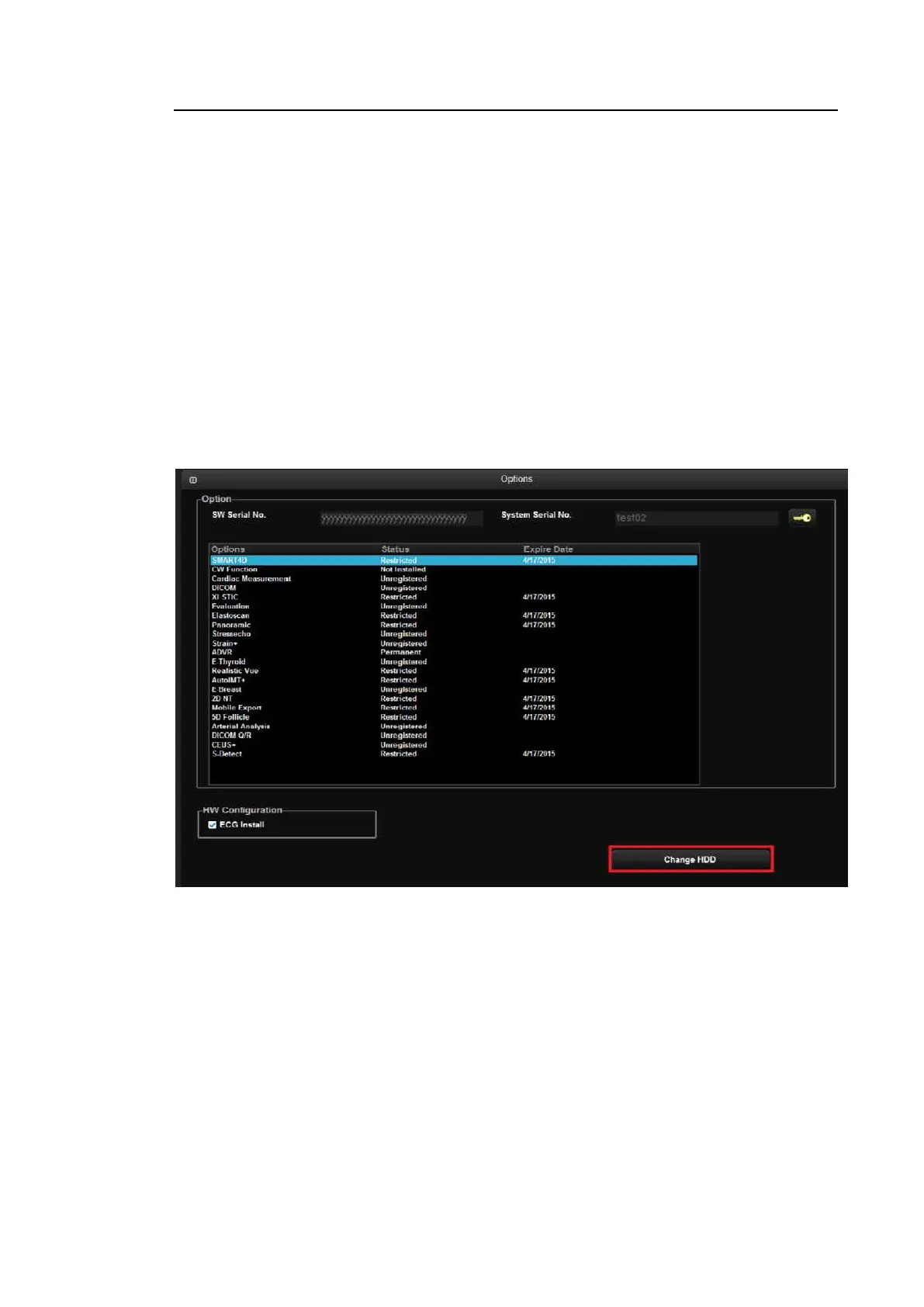
2. A Change HDD button will be created in the middle of the Option tab.
3. When you press the Change HDD button, the option password for the product will be
entered (Unlocked).
4. Check if the option is unlocked and reboot the system.
5. Select the option that you want to add, and press the key-shaped button to enter the
password.
6. If the password is correct, press OK button and reboot the system.
[Figure 6.10 Change HDD]



 To Next Page