10 - 4 HS70A Service Manual
Cleaning Air Filters
The air filters minimize the intake of dust. Clean the air filter to ensure that a clogged filter does
not cause the system to overheat and reduce the reliability and the system performance.
It is recommended that the air filters be cleaned once every three months.
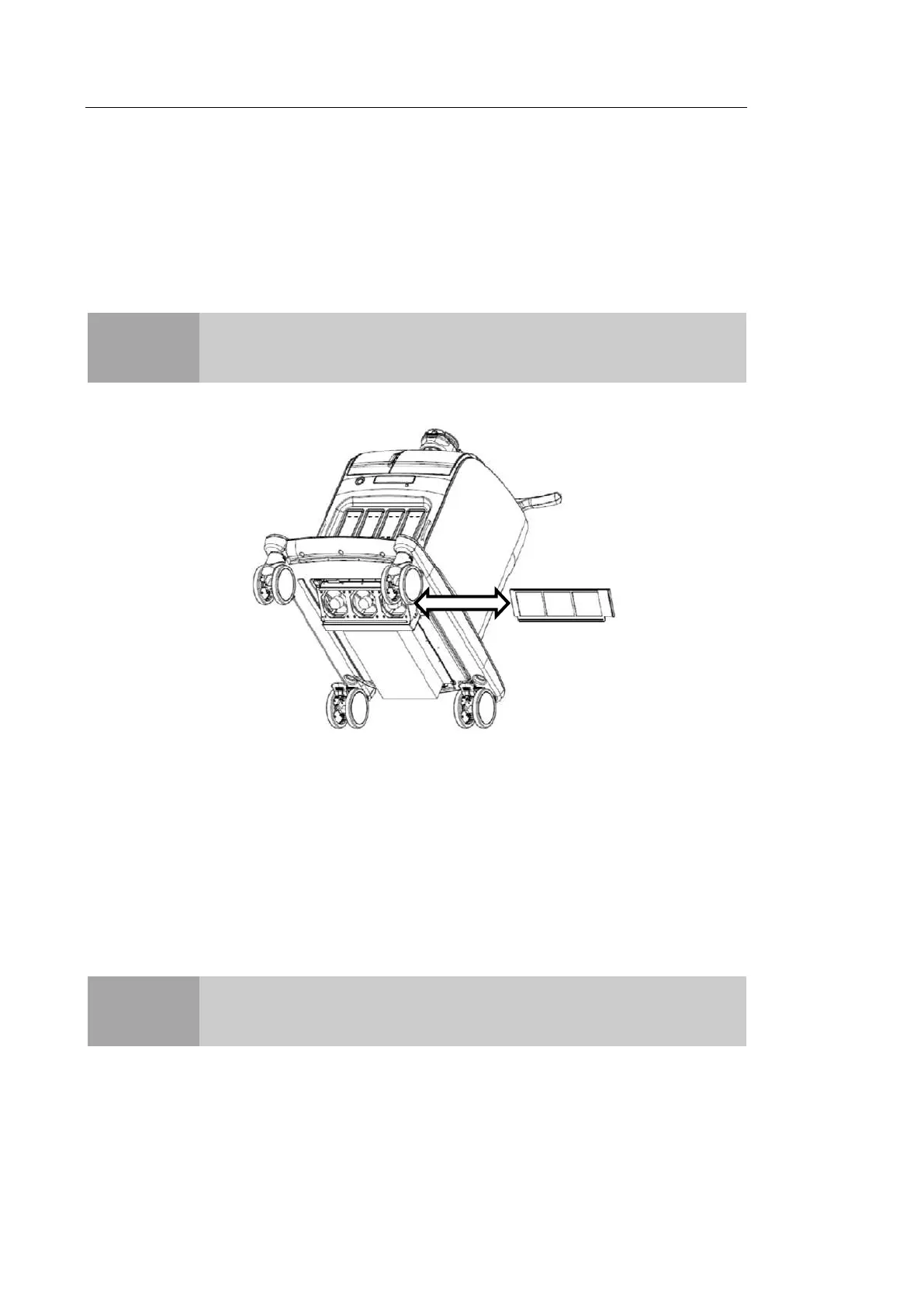
[Figure 10.2 Air filter cleaning]
1. Pull out the filter under the front of the console and take it away from the product.
2. Shake the filter to remove the dust and wash it in a mild, soapy solution.
3. Afterwards, dry the filter with a cloth, then air dry it in the shade.
4. Slide the filter back into the product.
CAUTION
Be sure to lock the brakes on the front wheels before cleaning the air filters
to avoid injury by any unexpected movement of the product.
NOTE
Allow the wet filter to dry thoroughly before reinstalling it. A wet filter can
cause the system to malfunction.



 To Next Page