Chapter 2. Introduction 2 - 7
Monitor
Ultrasound images and other information are displayed on the color LCD monitor.
▌ Screen Layout
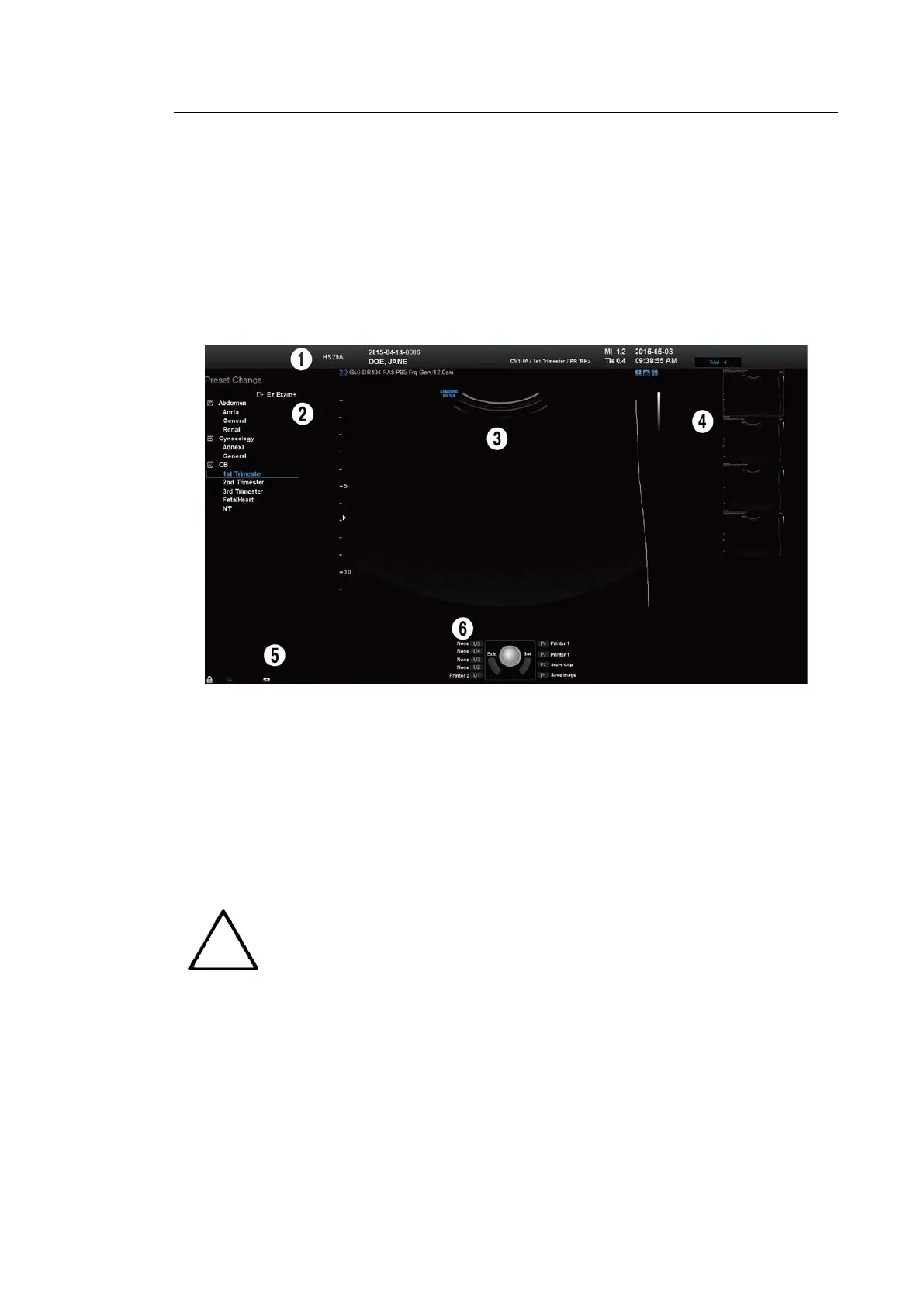
The monitor displays ultrasound images, operation menus and a variety of other information.
As shown in the image below, the screen consists of ① Title Area, ② Preset Change and
Ez Exam+ Area ③ Image Area, ④ Thumbnail Area, ⑤ User Information Area, and ⑥ User
Defined Key Area.
[Figure 2.3 Monitor Display]
Title Area
Displays patient name, hospital name, application, frame rate and depth, probe
information, acoustic output information, and date and time.
Preset Change and Ez Exam+ Area
Displays Preset Change. You can quickly change the preset of a probe. If you are using
Ez Exam+, the Ez Exam+ menu will be displayed.
The Ez Exam+ menu can be set up in Ez Exam+ Setup. For details about Ez
Exam+ Setup, please refer to ‘Chapter 3. Utilities’.



 To Next Page