Chapter 2. Introduction 2 - 19
Peripheral Devices
Peripheral devices can be connected to their corresponding ports on the left/right or rear sides
of the console, as needed.
CAUTION
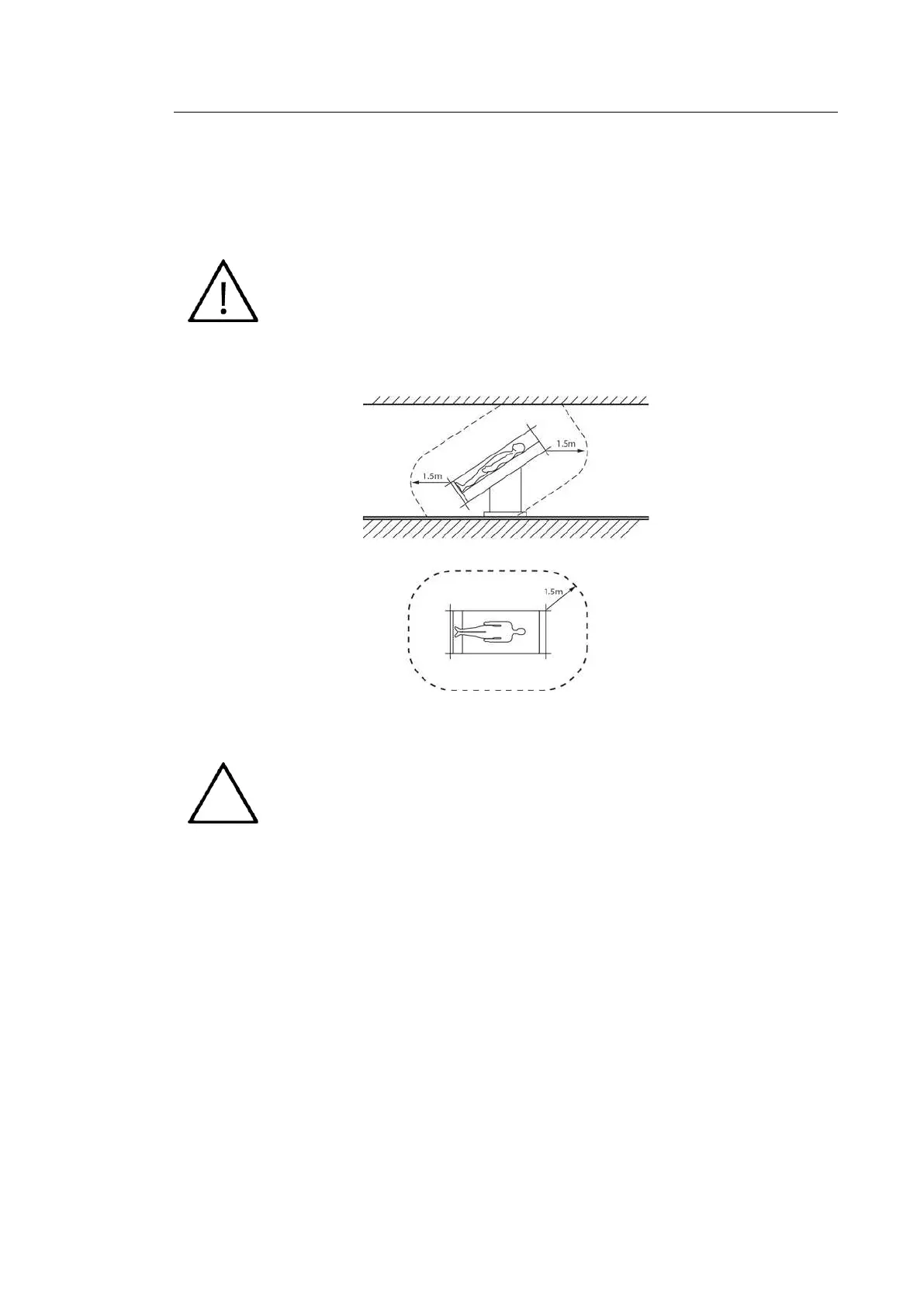
■ Do not install a peripheral device that is not listed in this user manual in the
patient environment. If you install an unlisted device in the patient
environment, it may cause an electrical hazard.
■ Do not connect additional external peripheral devices to the auxiliary socket
outlet. Doing so may decrease safety level.
[Figure 2.10 Patient Environment]
Refer to the user manual of the peripheral device for its operating information.
▌ Internal Peripheral Devices
These are peripheral devices mounted in the system.
■ DVD-Multi
DVD-RW, DVD+RW, DVD-R, DVD+R, CD-R, CD-RW, CD-ROM
■ Hard Disc Drive
At least 500 GB



 To Next Page