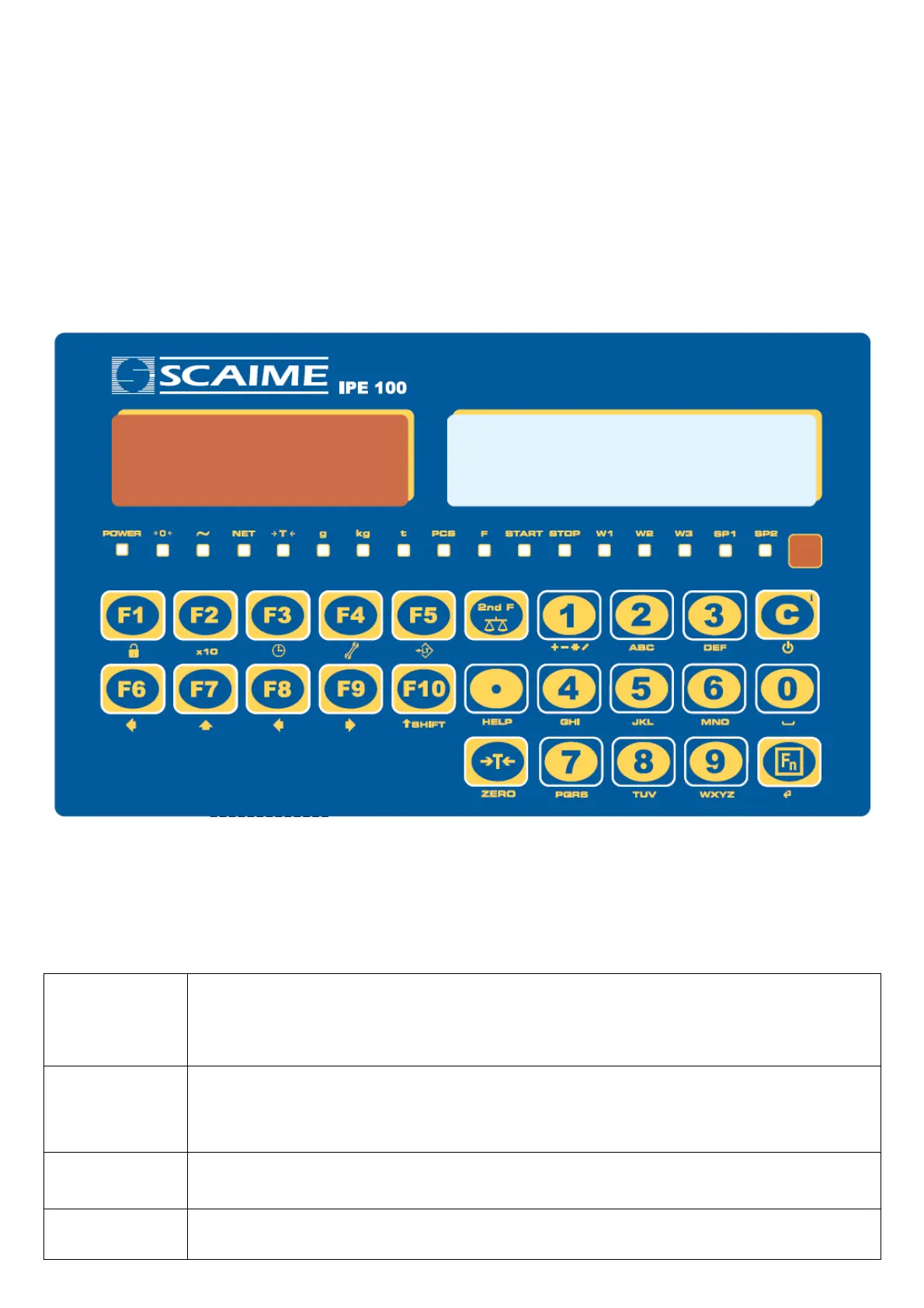
IPE100 indicator NU-IPE100-IO-USER-E-0212
10
3.5 TURNING ON PRINTER IN ENERGY SAVING MODE
Premise: the SEtuP >> SEriAL >> CoMPrn >> PWrPrn parameter must be set as “EXt.oFF” or “PWrint”, TECHNICAL
MANUAL).
In a system where the indicator is connected to a printer, and both are battery powered, the printer is normally maintained
in STAND-BY and powered only when a printout is needed. This function reduces the energy absorbed by the battery when
the printer is not being used.
If, in this configuration, one should power the printer to change the paper and other maintenance jobs, one needs to press
in sequence the ENTER and 0 keys during the weighing: the display shows Prn - on, and the printer is kept on. Press any
key to exit from this condition.
4. FRONT PANEL KEYS AND DISPLAYS
4.1 FUNCTION OF THE KEYS
In the following section, and later on in the manual, the keys’ functioning is described in accordance to how these are
configured by the factory.
It is possible to customise the functionality of the keys through the << F.KEYS >> step.
C/DEL
- Turns the instrument on/off.
- If pressed for an instant, it clears the tare value.
- Exits the parameter without confirming and saving the modifications.
- In the numeric input phase, it quickly clears the present value.
TARE/ZERO
- If pressed for an instant it carries out the semiautomatic tare, or cancels the value of tare if the
gross weight is 0.
- If pressed at length, it clears the displayed gross weight, if it’s within the percentage configured in
the << 0.PErC >> step.
Fn/ENTER
- In the alphanumeric input phase, it confirms the entry made.
- In the menu it allows to enter a step or to confirm a parameter inside a step.
2nd F
- If pressed together with the other keys, it allows carrying out a specific function. (see section
4.1.1).



 To Next Page