IPE100 indicator NU-IPE100-IO-USER-E-0212
16
4.2 FUNCTION DISPLAY
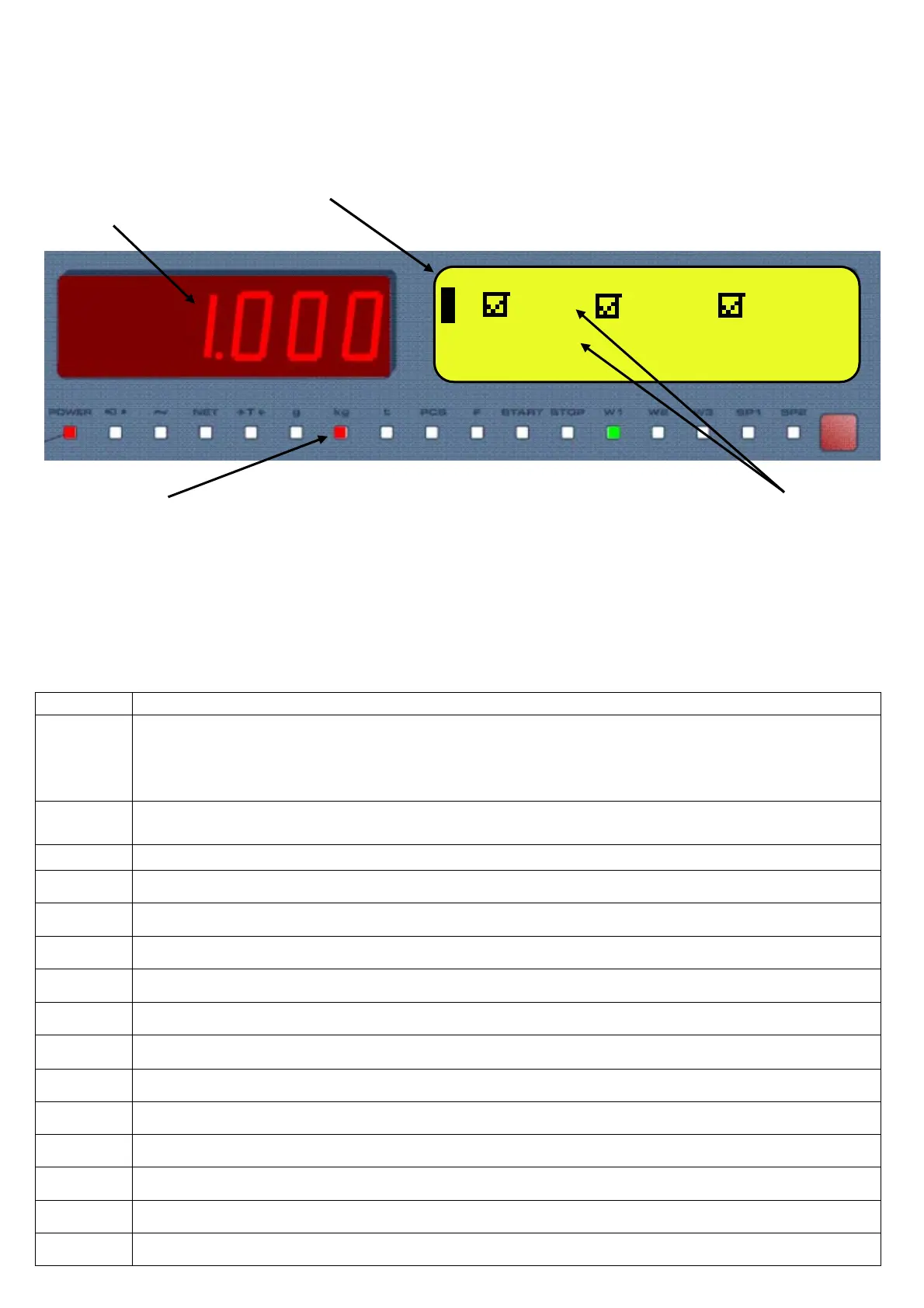
During the weighing the displays are subdivided mainly in 3 sections, shown in the figures below:
1) WEIGHT
2) STATUS INDICATORS (led pilot lights and / or graphic symbols)
3) DATA
2
1
2 3
Figure 1: IPE100 displays
NOTE: If the EEEEE message appears, this means that the value exceeds the maximum number of digits shown by the
instrument.
4.2.1 STATUS INDICATORS
LED FUNCTION
POWER
Indicates the type of indicator power supply:
- red pilot light: through built-in power adapter;
- green pilot light: through battery (charged battery);
- pilot light off: through battery (discharged battery).
0
Indicates that the weight detected by the weighing system is near zero, including the interval of 1/4 +1/4 of
the scale’s division.
~
I Indicates that the weight is unstable.
NET Indicates that the weight shown by the LED display is a NET WEIGHT.
T Indicates that a tare value has been acquired or entered.
G Indicates that the unit of measure in use is the gram.
Kg Indicates that the unit of measure in use is the kilogram.
T Indicates that the unit of measure in use is the ton.
PCS Not used in this application
F Not used in this application
START Not used in this application
STOP Not used in this application
W1 W2 W3 Measuring range (see section 8)
SP1 Not used in this application
SP2 Not used in this application
1 CUS MAT VEH
TARE: 1.000kg



 To Next Page