IPE100 indicator NU-IPE100-IO-USER-E-0212
14
ir.2nd F
● 2nd F
○ Tare
ir.numb
● numeric keys
○ function keys
4.1.6 REMOTE CONTROL
Depending on the model of indicator, it is possible to remotely control the instrument through one of the following types of
remote controls: 18-key infrared (ir) or 6-key radio (rd).
The type of remote control to be used must be selected in the Setup environment, in the << inF.Red >> step (TECHNICAL
MANUAL).
NOTE: The infrared remote controls are for indoor use only.
4.1.6.1 “18-KEY” INFRARED REMOTE CONTROL
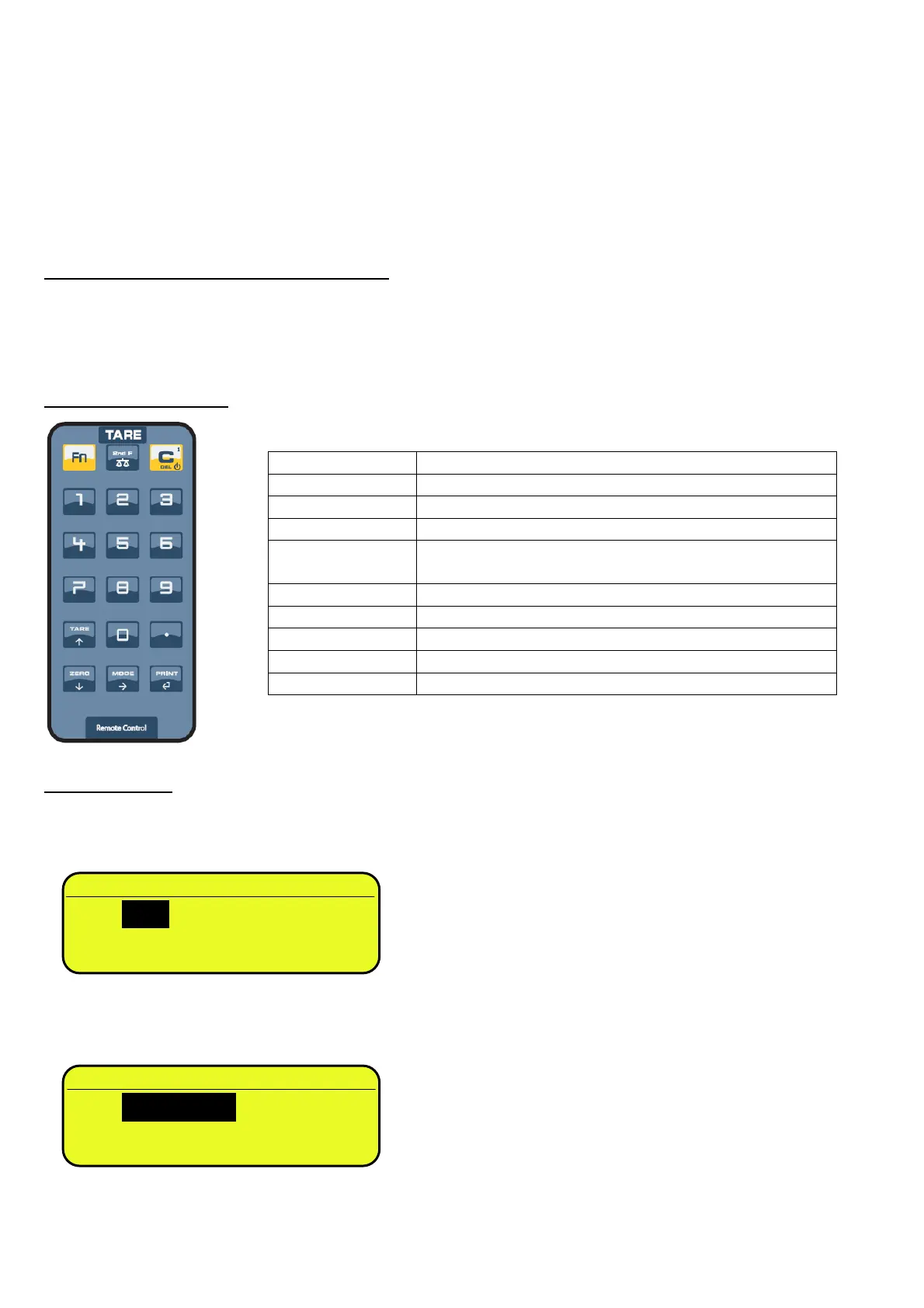
With this type of remote control, the functioning of the keys will be as described in the following table.
The remote control can be programmed so that it will emulate the Tare key instead of the 2nd F key of the indicator and the
function keys from F1 to F10 instead of the numeric keys (numeric key 1 for F1, numeric key 2 for key F2 etc…); see below
the configuration details.
FUNCTION OF THE KEYS
CONFIGURATION
To execute this configuration:
- press at length the Fn key on the remote control;
- the configuration of the 2nd F key is proposed:
- select the desired key that should be simulated by using the arrow keys and press the PRINT / key to confirm
and pass to the following setting;
- the configuration of the numeric key is proposed:
- select the desired functioning of the numeric key (simulating the numbers or simulating the function keys from F1…F10)
by using the arrow keysand press the PRINT / key to confirm and exit the menu.
KEYBOARD KEY OR FUNCTION EMULATED
Fn Fn key
2nd F 2nd F key or Tare function (see configuration below)
C C key
NUMERIC KEYS
Entry of digits or emulation of F1...F10 keys (see
configuration below)
TARE / Tare function or increase of a digit while entering a value
. ./HELP key
ZERO / Zero function or decrease of a digit while entering a value
MODE / Scrolls the digits to the right while entering a value
PRINT /
Confirms the entered value or enters the displayed step



 To Next Page