3 Initial Operation
3.1 External DC supply and Battery Operation
Page 28
Art. no.: 0-48-0227 Rev.: g
DEFIGARD/PHYSIOGARD Touch 7
Changing the batteries
3.1.3 Operation with external constant voltage source
• The device does not need to be switched off. Monitoring is continued. The device
is powered by the safety primary cell for another 30 seconds; after that, the device
is switched off automatically.
• The battery can only be inserted in one way.
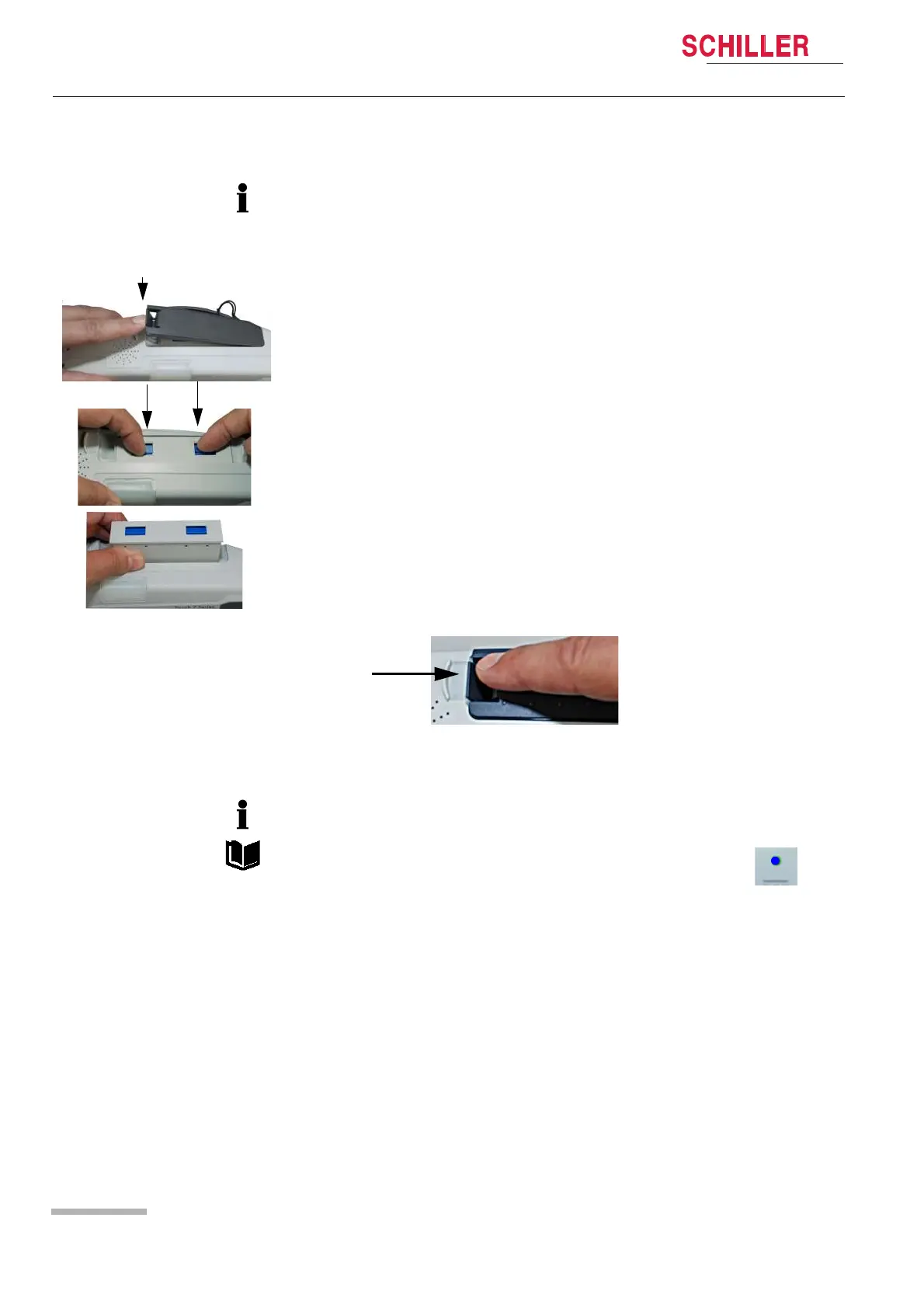
1. Open the battery cover.
2. To remove the battery, press the two blue catches to release and remove the bat-
tery.
To replace, proceed as follows:
– Slide the battery into the battery compartment with the markings positioned as
shown.
– Push home until the battery clicks in place with the blue catches.
– Close the battery cover and make sure that the cover is clicked in properly.
The device can be connected to an external direct-current source via the docking
station.
Operation with an external power source is indicated by the LED on the
device.















 To Next Page