4 Monitoring
4.8 IBP Monitoring
Page 60
Art. no.: 0-48-0227 Rev.: g
DEFIGARD/PHYSIOGARD Touch 7
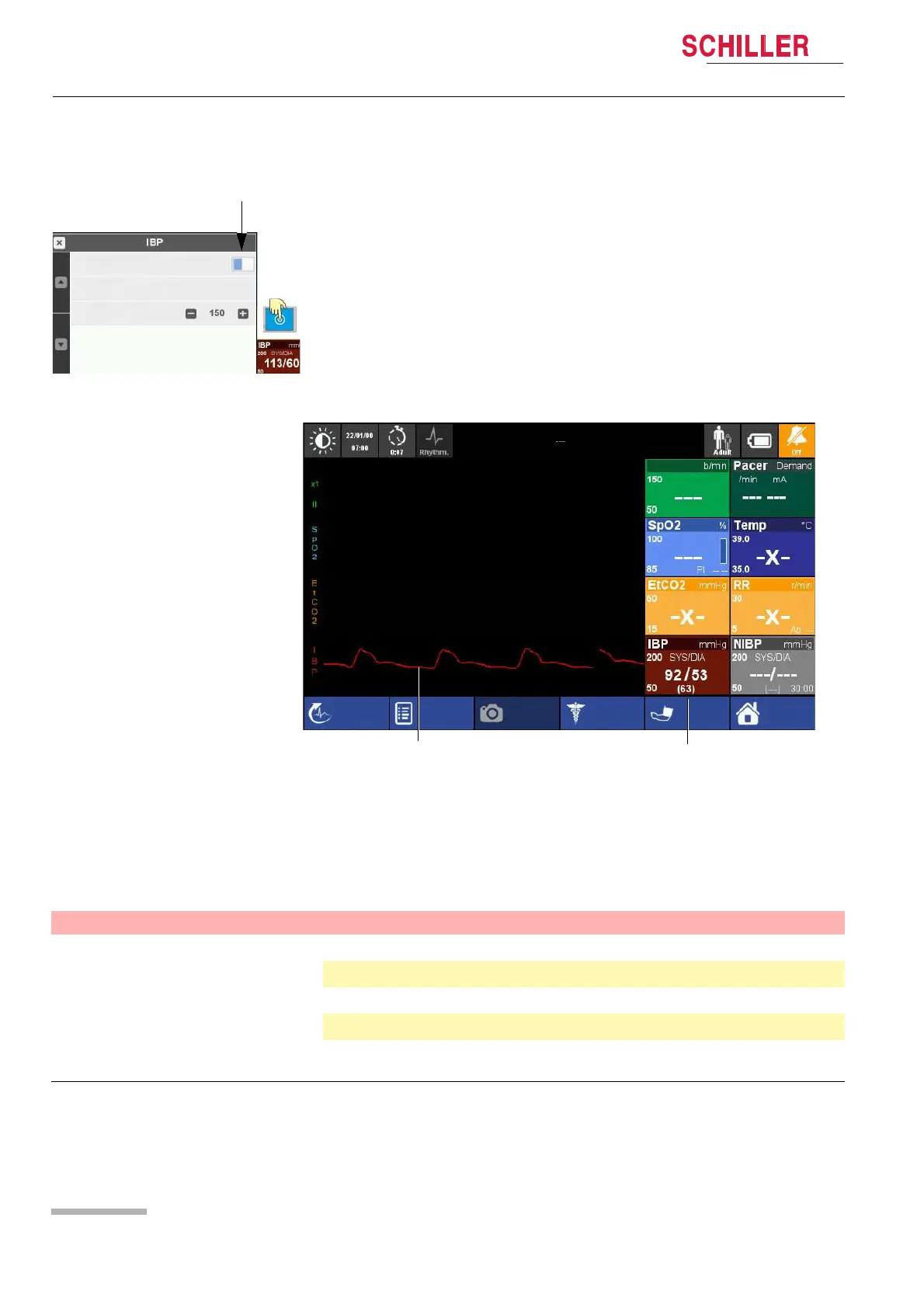
4.8.2 Start IPB measurements
IBP curve display
4.8.3 IBP menu settings
Access the IBP menu via the IBP measurement field as described on page 33.
The default settings are printed bold.
1. Select the IBP measurement field (1) to open the IBP menu.
2. Select OFF/ON button (2) to start the measurement.
3. Zeroing the IBP (see Zeroing)
4. Check the IBP curve on the display to see if the connections have been made
correctly and the IBP value is in the expected range.
Start measurement
ON
1
Curve amplitude (mmHg)
Zeroing
2
IBP curve
IBP measurement field with
Systolic/Diastolic and mean
arterial pressure
Screenshot
Manual Def
Start
Menu
EventR-ECG
HR
Menu item Parameter Description
IBP parameter Start measurement Starts the IBP measurement
Zeroing Zero adjustment of the IBP
Limits see Alarm limits
Curve amplitude (mmHg)
Set the range for the IBP measurement:
0-30, 0-60, 0-150, 0-300 mmHg















 To Next Page