Page 39
Monitoring 4
User guide Alarm System 4.2
Art. no.: 0-48-0227 Rev.: g
DEFIGARD/PHYSIOGARD Touch 7
4.2.4 Physiological alarms
4.2.5 Technical alarms
When a technical error occurs:
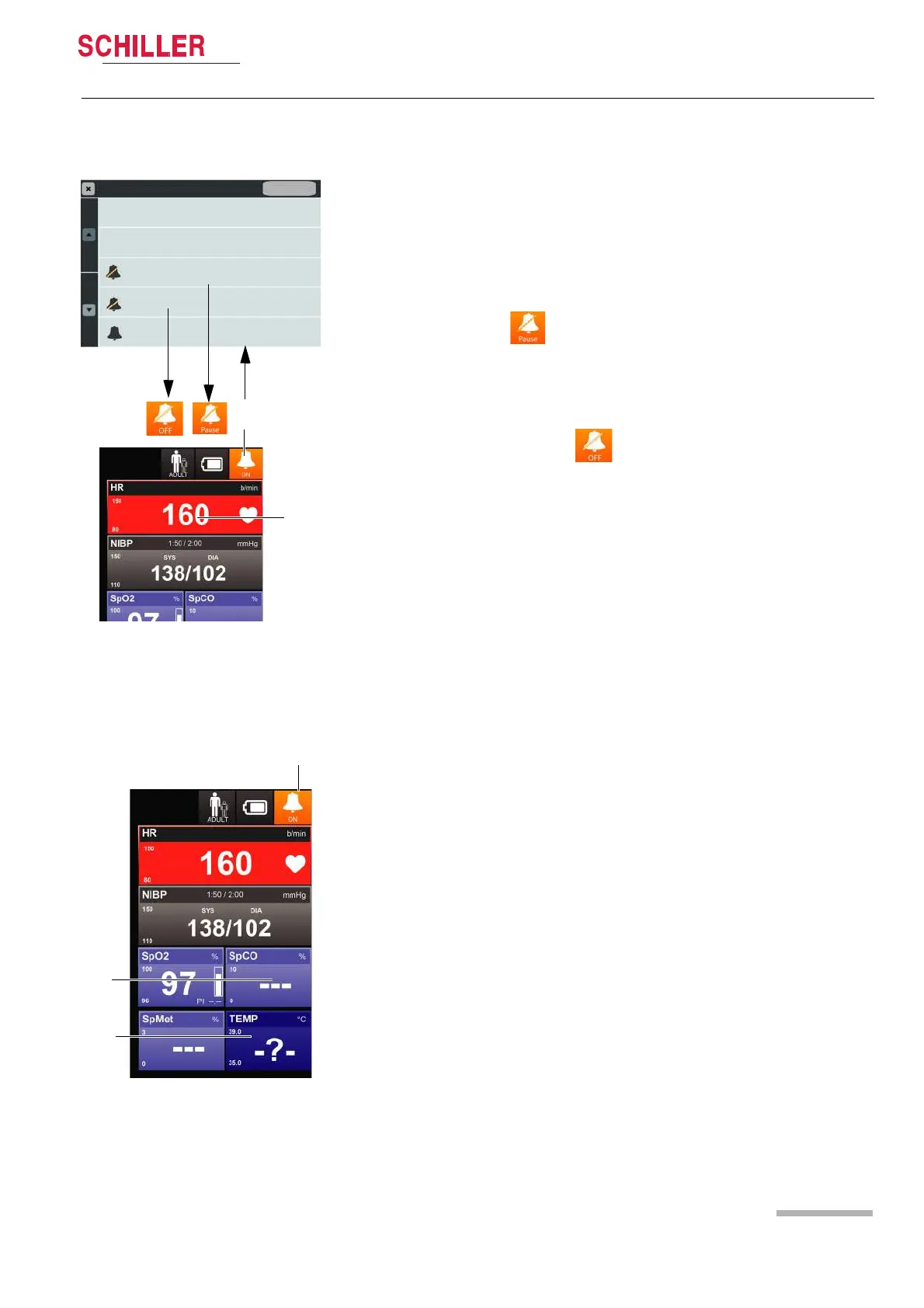
When a measurement reading exceeds a threshold, an alarm is triggered after 3
seconds and:
• the device alarm LEDs are flashing orange (medium) or red (high)
• an interrupted alarm sounds
• the measurement value (2) flashes red
• a message is displayed in the alarm field
Pausing an audio alarm
Pause the audio alarm by pressing the button (1) and selecting Audio Pause
– the measurement reading is flashing red until it returns to the permissible range.
– if the measured value does not return to the permissible range within the 2 min-
utes, the audible alarm is reactivated automatically.
Switching off audio alarm system
Press the button (1) and select Audio OFF.
The audible alarm system is switched off permanently until it is reactivated by
selecting Reset Alarm/Audio on or Audio Pause.
A reminder signal (buub-buub) is issued every 2 minutes.
Reactivation of the paused or switched off audio alarm system
Press the button (1) and select Reset Alarm /Audio On.
Fig. 4.1 Alarm indicators
2
1
Alarm Settings
Wide Quick Set
Narrow Quick Set
Audio Pause
Audio OFF
Reset Alarm / Audio On
Default
• the orange device alarm LEDs are on
• a message is displayed in the alarm field
• one alarm beep once
• 3 dashes (2) are displayed if no sensor is connected before switching on (no LED
or alarm)
• a question mark (-?-) is displayed instead of the measurement reading (3)















 To Next Page