Page 75
Monitoring 4
User guide View Trend, R-ECG and Screenshots 4.13
Art. no.: 0-48-0227 Rev.: g
DEFIGARD/PHYSIOGARD Touch 7
4.13 View Trend, R-ECG and Screenshots
All recorded trend data, resting ECGs and screenhots can be viewed during
intervention. Additionally, the viewed resting ECG can be transmitted as described in
chapter 4.6 page 50.
4.13.1 View Trends
4.13.2 View resting ECG
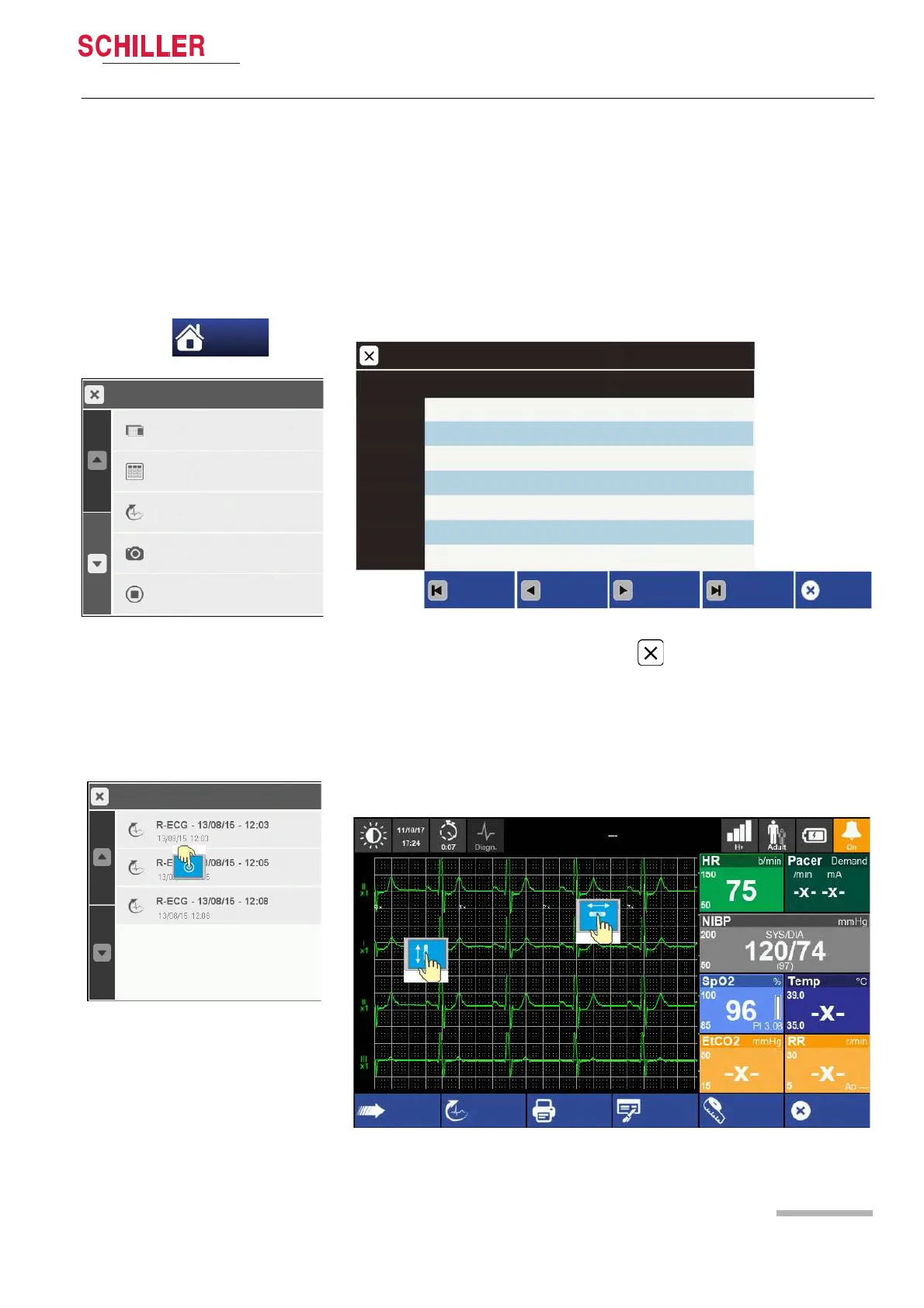
1. Enter the main menu and select Trends.
2. Use the function buttons to navigate in the trend screen.
3. Close the Trends screen with the button or “Close” button.
Fig. 4.11 Trends screen
1. Enter the main menu and select R-ECG.
2. Select one of the R-ECG records on the R-ECG list
3. The following screen appears.
4. Exit the viewing mode by pressing the “Close” button.
5. To print the resting ECG, click on "Print"
Menu
Stop Intervention
00547_160318_103611
Trends
R-ECG
Screenshots
Menu
Choose an other view
Trends
14/09/15 12:0 0 12.02 12:04
80
HR (Pleth)
b/min
SpO2
%
SpCO
%
Spmet
%
Temp
°C
Beginning
Backward
Forward
End
HR
b/min
---
98
2.0
1.5
36.8
120/80(88)
85
---
98
1.9
1.4
36.8
125/81(89)
81
---
97
1.7
1.6
36.8
---/---(--)
79
---
96
2.1
1.3
36.8
---/---(--)
Close
NIBP
mmHg
Send
New R-ECG
Print
Close
Interpr. Measur.















 To Next Page