Page 77
Monitoring 4
User guide Transmission 4.14
Art. no.: 0-48-0227 Rev.: g
DEFIGARD/PHYSIOGARD Touch 7
4.14 Transmission
Various data are available for transmission via several communication channels e.g.
GSM/3G, Wi-Fi, USB-Ethernet and USB storage.
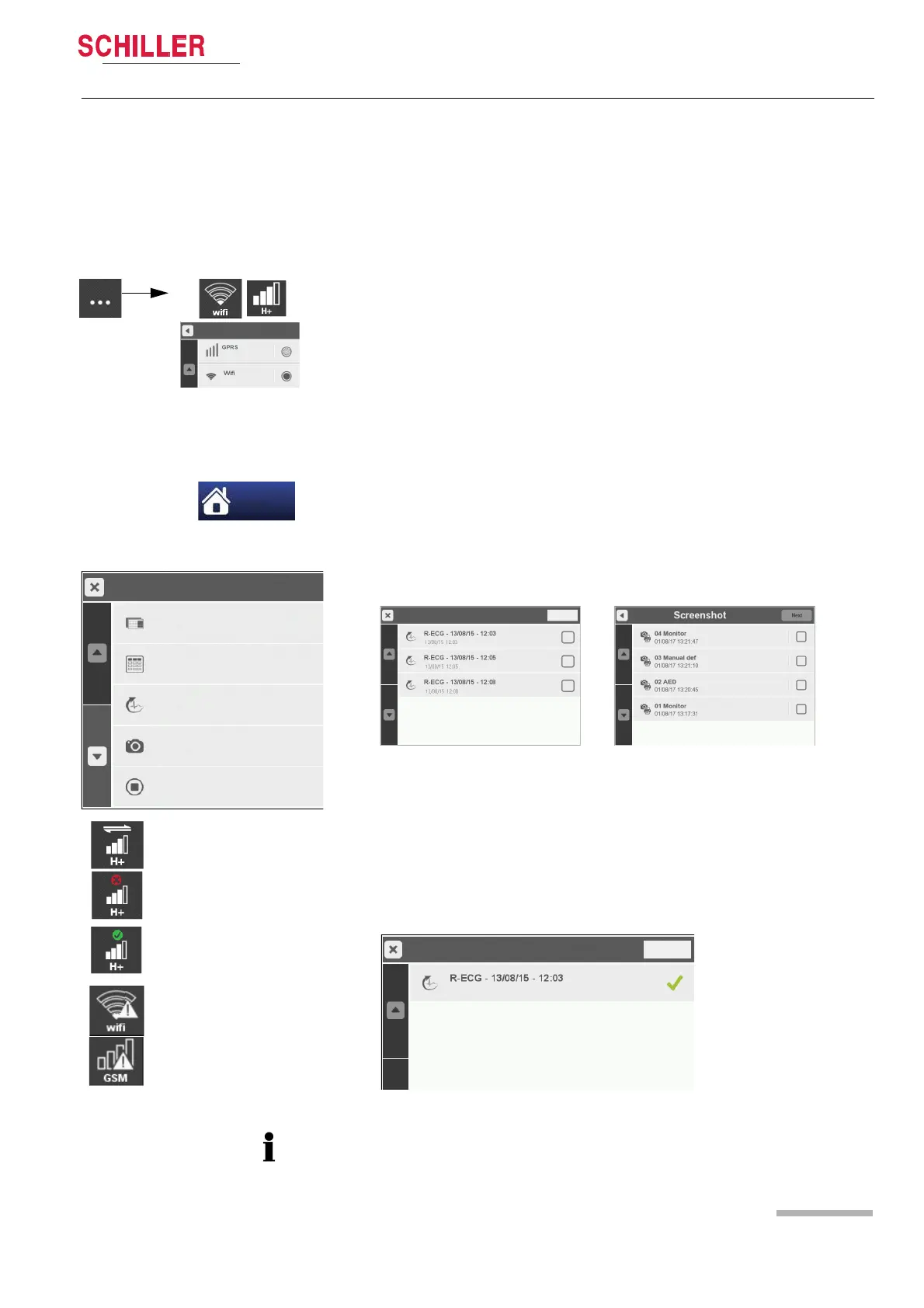
4.14.1 Selecting communication media Wifi or GPRS
To change the transmission media select the transmission icon Wifi or GPRS and
select menu Communication media. Select Wifi or GPRS and the corresponding
icon will be displayed on the top right status bar.
4.14.2 Transmission procedure
Ensure that a transmission line is connected to the device and that the required
configurations in the Control panel menu have been made.
Transmitting R-ECG or Sreenshots
1. Enter the main menu and select R-ECG or Sreenshots.
2. Select one of the R-ECG records as example.
3. Press the button next and select the desired transmission channel (GSM/3G, Wifi,
USB/Ethernet or USB storage).
4. The transmission icon on the top right status bar shows the progress of the trans-
mission.
5. Select the transmission icon to open the Transmission list.
If transmission of the data fails, the ECG/Screenshot file can be re-sent via the Menu>
ECG or Screenshots
Menu
Stop Intervention
00547_160318_103611
Post-Intervention
Trends
R-ECG
Screenshots
Transmission in progress
Transmission failed
Transmission successful
No connection to the WLAN
or GPRS transmission
channel. Transmission only
to USB stick possible
Cancel
Transmission list
Transmission successful















 To Next Page