5 Defibrillation
5.6 CPR Guide
Page 96
Art. no.: 0-48-0227 Rev.: g
DEFIGARD/PHYSIOGARD Touch 7
5.6 CPR Guide
5.6.1 SCHILLER LifePoint
The LifePoint measures the compression depth and rate after each compression.
The manual and AED defibrillation mode offers three functions for a guided CPR:
• CPR Guide with SCHILLER LifePoint sensor
• CPR Guide with FreeCPR based on the impedance measurement by the
defibrillation electrodes
• Metronome
CPR
CPR
METRONOME
CPR GUIDE
OFF
ON
Measured value from
LifePoint sensor
Advice to improve the
CPR quality
CPR
Screenshot
Analyse
PRESS FASTER
MESSAGE
COMPRESSION
FREQ.
DEPTH
RECOIL
good
30 CHEST COMPRESSIONS
THEN 2 RESCUE BREATH
Close
Manual def
Event
78
4.9
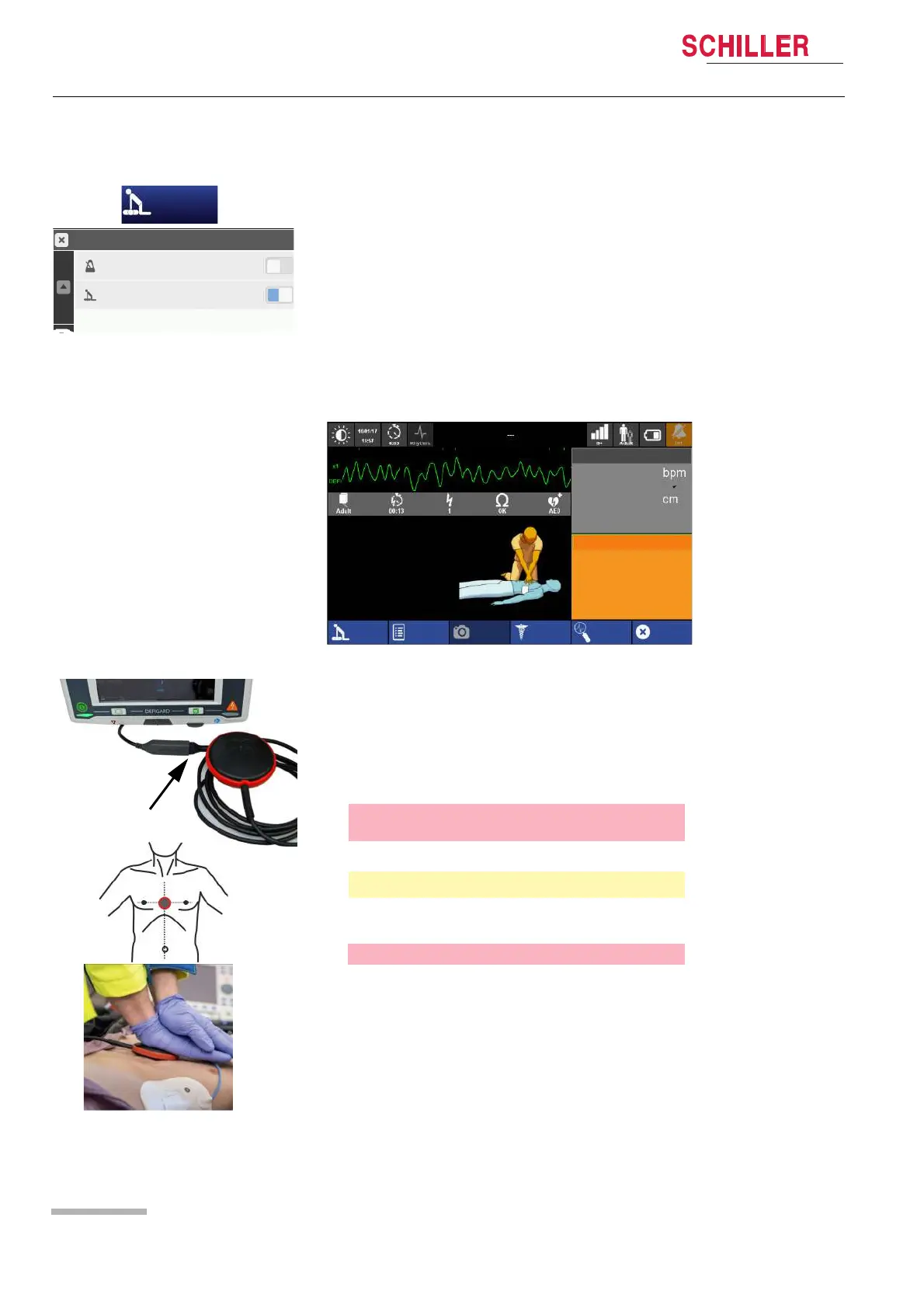
1. Connect the LifePoint USB cable to the adapter cable.
2. Switch on the device and select manual or AED defibrillation.
3. Open the CPR menu and activate the CPR guide.
4. Place the LifePoint on the patient chest and start CPR.
5. The displayed measurements on the right side of the screen informs you about
your CPR quality.
6. The following limits are set for speed and depth:
Metronome speed
[/min]
Press Faster Press Slower
100
90
120
110 100 130
120 110 140
Depth [mm] Press Deeper Press Shallower
1-127 45 62















 To Next Page