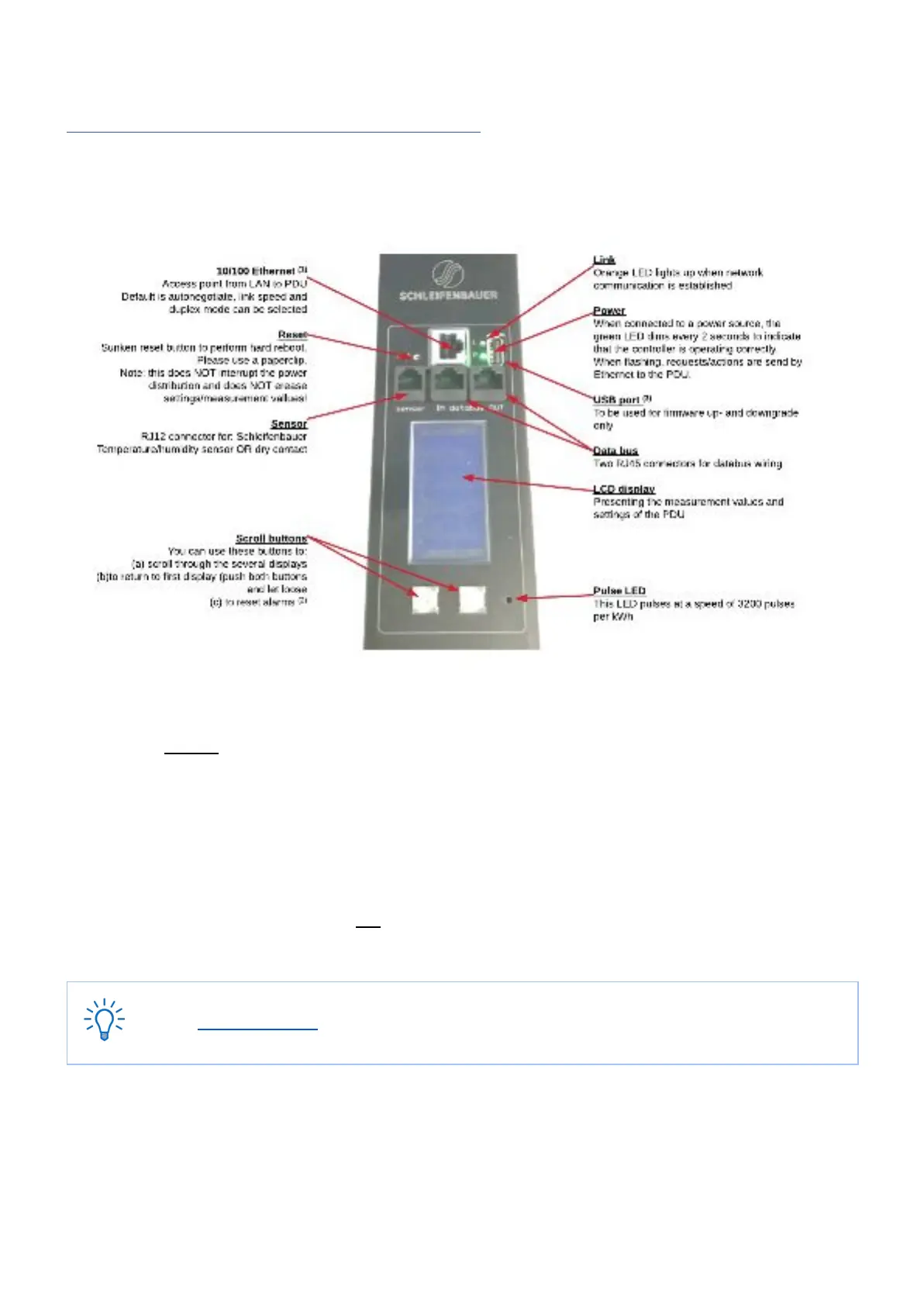
PART IIA - LOCALLY MONITORING: DEVICE DISPLAY
The intelligent PDU features a display with scroll buttons, LEDs and some ports for connecting accessories. Please keep in
mind that PDUs may differ in configuration and may or may not not have a display.
(1)
PDUs without an Ethernet port are called Classic PDUs. Firmware for Classic PDUs are in the FW1xxx - range
(2)
This option is called “Local alert reset” and must be activated via the interfaces
(3)
USB-port on g3 (generation 3) only ; to be used for firmware up- and downgrade (from FW2.52 and further)
How to change settings locally via PDU display?
Changing settings locally via the PDU itself is not possible! You have to use one of the interfaces.



 To Next Page