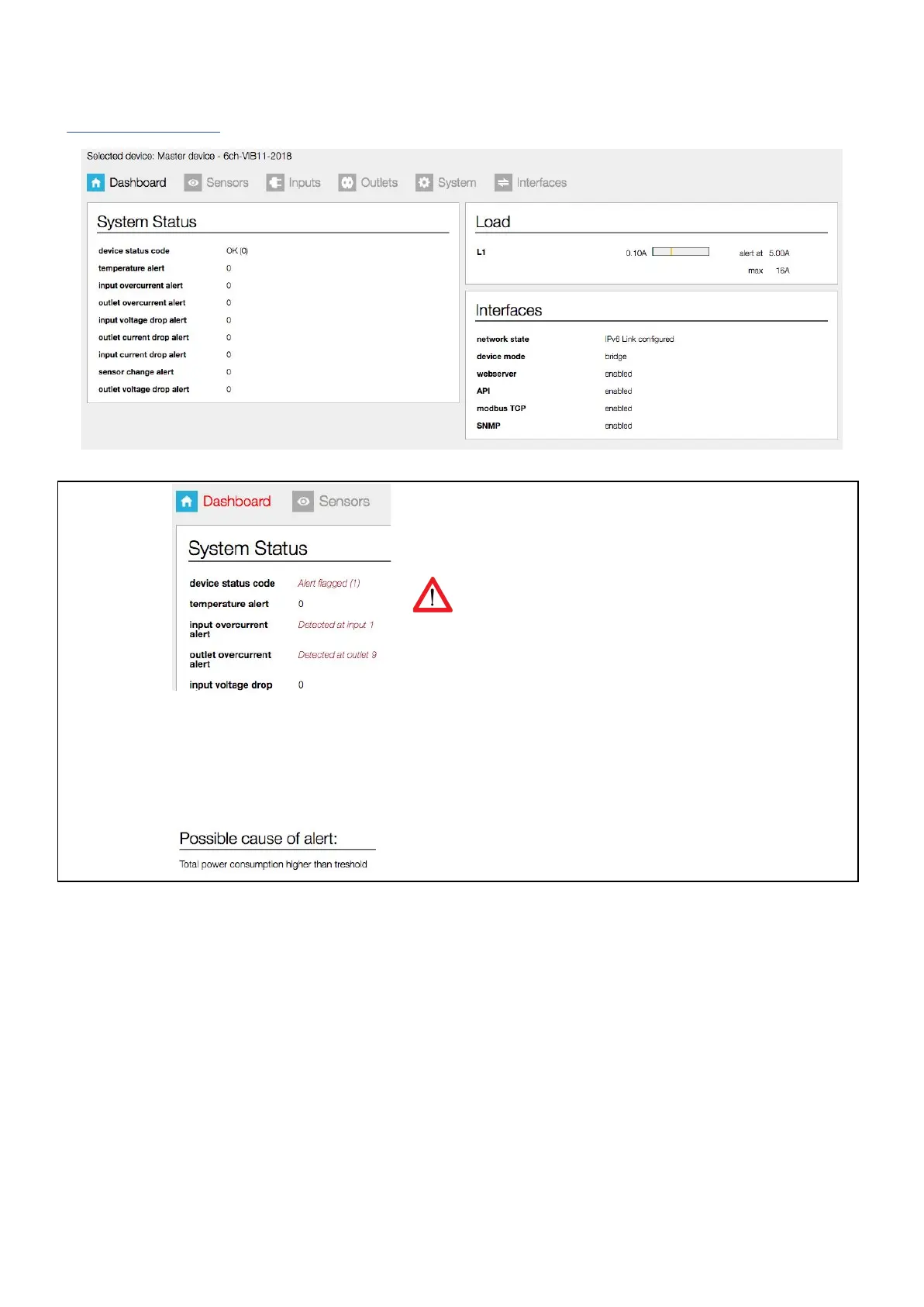
This section gives you a quick view of the actual status of the PDU: are
there any alerts? And if yes, what kind of alerts, and what caused
them?
The number following after “drops” and “overcurrent” show the
OUTLET NUMBER of the last alert. In this example there is an
“outlet overcurrent” at outlet number 9
When enabled “Auto reset alert”, alerts will be automatically
cleared after the chosen time without active alert conditions.
When an alert occurs, the tab name “Dashboard” turns red (see
example on the left)
The name “Dashboard” also turns red when switching devices in
the device list.
Looking for the reason why an alert occured?
In the <System Status> box the PDU gives you a possible cause of
the alert.



 To Next Page