How to read measurements of optional sensors and what options are possible?
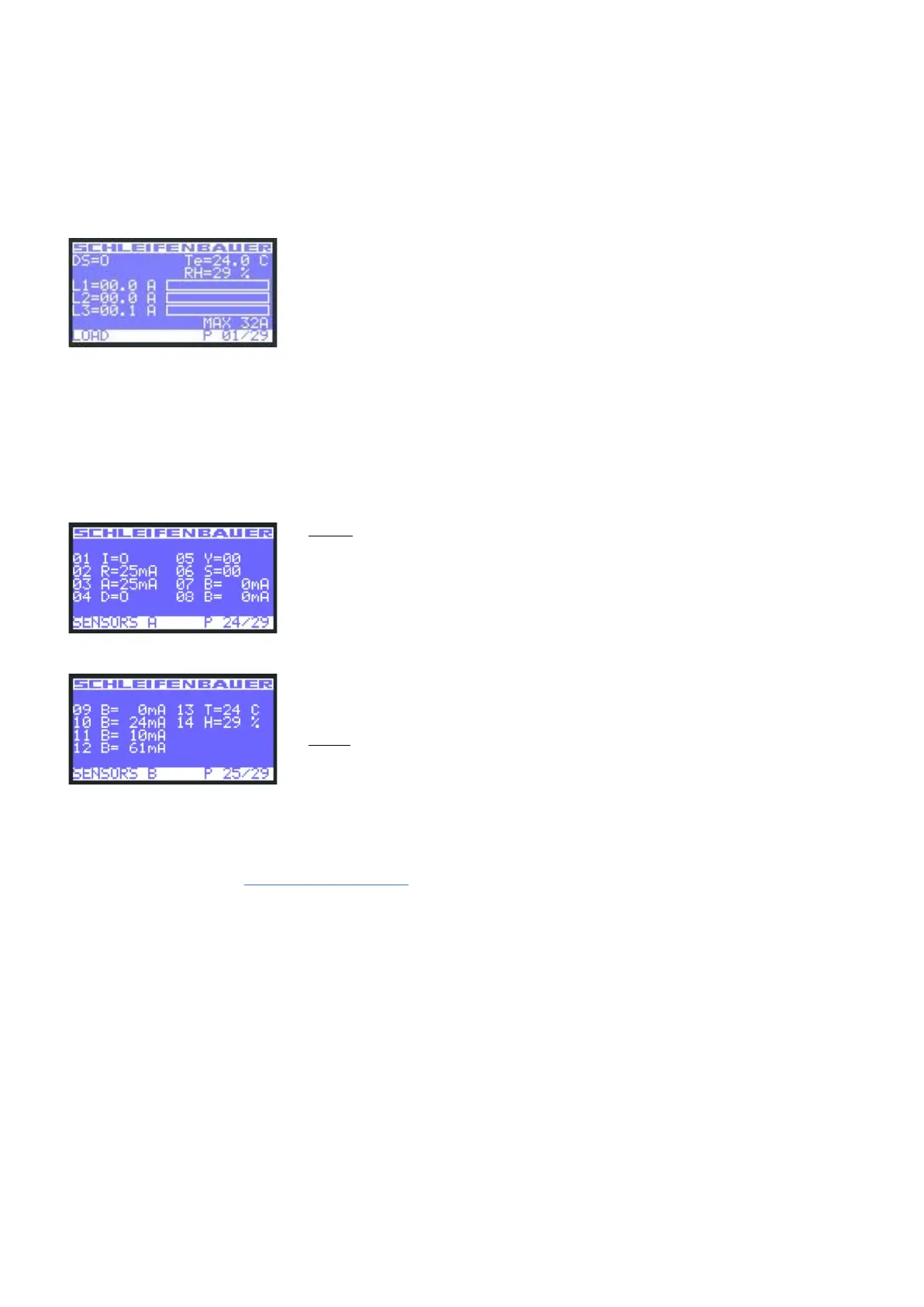
Option 1: load page
Sensors are displayed on the "Load" screen whenever there are less than 3 sensors in use. When adding more sensors, one
or more pages are added to the LCD screen to show the sensors readout as shown in the images below:
DS = status of NO/NC contact [ 0 = open; 1 = closed ]
Te = temperature [degrees C]
RH = relative humidity [%]
Option 2: sensor pages
The sensor measurements are displayed in the following format:
< channel number > < sensor type > = < value >
The sensor type is indicated by a letter. The letters are abbreviations for the sensor type as follows:
Example: sensor page 1 of 2
Example: sensor page 2 of 2
Analog:
T = temperature [°C]
H = humidity [%]
R = residual current [mA]
See “How to read branch residual current measurements”
A = AC residual current [mA]
D = DC residual current [mA]
B = Branch residual current [mA]
Digital:
I = dry switch contact
S = error status
Y = activity
For all optional sensors see www.schleifenbauer.eu
V252_User manual
Schleifenbauer PDU



 To Next Page