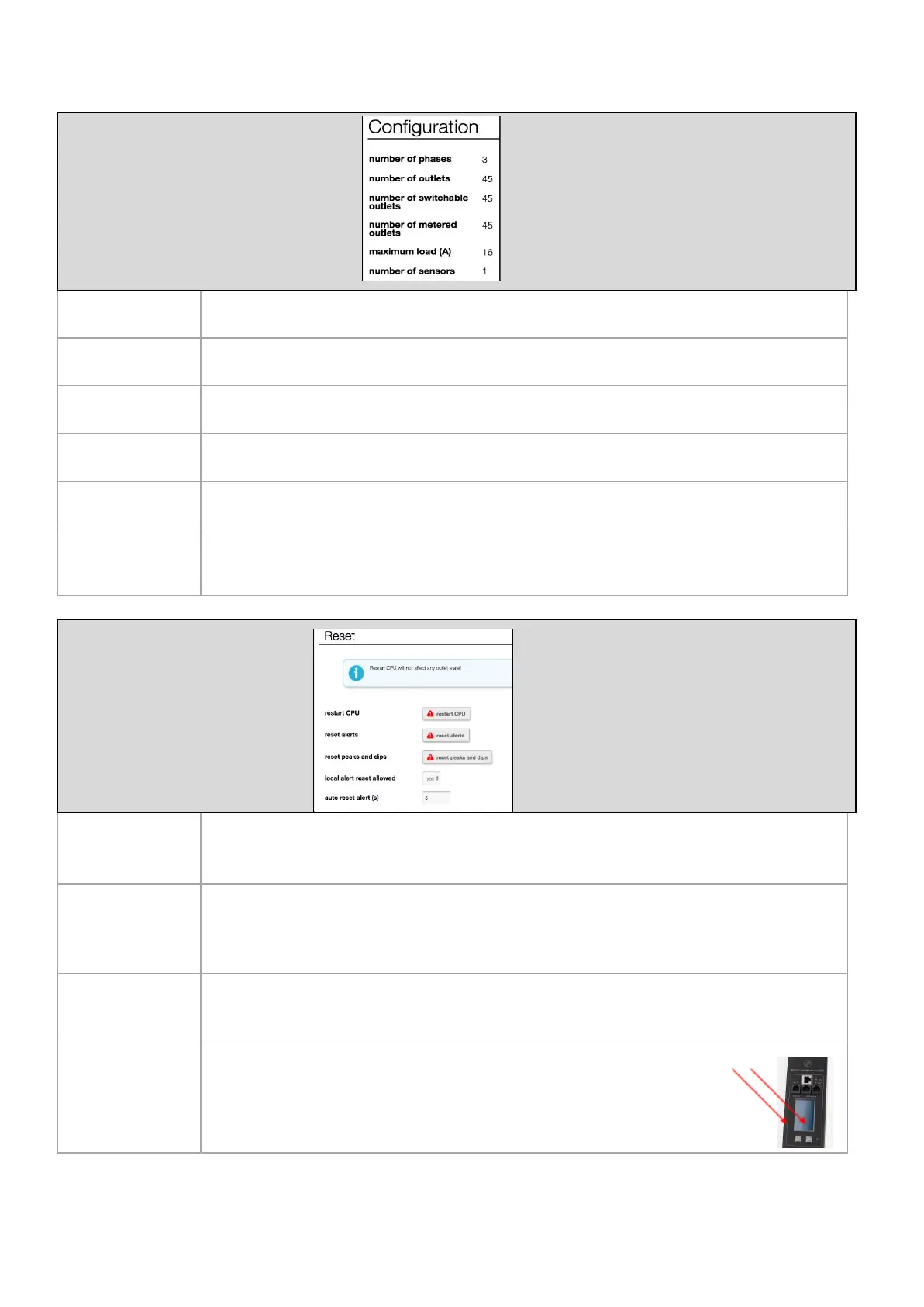
Configuration information of the device
Number of input phases/lines
Total number of outlets
number of
switchable outlets
Total number of switchable outlets
number of
metered outlets
Total number of metered outlets
Maximum current of the loads (per phase or line)
Shows the total number of sensors detected
Note: this is autoconfig so after sensors are added or taken out, the system recognizes this and changes the information
Restart controller and
resetting alerts (manually /
automatically)
This is a reboot of the controller of the PDU. After restarting all alerts and peak registrations will
be erased. Be assured: power distribution will NOT BE INTERRUPTED during this restart!
Clears all the alerts on the device.
Of course resetting alerts does not mean that the reason of the alert is taken away. So, an alert
can occur directly after resetting.
Clears all the registered peaks and dips on the device.
Local alert reset
allowed
Provides possibility to clear alerts while standing next to the PDU by pressing both
“Page up” and “Page down” buttons at the same time
V252_User manual
Schleifenbauer PDU



 To Next Page