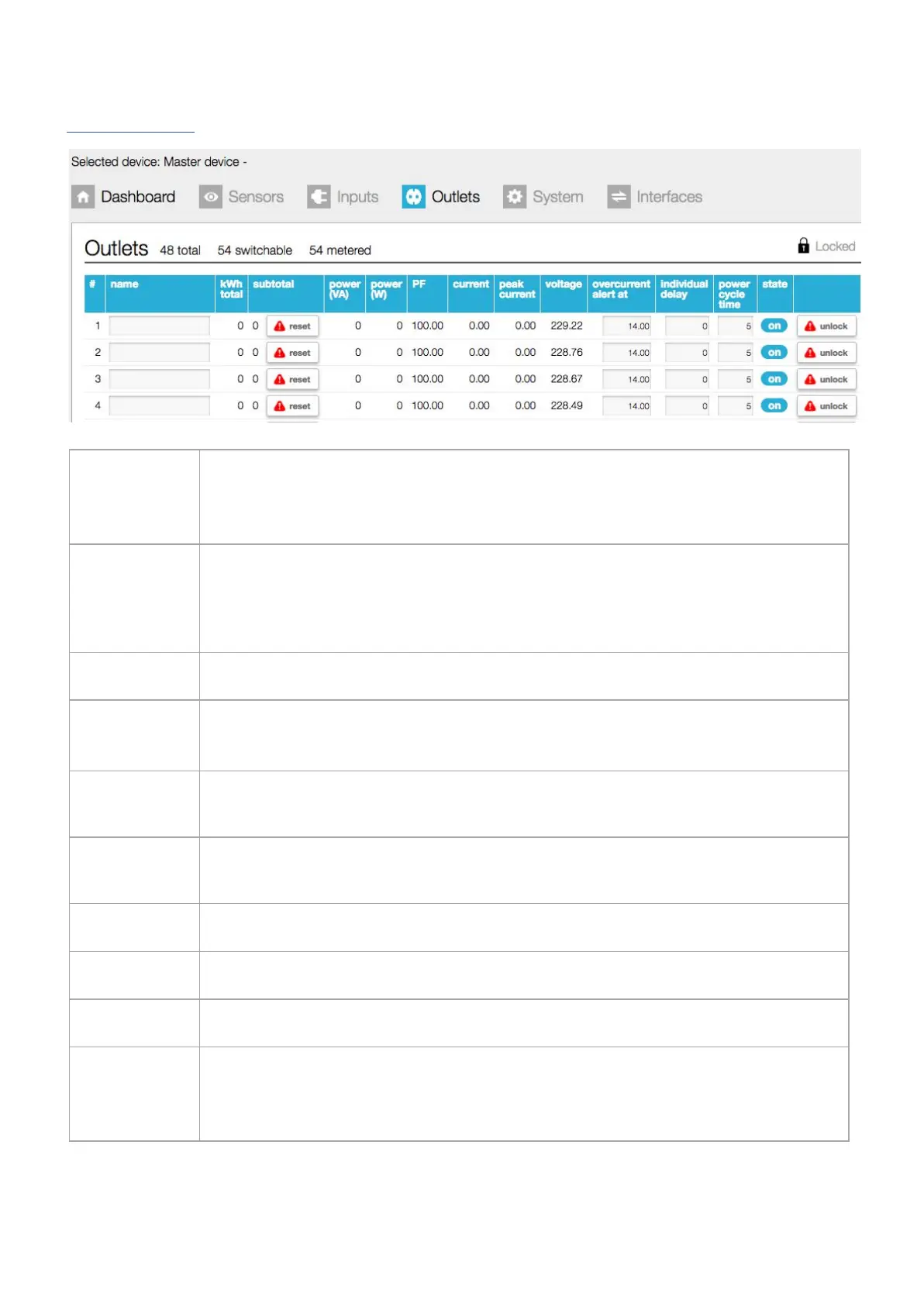
This tab gives an overview of the configuration of the PDU.
In this example, there are 54 outlets in total of which 54 are both switchable and metered.
The example shows only the first 5 lines, in reality the screen shows 54 lines, one for each outlet!
By default, the name field has an 8 character limit. With the “extended name”-option enabled,
you can make use of 18 characters. Whether you are allowed to change the names, depends on
your role according to the “permission model”
➢
See also chapter: “web interface > permission model” & “System tab > Settings”
Total amount of energy per line: value cannot be reset during the lifetime of the devices!
Total amount of energy per line since the last reset. Resetting after “unlocking” and clicking the
“reset” button
Apparent power per outlet
Note: not available on Classic PDU (= without Ethernet port) or DPM27
Real power per outlet
Note: not available on Classic PDU (= without Ethernet port) or DPM27
Power factor per outlet [%] = real power [W] / apparent power [VA]
Actual current [A] per line
Highest current per line since the last “reset peaks and dips”
➢ See also chapter: System tab > Reset
Actual voltage [V] per outlet
V252_User manual
Schleifenbauer PDU



 To Next Page