PART IIB - REMOTE OPERATING AND MONITORING: WEB
INTERFACE
INTRODUCTION
Connected devices
(ONLY IN BRIDGE MODE)
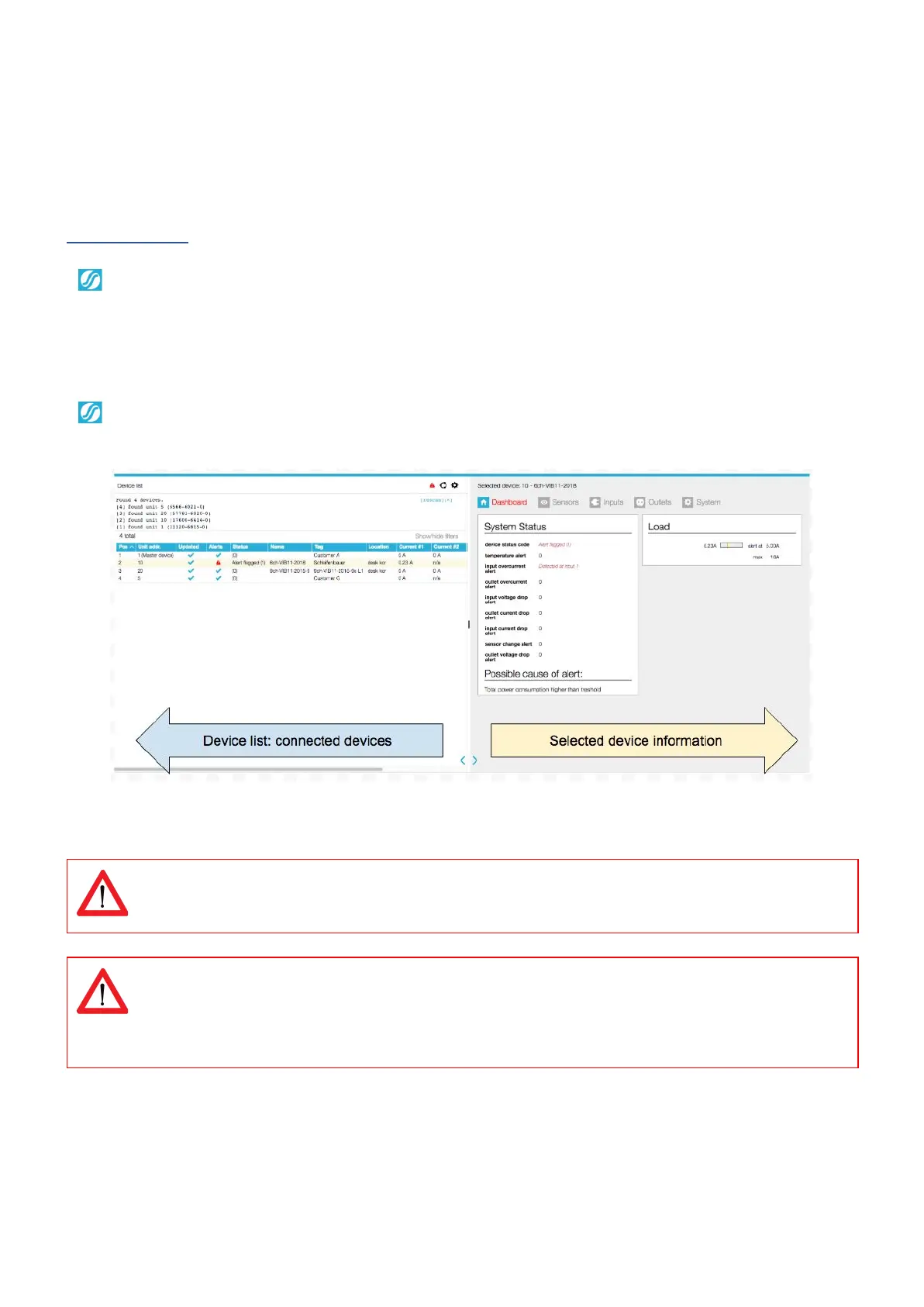
In the left pane (part of the screen) a list of connected devices in the databus is shown.
Also the databus management functions can be found in this section such as:
● Scan databus
● Initialise zero addresses to sequence
● Reset all alerts
After selecting a connected device, you see measurements/information and get access
to the remote operating functions, in the right pane.
Using the web interface means using capacity of the databus and slowing down the performance of other
interfaces. Therefore it is NOT advisable to open too many web interfaces in order to prevent “hammering”
the databus.
Classic PDUs don’t have a device type register. That is why some things do not work using SNMP:
- input subtotal reset per phase, not working -> try multiple times, reset is often delayed.
- outlet reboot, not working
- Power (W) and Power (VA), invalid value (0.0)
V252_User manual
Schleifenbauer PDU



 To Next Page