How to stop the alert signaling? ...auto reset alert
From firmware 2.40 on it will be possible to select a duration time after which the alert will be cleared after the cause of the
alert is not present anymore. It will be no longer necessary to clear the alert on the PDU or via an interface after the event
which led to an alert is gone
But remember: an alert does not occur without a reason. So it is important that the alerts are recorded/logged in an
management system.
FIRMWARE DOWNGRADE / UPGRADE
The development of the PDU firmware is an ongoing process. With every new release not only issues are fixed, but new
features appear and the databus will be more stable and speed will be increased. Not installing the newest firmware
means that you do not make use of the latest technology.
Because of the databus ring, upgrading of all attached devices can be done remotely! During the upgrade process the
power distribution will not be interrupted. Our firmware, firmware tools and manual are cost free: both download and in
use.
When a Schleifenbauer Gateway is in the databus you need to upgrade the Gateway firmware first. This firmware can be
found on the documentation page of the Schleifenbauer website.
The latest firmware, manual and updater tool can be found on the downloads page of our website www.schleifenbauer.eu.
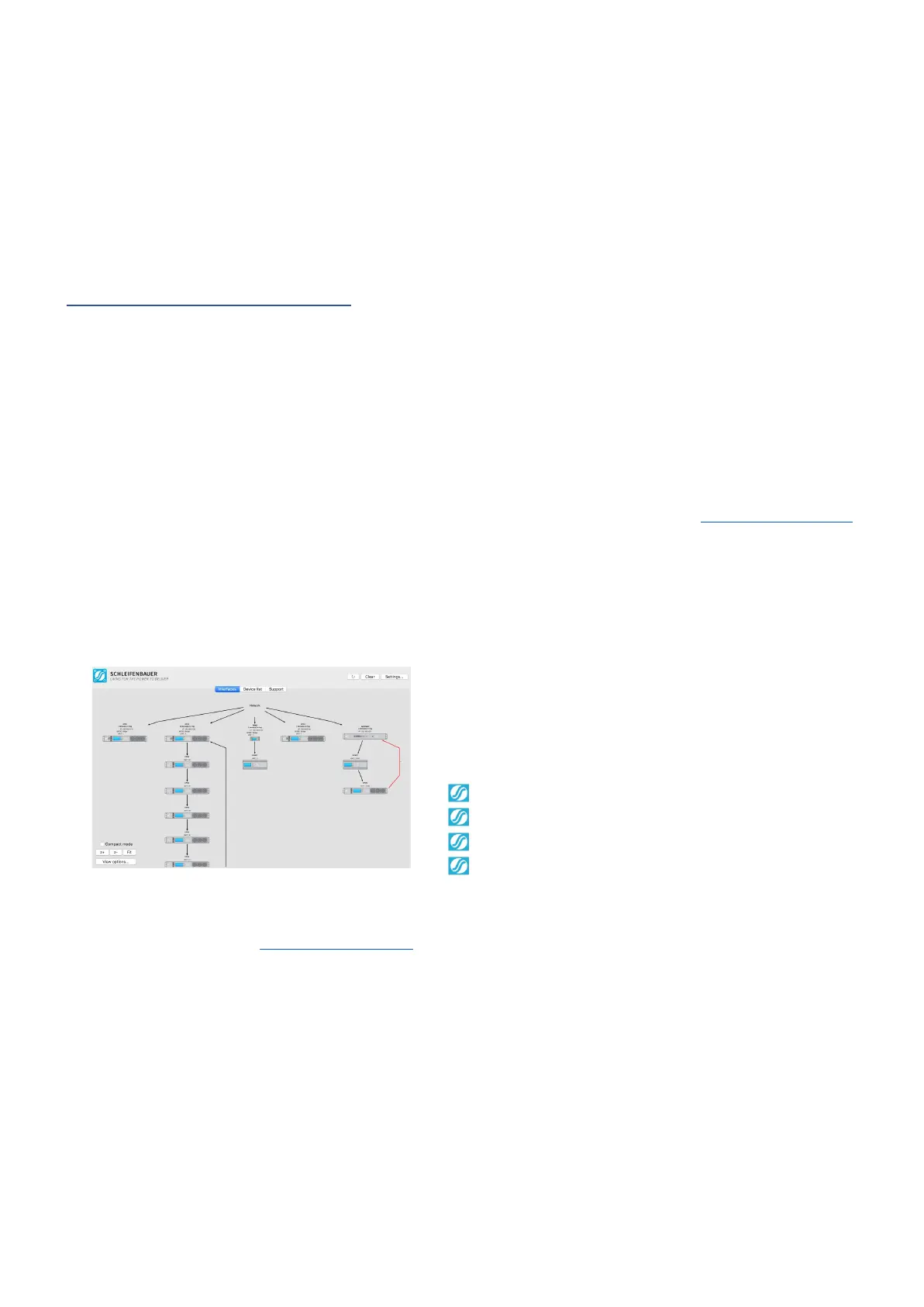
How to upgrade the firmware? ...using SPST
SPST stands for "Schleifenbauer Products Service Tool”. This
is a program which aims to aid customers in analyzing and
maintaining their network of Schleifenbauer PDUs and
DPM-energy meters. It does so by offering the following
features:
You are able to “quick scan” the status of your databusses
You can up-/downgrade firmware very easy and simple
You can remotely mass configure your databus devices
You will decrease problem solving lead time
You can download SPST from www.schleifenbauer.eu where you also can find the SPST-manual. Please read the manual
before you start using SPST and you will find out that this tool will make firmware updating and mass configuration a lot
easier.



 To Next Page