How to set up IPv6 address filtering?
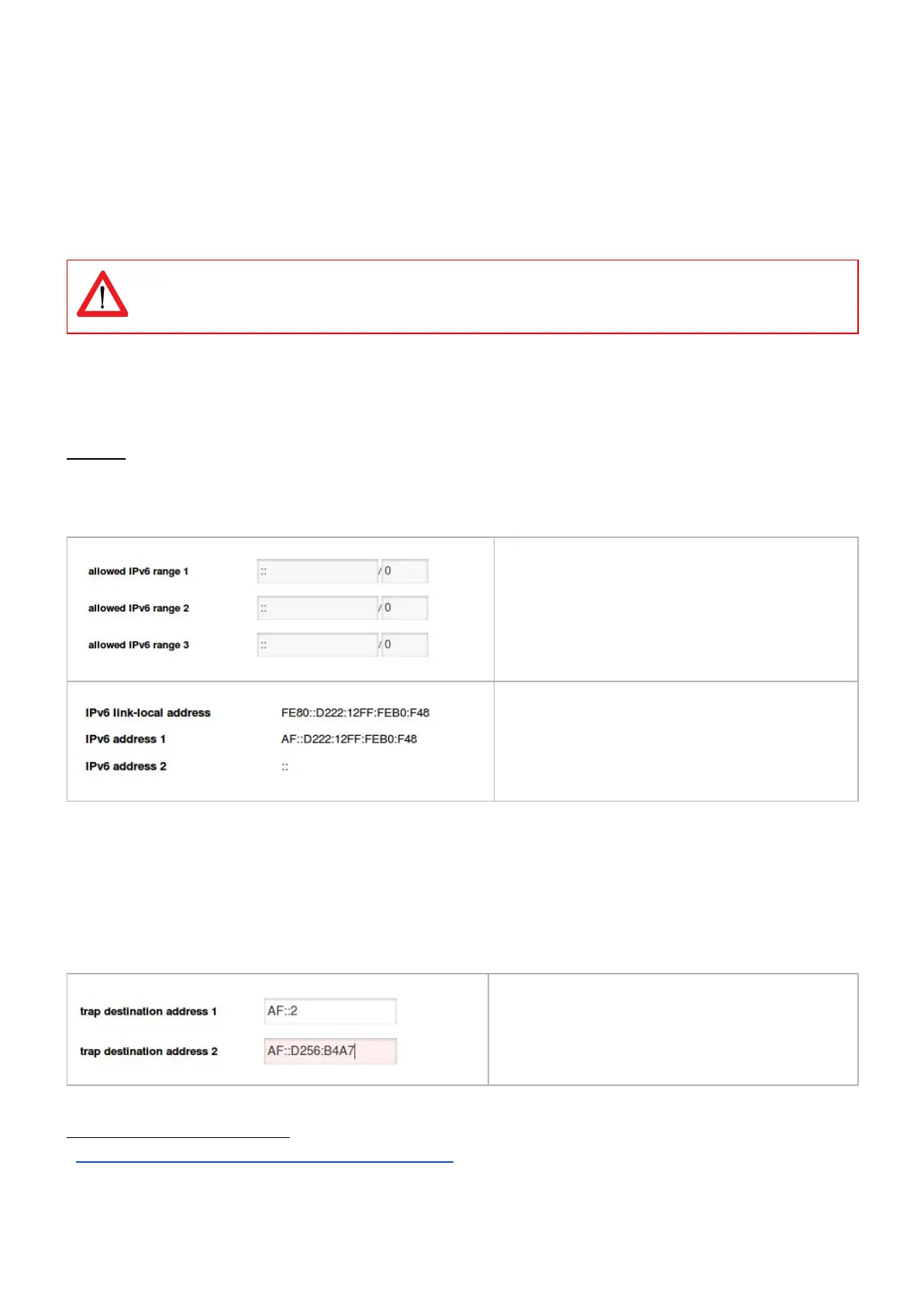
As with IPv4, IPv6 address filtering settings can be found at tab < Interfaces > block < Access control > from within the web
interface.
The web interface shown in image 3 will allow you to specify 3 IP ranges which grant access, anything outside of these IP
ranges will be blocked. If you wish to configure only a single range, you should fill in this range 3 times.
All "allowed IP6 range" fields must be filled in order for the filter(s) to have effect !
Setting any address with prefix "0" will allow any address to access the PDU web interface, SNMP, modbus etc.
Setting the address to "::" (all zero's) and the prefix to a number between 0 and 128, will limit the allowed IP scope to the
network the PDU is connected to. Filtering will then be disabled.
Example:
Setting a filter of A76F::D222:12FF:FEB0:F48/64 will allow any address starting with A76F:0000:0000:0000: (A76F::) but other
addresses such as A76A::32D4:731B:F17B:6 will be blocked. for more detailed explanation see the wikipedia page on IPv6
subnetting.
5
PDUs current IPv6 addresses.
How to send SNMP Traps with IPv6?
The PDU allows you to set 2 SNMP trap destinations. traps are fired when an alert has been generated within the PDU.
These destinations can be found under "⇌ interfaces → SNMP" in the PDU web interface. The "trap destination address"
fields can be set to any destination including an IPv4 address (when IPv4 is enabled) and an IPv6 address.
5
https://en.wikipedia.org/wiki/IPv6_subnetting_reference
V252_User manual
Schleifenbauer PDU



 To Next Page