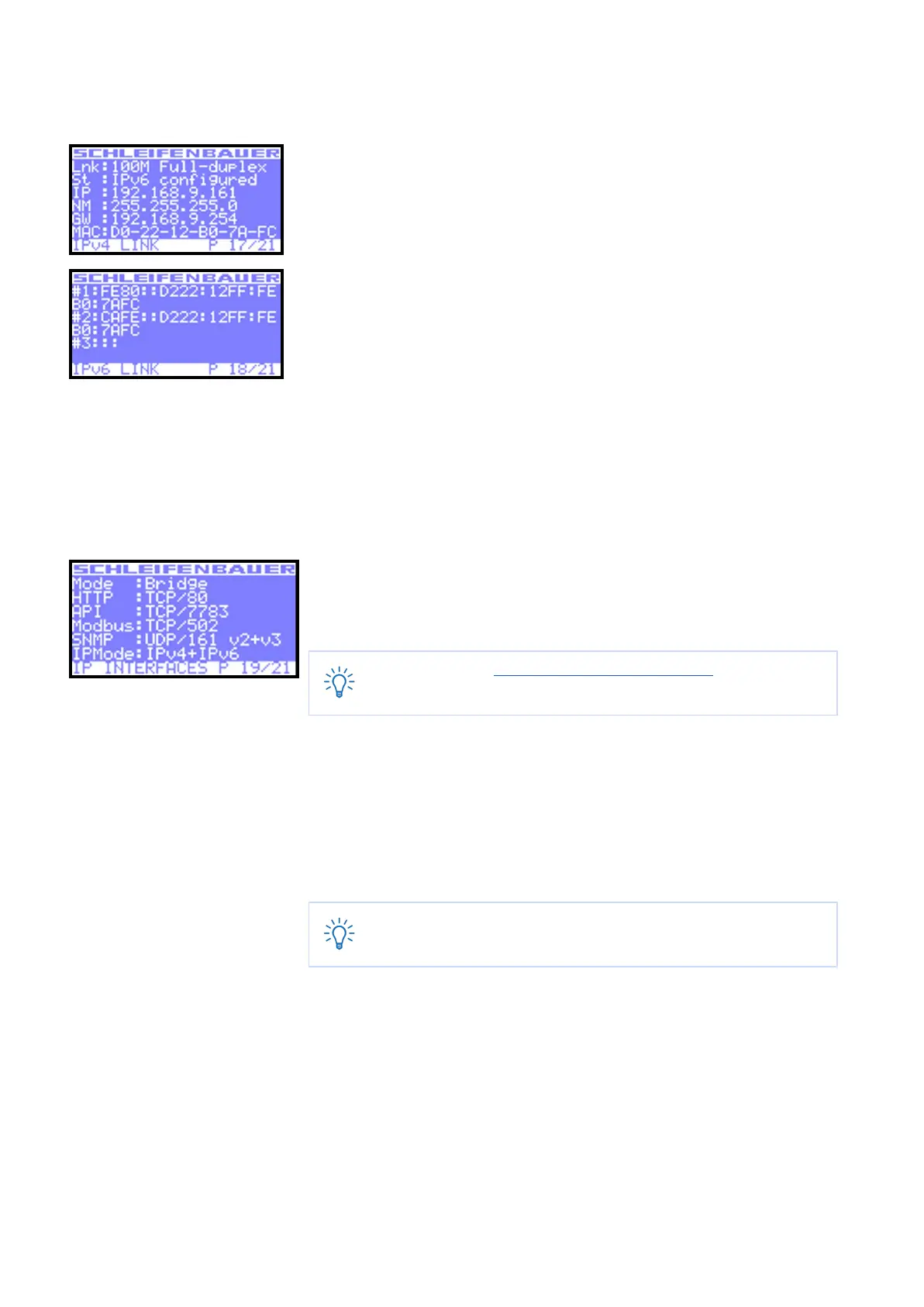
How to check the way the PDU is connected to the LAN?
You will find all information related to the PDUs network connection in the IPv4
Link and IPv6 Link pages.:
IPv4Link:
● Lnk = current Ethernet link status of the device
● St = IP status:
■ DHCP: Acquiring/Bound, Static, Static fallback
■ ‘-‘ when there is no link
● IP = IP address of the device
● NM = subnet mask of the device
● GW = IP address of the Gateway or Router
● MAC = MAC address of the device
The IPv6 link will show up to 3 IPv6 addresses. The first one will be your link-local
address which will always start with FE80:: the second and third will be your LAN
and WAN address respectively.
How can I check in which mode and with what protocol the PDU is running?
In the “IP Interfaces” display you can find information about the device mode in
which the PDU is working:
● Mode = hybrid, databus , bridge, colocation, …
See the chapter “Schleifenbauer databus: what is it?” in this manual
for explanations of the term hybrid, bridge, ….
In the display you can read the status, which protocol and port number is shown
for:
● HTTP
● API
● Modbus
● SNMP
● IPMode (IPv4, IPv6 or both)
When there is active communication with the PDU, the interface
which is running will turn white. In this example “HTTP”.
V252_User manual
Schleifenbauer PDU



 To Next Page