In this drop-down menu, you can select how much time it will take to
automatically clear alerts after the alert condition disappeared.
Be sure that alerts are registered by your management software.
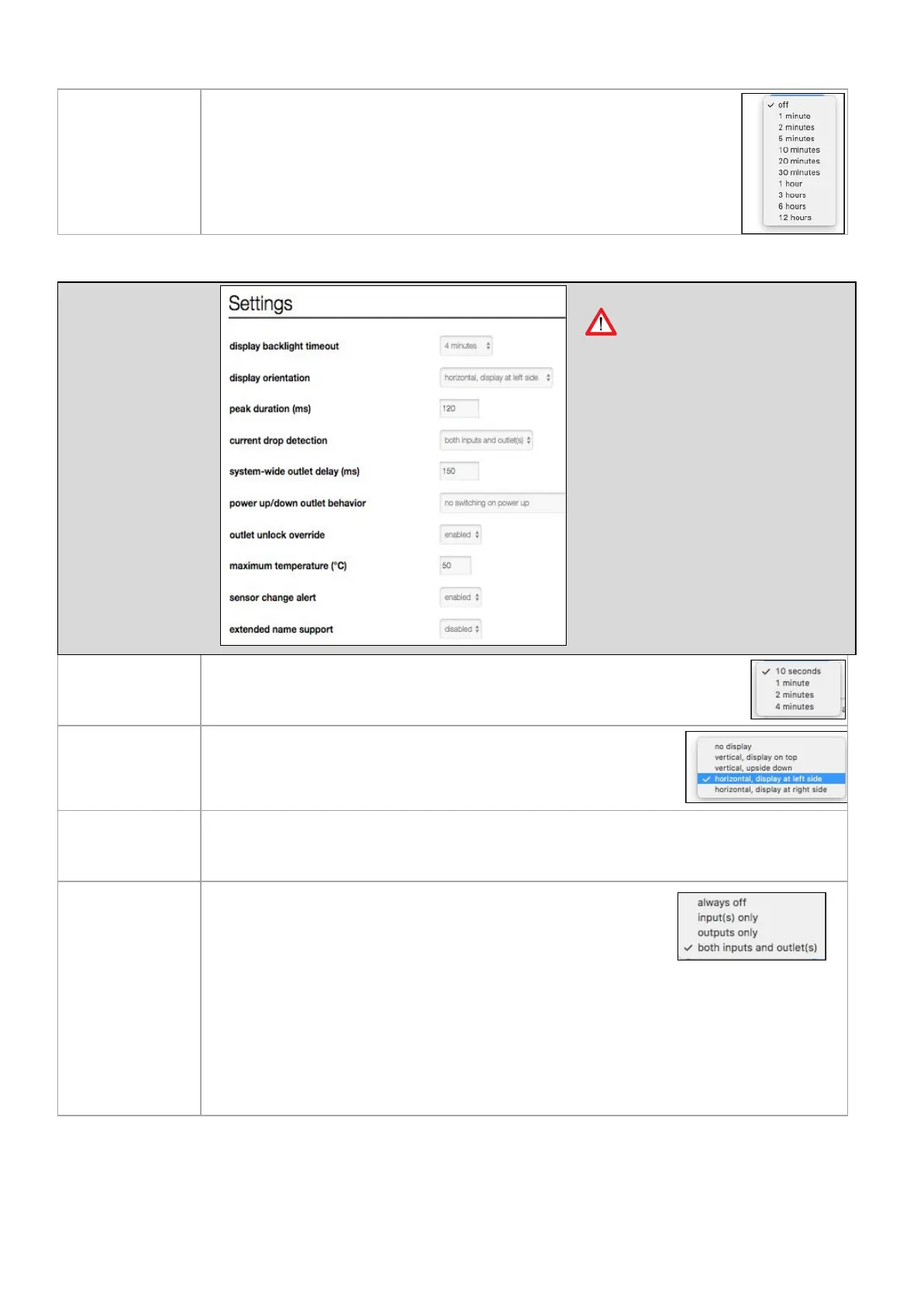
Configurable time in milliseconds that a current overload can occur before an alert is given.
Note: do not make this time too short because otherwise alerts keep on raising!
In this drop-down menu, you can select what kind of current drops
must be detected.
Please note that current drop detection is working in the following
way: When the actual current of a channel (can be input or metered
outlet) is greater than 0.5A (500mA) and drops with more than 50% of its value, then an input/
outlet current drop alert is raised.
For example:
● Actual current = 0.4A, drops to 0A -> no alert
● Actual current = 1A, drops to 0.6A -> no alert
● Actual current = 1A, drops to 0.4A -> alert is raised



 To Next Page