The code shows the status of the device in terms of errors:
0 OK Device status is OK.
1 Alert flagged One or more alerts have been flagged. Please check the other alert fields to see the cause
of the alert. It can be one of the following sources:
◆ temperature alert
◆ input current alert
◆ output current alert
◆ input voltage alert
◆ output current drop alert
◆ input current drop alert
◆ sensor change alert
2 Setting(s) initialized Some settings have been reset to default values. This may occur after a factory reset or a
firmware upgrade.
4 Power-on reset The device booted after a power loss. It can be one of the following reasons:
● because of inserting the PDU power plug (mostly intentional. It can be
unintentional if someone removed the power plug accidentally)
● because of a power outage (unintentional),
● because of a defect in the internal power supply.
8 External reset The device has been reset by pressing the reset button on the unit.
16 Watchdog timer The device rebooted due to an internal error.
32 Brownout detected Device rebooted because a voltage drop has been detected. This may indicate a defect in
the internal power supply or a dip in external power supply.
64 Controller error A hardware error has been detected.
128 Slave reset A communication issue has been detected with an outlet slave module.
Temperature alert raises for temperatures, which exceed the user’s maximum temperature setting.
‘0’ is the indication of everything's all right.
input overcurrent
alert
(1)
Input current alert raises for inputs/lines/phases, which exceed the user’s maximum current setting
for that input.
In case multiple inputs are in alert state, only the alert which appeared first is shown.
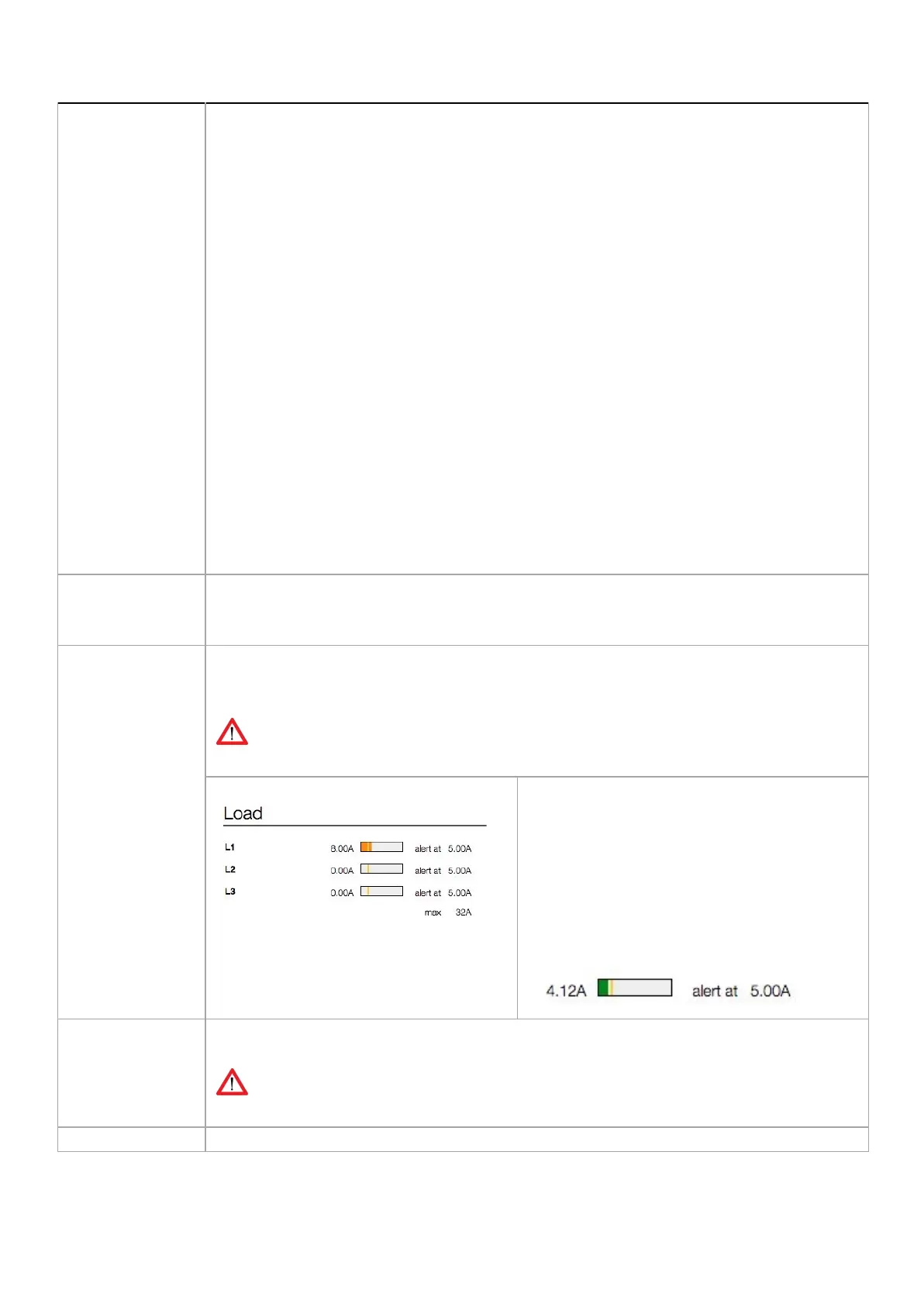
0 = OK , “Detected at input 1” => there is/was an input/line/phase current alert at phase/line 1
There still is an input overcurrent:
In the example above there still is an
overcurrent on input L1 => RED bar
The threshold of an input can be changed at the
tab < Input >.
The threshold itself is visualised in the horizontal
bar (vertical yellow line).
When exceeding the threshold, the color of the bar
will turn red (see example on the left)
When the overcurrent is solved, the red bar turns
green. Meaning there is an input current; in the
example below it is 4.12A
outlet overcurrent
alert
(1)-
Outlet OVER CURRENT alert raises for outlet number ..n.. .
In case multiple outlets are in alert state, the highest outlet will be indicated
0 = OK , “Detected at outlet 9” means that there was a current drop at outlet “9”
This alert raises in case the voltage on an input/line/phase drops below normal operating range,
V252_User manual
Schleifenbauer PDU



 To Next Page