© 2014 SeaStar Solutions Optimus Installation Manual, Rev. E
C-5
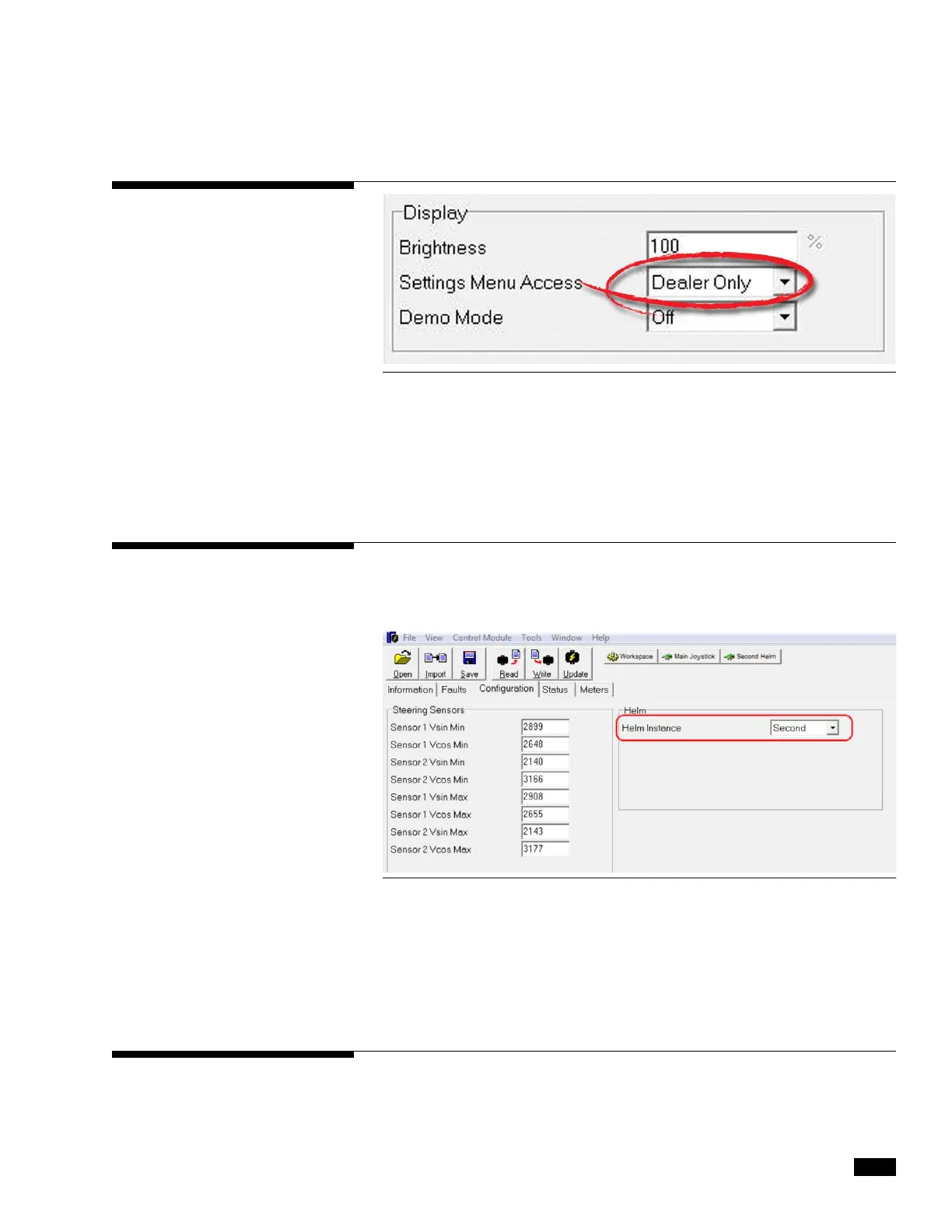
If you have a second control station, you need to open the interface
for the second station helm and change its instance to ‘Second’.
Click Write to save the change.
You will also need to configure the second station display. See section
C.4.1 and change the second display’s Display Station parameter to
‘Second.’
C.4.3 Second Station
C.4.4 Cycle Power to System
C.4.2 Settings Menu Access
Figure C-5. Helm Configuration Screen.
Changes to system parameters will not take effect until the power
has been cycled.
To cycle power, turn the key off for several seconds and turn it on again.
Figure C-4. Display parameters.
The adjustable steering settings are limited to those with Dealer Menu
access by default. To allow users to adjust the steering settings,
change the Settings Menu Access parameter to ‘All’.


 To Next Page