© 2014 SeaStar Solutions Optimus Installation Manual, Rev. E
7-12
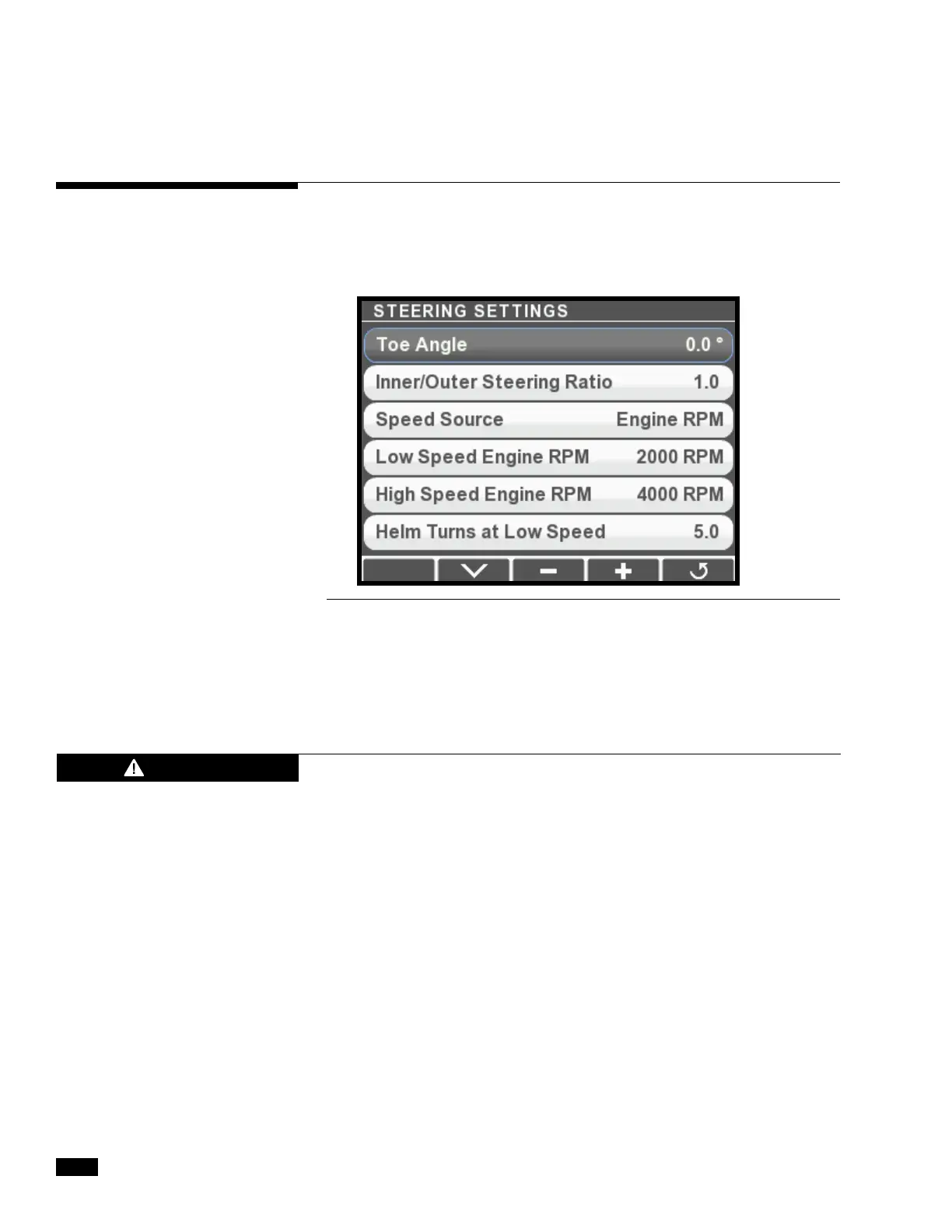
Figure 7-13.
Select the parameter to adjust, then use the + and – buttons to change
the value. Changes will not take effect until you exit the Steering
Settings menu and confirm that you want to save the changes.
Make adjustments in small increments and then trial them. Large
changes may introduce unexpected steering behavior.
CAUTION
7.4.1 Adjustment
Adjust the settings with the color CANtrak display. Navigate to Dealer
Menu > Settings > Steering > Steering Settings. Figure 7-13 shows
the Steering Settings menu display. You will need to scroll through to
see all of the parameters.


 To Next Page