© 2014 SeaStar Solutions Optimus Installation Manual, Rev. E
C-7
C.6 Calibrate with Datalink
1. Open the starboard service valve, move the starboard engine as
far outboard as possible, then close the service valve again.
This will prevent collision when the port engine moves during
calibration.
2. Open the PCM interface and click on the Configuration tab. Find
the Purge and Calibration Commands, as shown in figure C-6.
3. Click the radio button labeled ‘Calibrate Port Cylinder’.
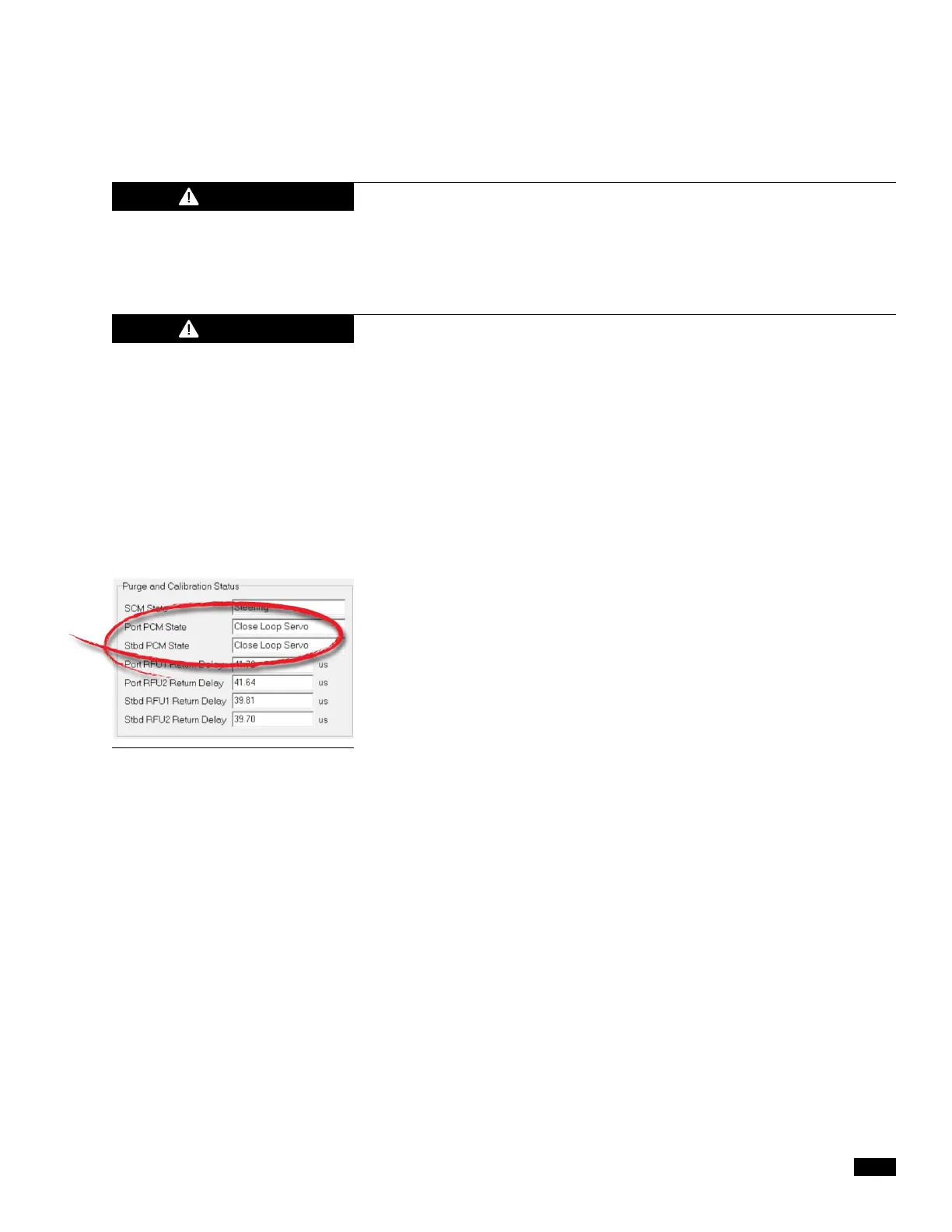
4. Turn the helm to starboard until the Port PCM State in Datalink
reads ‘Calib.Hardstop Reached’.
5. Turn the helm to port until the Port PCM State in Datalink reads
‘Calib.Hardstop Reached’. Leave the engine at the port hardstop
to prevent contact between engines when calibrating the
starboard cylinder.
6. Select ‘Calibrate Starboard Cylinder’.
7. Turn the helm to starboard until the Stbd PCM State in Datalink
reads ‘Calib.Hardstop Reached’.
8. Turn the helm to port until the Stbd PCM State in Datalink reads
‘Calib.Hardstop Reached’.
9. Turn off the system for 2-4 seconds.
10. Power up the system and turn the helm. The engines should
align automatically, and the steering should operate normally.
You may see a window in Datalink asking you if you wish to save
changes. Click No and exit.
Figure C-7.
DURING THE CALIBRATION PROCEDURE THE ENGINES WILL MOVE
THE FULL TRAVEL OF THE STEERING RANGE. CONFIRM THERE ARE
NO OBSTRUCTIONS IN THE PATH OF THE ENGINES. IF THERE IS AN
OBSTRUCTION REQUIRING STROKE REDUCTION, THE CYLINDER MUST
FIRST BE CALIBRATED WITH THE SUPPORT BRACKETS REMOVED.
The Optimus EPS system must be fully purged of air before calibration
is attempted. Any air in the system will prohibit calibration and
will cause the system to exhibit faults.
WARNING
CAUTION


 To Next Page