© 2014 SeaStar Solutions Optimus Installation Manual, Rev. E
6-12
6.5 Engine RPM Source
There are two options for getting your engine speed source from an
NMEA 2000 network.
Option 1 – Use existing bus: If an RPM signal is present on the NMEA
2000 bus you can connect the optional NMEA 2000 harness
CM20503
to an available DeviceNet tee on the bus. If no tee is available, you
will need to add one (CM10060). You may also require an extension
harness to extend CM20503 to reach the tee.
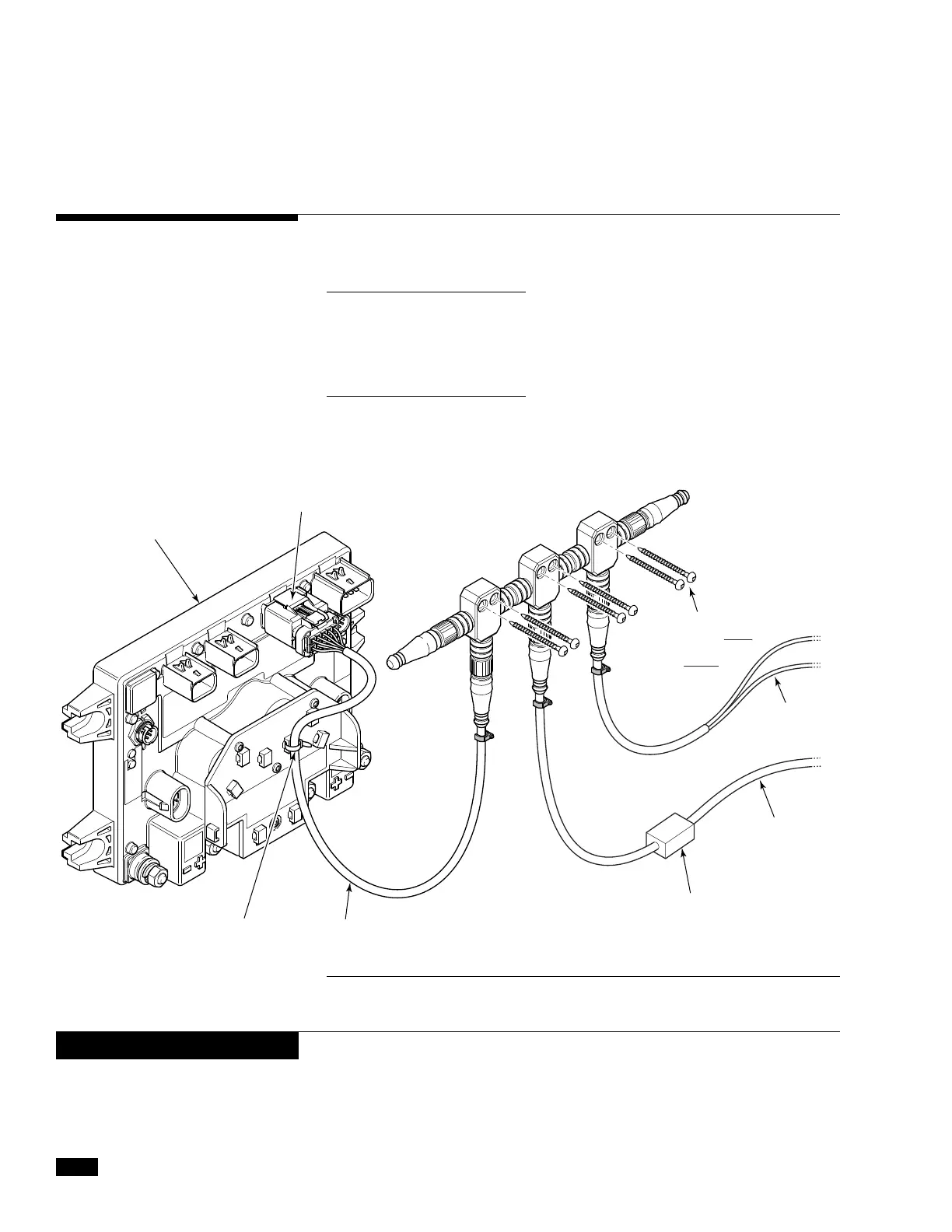
Option 2 – Create new bus: You can create a basic NMEA2000 bus
using kit HA5492. In addition to the kit you will need a gateway device
that connects between the engine bus and the NMEA2000 bus, supplied
by the engine manufacturer.
6.5.1 NMEA 2000 CAN Bus
Figure 6-14. Creating an NMEA 2000 network with kit HA5492.
CAN3 PORT
PCM
(NOT INCLUDED
IN KIT)
CABLE TIE
NMEA 2000 GATEWAY
(NOT INCLUDED IN KIT. SEE ENGINE
RIGGING GUIDE)
TO 3A FUSED
12V POWER
SOURCE
MOUNT BUS SECURELY
BY USING BOTH
SCREW HOLES
IN EVERY TEE
TO ENGINE BUS
CM20503
When using NMEA 2000 CAN Bus for engine RPMs ensure that the
black and gray analog tachometer inputs from the CM20304 CAN2
Harness are connected together
NOTICE


 To Next Page