Navigation (NAV)*126
Map orientation
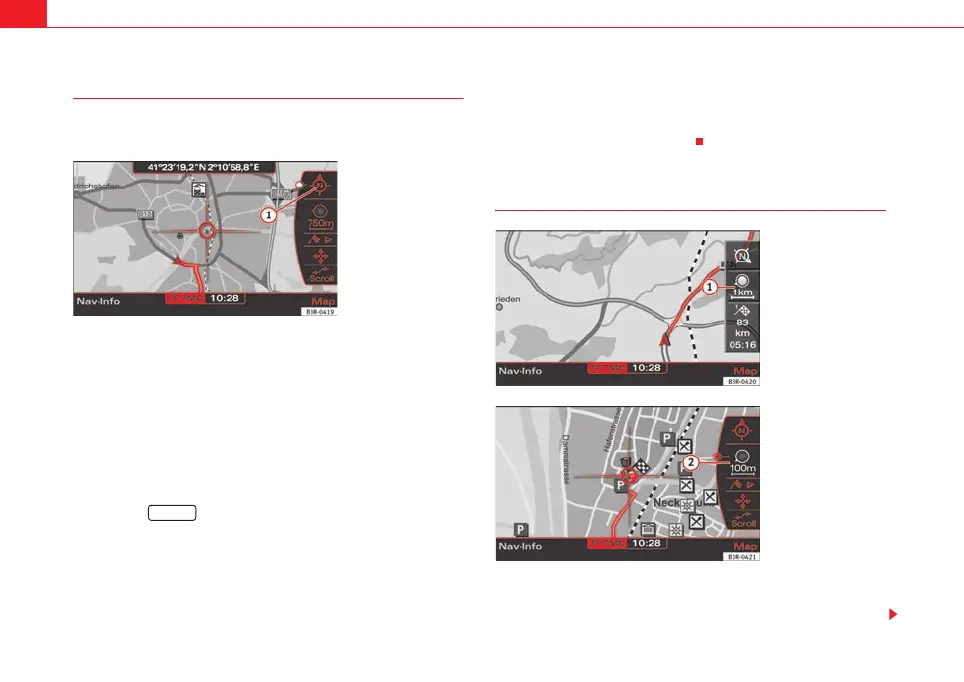
Inside side menu activation you can switch back and forth
between direction of travel (Vehicle) and North.
– Press the Map control button in the navigation menu.
– Press the control knob to switch to the map side menu.
– Rotate the control knob to switch to the first map menu item
⇒ fig. 150.
– By pressing the control knob, you can switch back and forth
between orientation North ⇒ fig. 150 and Vehicle. The changed
setting remains for the time the side menu is active.
– Press the ⇒ page 9 button to leave the map side menu.
When you change the map orientation with the side menu active, this map
orientation remains only for the time the side menu remains active. After the
side menu is deactivated, the orientation entered is Setup becomes active
again ⇒ page 132.
By selecting North the map is oriented to the North ⇒ fig. 150. The vehicle
always remains in the centre of the display.
Select vehicle, the vehicle symbol is oriented pointing North. The map will
then rotate around the vehicle symbol.
Zoom map
Changing scale with inactive side menu:
–Press the Map control button in the navigation menu.
Fig. 150 Navigation: Map
orientation North in the
active side menu
1
RETURN
Fig. 151 Navigation:
Adjusting zoom with inac-
tive side menu
Fig. 152 Navigation
system: Adjusting zoom
in active side menu
media_systemE_EN.book Seite 126 Montag, 21. September 2009 1:48 13



 To Next Page