Display16
Roaming symbol*
If your vehicle is equipped with a mobile phone installation* and is not using
your home network, the roaming symbol will also appear in the title line.
Mobile network service provider*
If your vehicle is equipped with a mobile phone installation*, the name of the
mobile network service provider your phone is using will appear in the title
line.
The name of the mobile network service provider as it appears in the display
may be different from the name that appears in the phone display.
Subtitle
The subtitle shows detailed information about the selected menu option,
such as Numbers dialled ⇒ page 15, fig. 14.
Submenu display centre
In the centre of the display, the available options in the particular menu are
listed or notes are displayed.
Status line
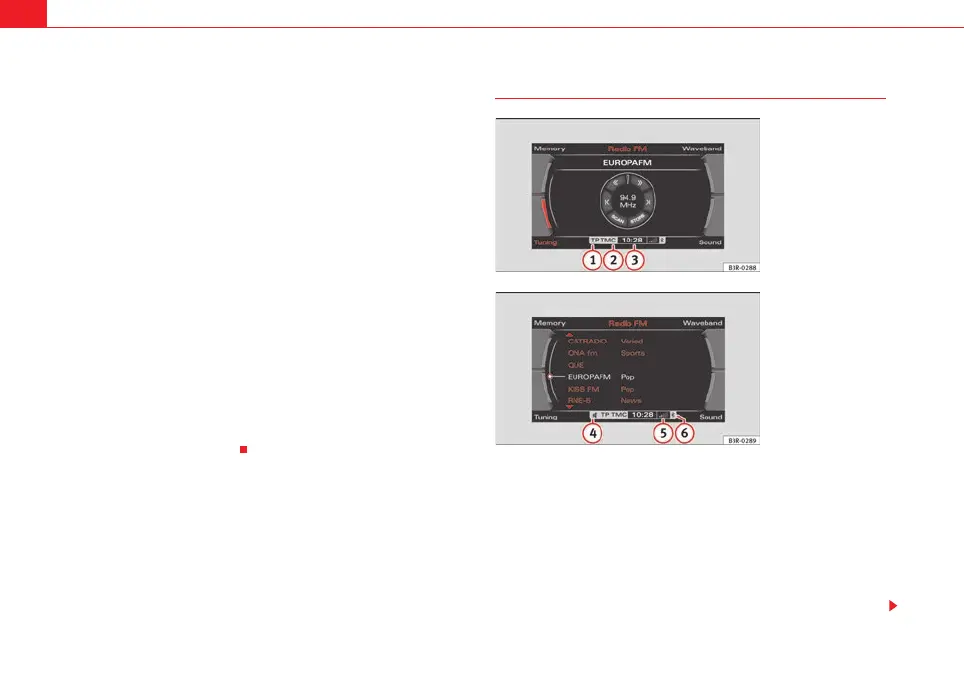
In the status line ⇒ page 16 you can find the current status of the traffic
programme reception ⇒ page 42, traffic messaging channel (TMC) recep-
tion* ⇒ page 145, mute status of current audio source, the time and tele-
phone* information ⇒ page 68.
Status line
The symbols in the status line are displayed regardless of the menu selected.
For example, you can easily see in every menu if the mute function is acti-
vated ⇒ page 10.
The status line includes the following symbols (as shown in the illustrations
⇒ fig. 15 and ⇒ fig. 16).
TP Symbol
The TP symbol indicates the status of the traffic programme function
⇒ page 42.
5
6
A
7
A
8
A
9
Fig. 15 Display: Symbols
in the status line
Fig. 16 Display: Symbols
in the status line
A
1
media_systemE_EN.book Seite 16 Montag, 21. September 2009 1:48 13



 To Next Page