1 - 68
(2) Drawing for each tool
Change a drawing color at each time of tool change.
Applicable color are up to six and return to the beginning color beyond it.
Execute the setting by the color designation.
marks are on at the side of setting has done. Change is decided by pressing the
INPUT key after selection by cursor key .
(3) Cutting feed line
Designate the type of the cutting feed line.
marks are on at the side of setting has done. Change is decided by pressing the
INPUT key after selection by cursor key .
(4) Rapid traverse line
Designate the type of the rapid traverse line.
marks are on at the side of setting has done. Change is decided by pressing the
INPUT key after selection by cursor key .
(5) Color designation
Set a color to be changed when the drawing for each tool is effective.
Only this color designation change is available later.
Select a color designation by the cursor key
and designate a tool by the cursor key
.
Decide it by pressing the INPUT key after inputting a numeral from 0 to 7 according to the
instruction.
(6) Color of Drawing Point
Designate color of the first point of drawing.
Select color of drawing point by cursor for setting.
Select the figure between 0 and 7 according to the explanation, and press
INPUT for deciding.
[Plane Setting]
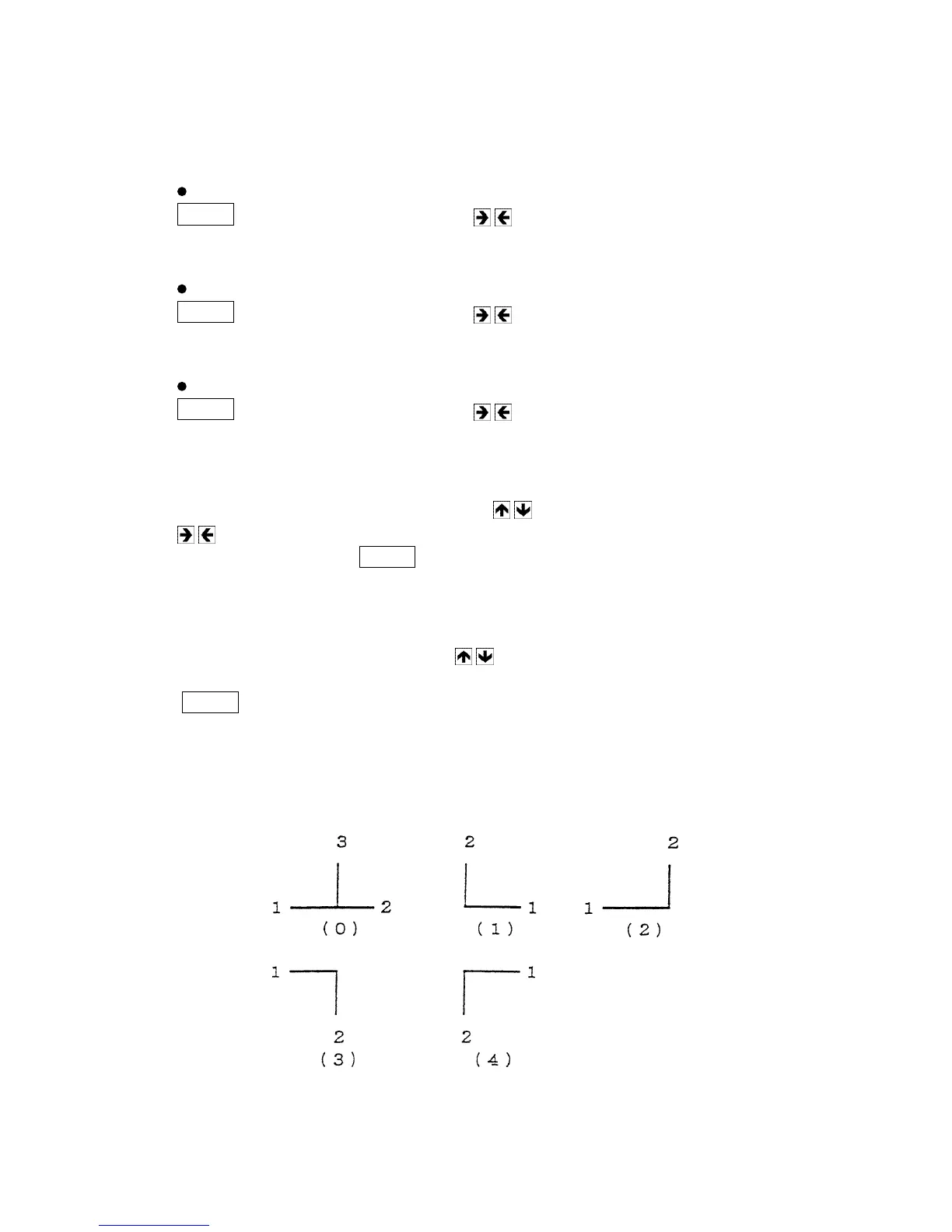
(1) The drawing plane is designated. A plane is selectable from the following 5 options.



 To Next Page