| 3 - User manual
Meaning of the LEDs
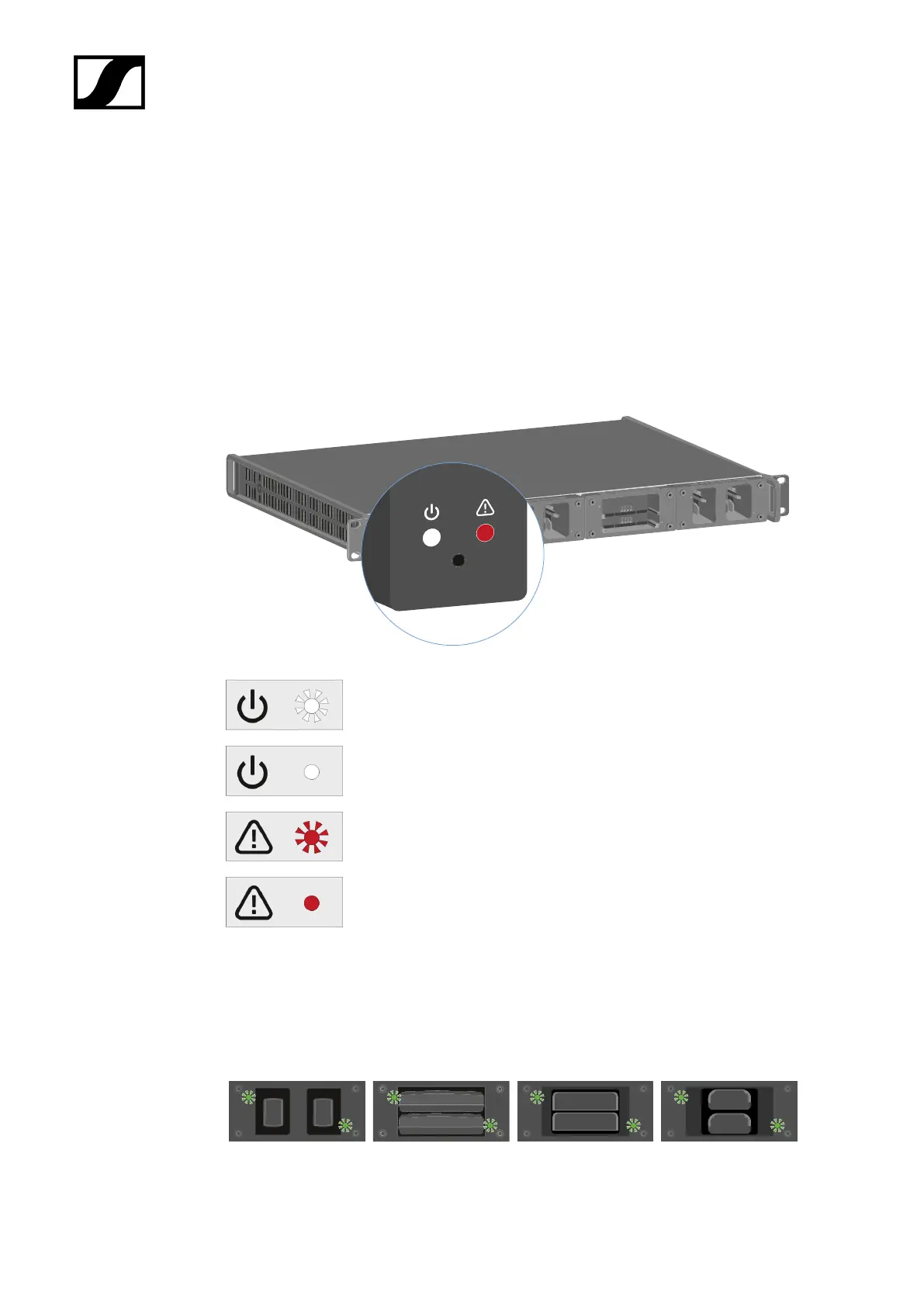
You can read the following information from the LEDs on the L 6000 charger and the LM
6060, LM 6061, LM 6062 and LM 6070 charging modules:
L 6000 status LEDs
The L 6000 charger has two status LEDs on the front of the device to the left.
White LED flashing >> device is starting or firmware is being updated
White LED illuminated >> device is ready for operation
Red LED flashing >> fan is damaged
Red LED illuminated >> device is too hot or too cold and the charging
process was stopped
LM 6060 | LM 6061 | LM 6062 | LM 6070 status LEDs
The LM 6060, LM 6061, LM 6062 and LM 6070 modules each have two charging slots. Next
to each charging slot, there is a status LED that displays the following status information:
133



 To Next Page