| 3 - User manual
Connecting to a network
Connect the Base Station to a network for monitoring and controlling.
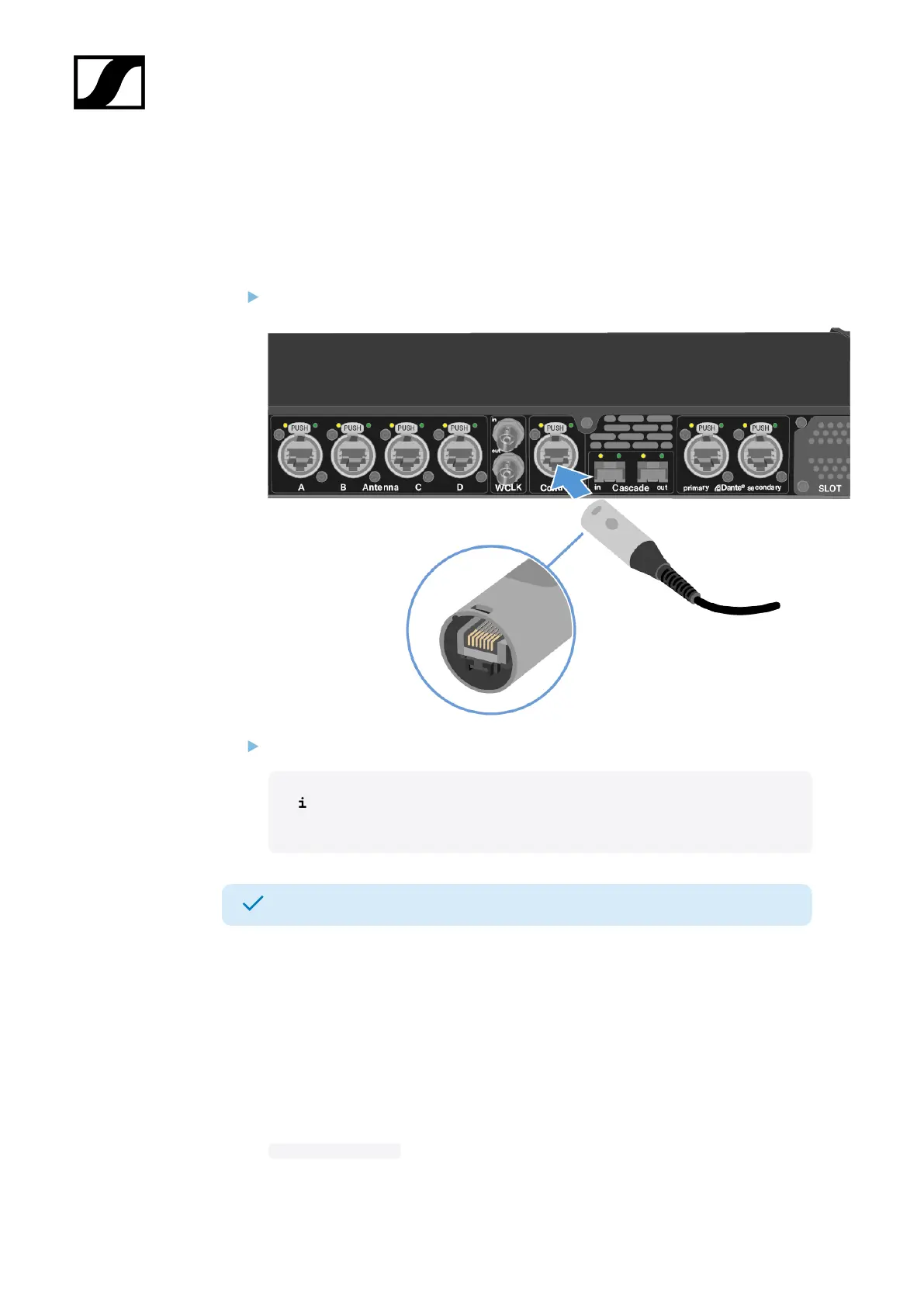
To connect the Base Station to a network:
Plug one side of the network cable into the Control socket.
Plug the other side of the network cable to a switch, router or directly to a computer.
An internet connection is only necessary for activation. See Activating a
license.
The Base Station has been connected to a network.
You can monitor and control the Base Station via a network connection using LinkDesk or
Spectera WebUI.
LinkDesk is freely available and can be downloaded directly from the Sennheiser website.
• sennheiser.com/linkdesk
To start the Spectera WebUI, enter the following URL into your browser:
• https://deviceIP
35













 To Next Page